
Welcome to ProjeQtOr new Forum. We migrated old forum to the new website.
You will find all your posts here, with your usual account.
Just one point : you’ll have to reinitialize your password. Use “Lost password” feature.

I have a ticket which I edited some days ago.
In the Ticket's history, I correctly can see that I edited some of its attributes.
According to the Ticket's activity log, however, the notification mails where sent on behalf of a colleague who has nothing to do with this ticket. I find this confusing, why has she been chosen by ProjeQtOr (She's not creator nor assignee of the Ticket and hasn't touched it as far as I know. I think she even does not have permissions for the Ticket's Project.)?
(I could not check what was contained in the actually sent mails, as I disabled "send mails to myself" in the setting.)
Maybe relevant: I activated the "combine sent mails" setting (not sure how it's actually called in English) to avoid too much individual mails to be generated.
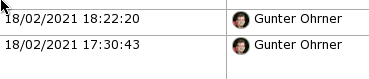
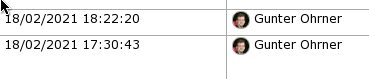
Excerpt of the (correct) history view, which shows my modifications:
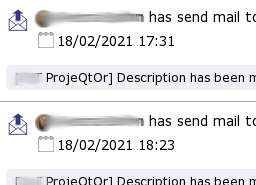
And here are the corresponding notification mail entries of the Ticket's activity stream:
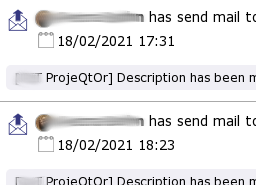
I tried to anonymize the snipped, but you can clearly see it's not me who's shown there. 🙂

It may be due to "group mails" feature, as emails are then sent by Cron, so by admin.
We'll have a look .
Ticket #5321 recorded
The user who "sent" the mails according to the activity stream does not have admin permissions.
Those are her project allocations:


Allocatin does not give admin rights.
Please look at description section : default profile
"Profile" is "Project Member":
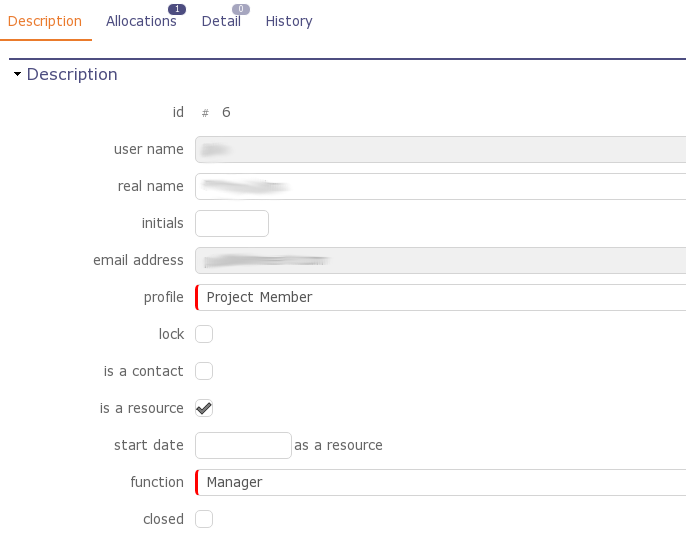
I think you should look at user with id #1
Mh, I don't understand - user #1 is the admin, yes, but it's not the user shown as the mail sender in the Activity Stream screenshot in the original post / question:
That's the user account with the ID #6, of which I gave the details in the previous post.
Hi,
Possibly it is due to automatic relaunch of CRON.
When PHP is stopped with CRON running, first user who connects re-launcheds the CRON.
Possibly his id is then used to send grouped mail.
We'll have a look.
Ticket #5321 recorded
This might be a possible reason.
The "integrated" cron is a nice feature, however I always wondered how it actually works - for example, most PHP configurations imply a time limit on scripts executed by the web server, does this also apply to the cron thread?
Other web applications, like NextCloud for example, require the administrator to setup a real cron job on server side which calls a specific php script as a specific user at specific intervals - granted, this requires more access to the server than just being able to upload PHP files, but it should be possible in many cases and then cron should be more reliable, probably.
Maybe this could at least be an additional option, besides the "automatic" "integrated" cron - or is it maybe even already possible?
The "integrated" cron is a nice feature, however I always wondered how it actually works - for example, most PHP configurations imply a time limit on scripts executed by the web server, does this also apply to the cron thread?
We have a workaround : we reset the time limit at each "loop" of Cron process (10 seconds)
Other web applications, like NextCloud for example, require the administrator to setup a real cron job on server side which calls a specific php script as a specific user at specific intervals - granted, this requires more access to the server than just being able to upload PHP files, but it should be possible in many cases and then cron should be more reliable, probably.
It's easy when you target the application to one specific Operating System.
We want ProjeQtOr to be OS independant, so Linux Cron is not a solution.
It's easy when you target the application to one specific Operating System.
We want ProjeQtOr to be OS independant, so Linux Cron is not a solution.
NextCloud for example provides both options: Some cron mode similar to what you're doing, and optionally the invocation of the cron script by a separate job scheduler.
Windows OSes also have the Task Scheduler (not Task Manager) which can be used to periodically schedule program executions, so this mode would not be limited to Linux or other Unix-like platforms.