
Welcome to ProjeQtOr new Forum. We migrated old forum to the new website.
You will find all your posts here, with your usual account.
Just one point : you’ll have to reinitialize your password. Use “Lost password” feature.

Hi all,
I have project A Figure 1.
Activ 1 Figure 2. Word file attachment.
And Figure 3 is returned to the screen project. I want to ask why I did not see the attached word file?
Thank you all.
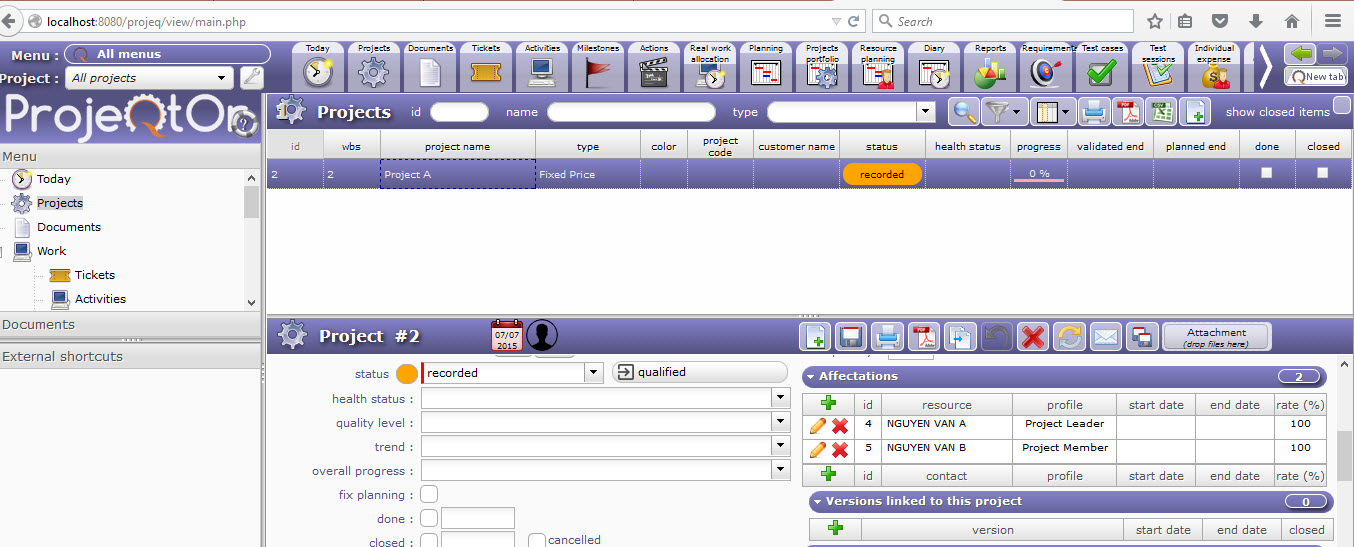
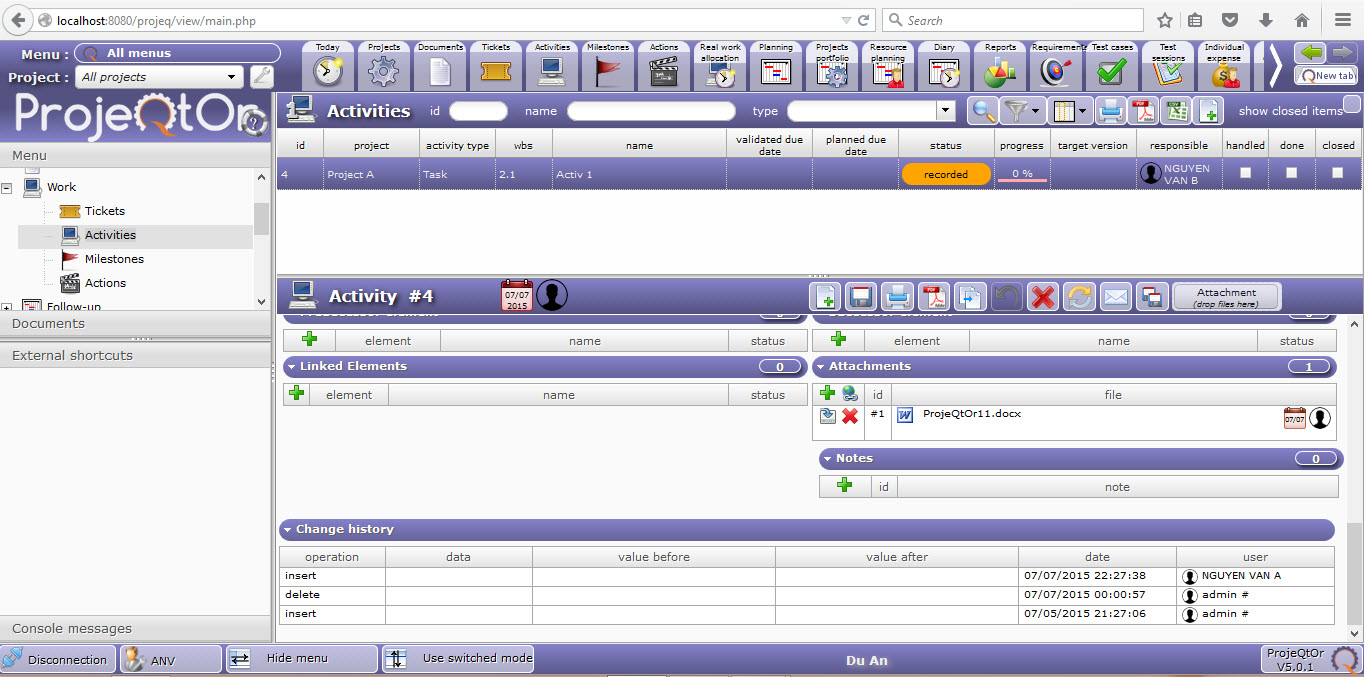
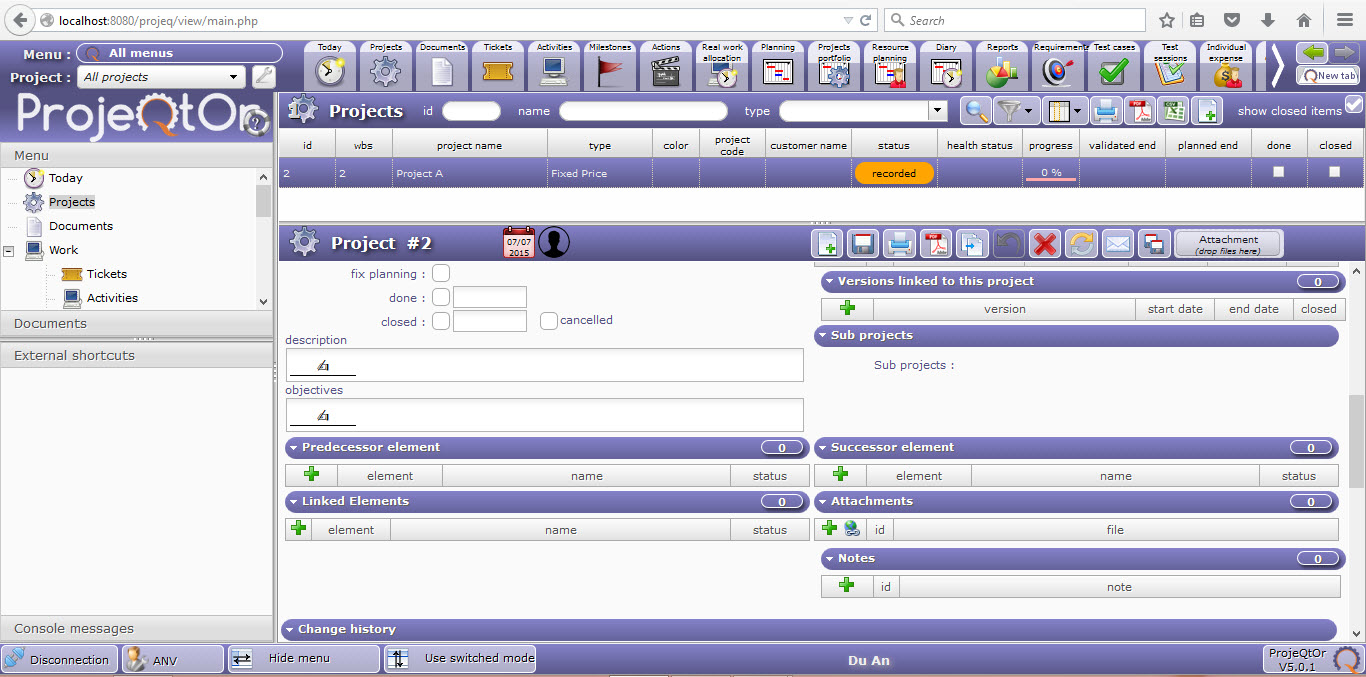

Because an attached file is only attached to the item it is attached to...
All attached files to all items of a given project are not listed at attachement on the project (it could be a real mess).
If you want to manage files that can be view as attachements to one item and listed uner one project, the you should manage documents, and link document to the item.
You'll the ba able to list all documents of a given project.
Hi babynus,
Can you guide me? I want to manage my files on the project via document link. And the files in each of the corresponding activity
Thank you very much.
Sorry, I don't clearly understand what you want to do.
Please explain in detail.
I want to manage attach files in activities. When I logged into the project, I want to see the attach file for each active project on screen project. But now, on the active file attacht I have, I do not see the file attached to the screen when logged into the project. You have manual document. Then use a document link.
I do not know how to do. Can you guide me?
When you want to attach a file to an activity, if you want to see all files attached to activities of the project, you cannot use Attached Files feature.
You must use docuements.
So, to attache a document to an activity, you must :
- first create a document through the document screen, and define project of the document.
- on the document, add a document version (you'll attach the file during version creation)
- on the activity, link document (or version of document) to the activity.
You'll the be able to :
- acces all documents (or versions) for a given activity (on the activity screen)
- list all documents for a given project (on the document list screen)
It's a bit longer than ust attach files, but it is the only way to directly access all attached files for a given project.