Welcome to ProjeQtOr new Forum. We migrated old forum to the new website.
You will find all your posts here, with your usual account.
Just one point : you’ll have to reinitialize your password. Use “Lost password” feature.

Dear all,
We would like to create automative email with the planned end date of the activity.
Do you know which value we have to select in the email model to send the correct value?
Thanks in advance,

You have to define an indocator, and generate email when date is passed.
Thanks for your answer but my question was : how to generate an email with the planned end date for an activity after a planification for inform the requester?
MAnually send email.
You can define email templatre with data you want...
Yes, we try to define an email template with data but we don't understand which parameter we have to choose to automatically integrate in our email the planned end date.

Hello
We do not directly offer an automation to notify the change of the planned end date.
But you could use event notifications.
Either on an activity or on a floating milestone that would move with the planning and asking to be notified of "any modification" or "modification of the result and the response", taking care of course to enter the new date in the result For example.
I save the ticket #7095 to add the modification of the validated and planned end dates !
Hello,
Thanks for taking into account our request.
Is there any way to have actually the planned end date in an email, the first end date planned (see attached files)?
Thanks in advance,

Indeed, we have a very small bug on the lists of email templates. You must actually save the model so that the drop-down list offers you all the elements of the available planning.
So, at creation, name the model and only after add the elements in your text and you will have access to all the different end dates (validated, planned, real, requested).
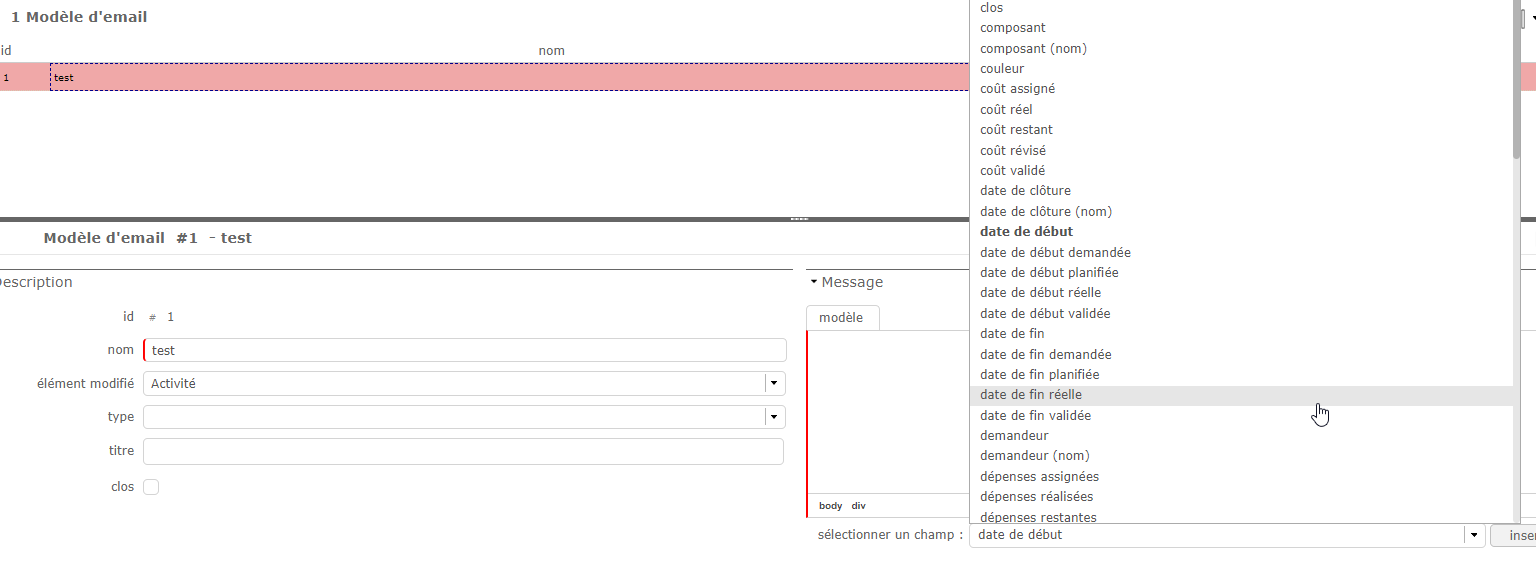
Thanks for your reply. Unfortunately we don't have the same list than you even if we save the email model (see attached file).
Is there any parameter to select in order to have the same list?
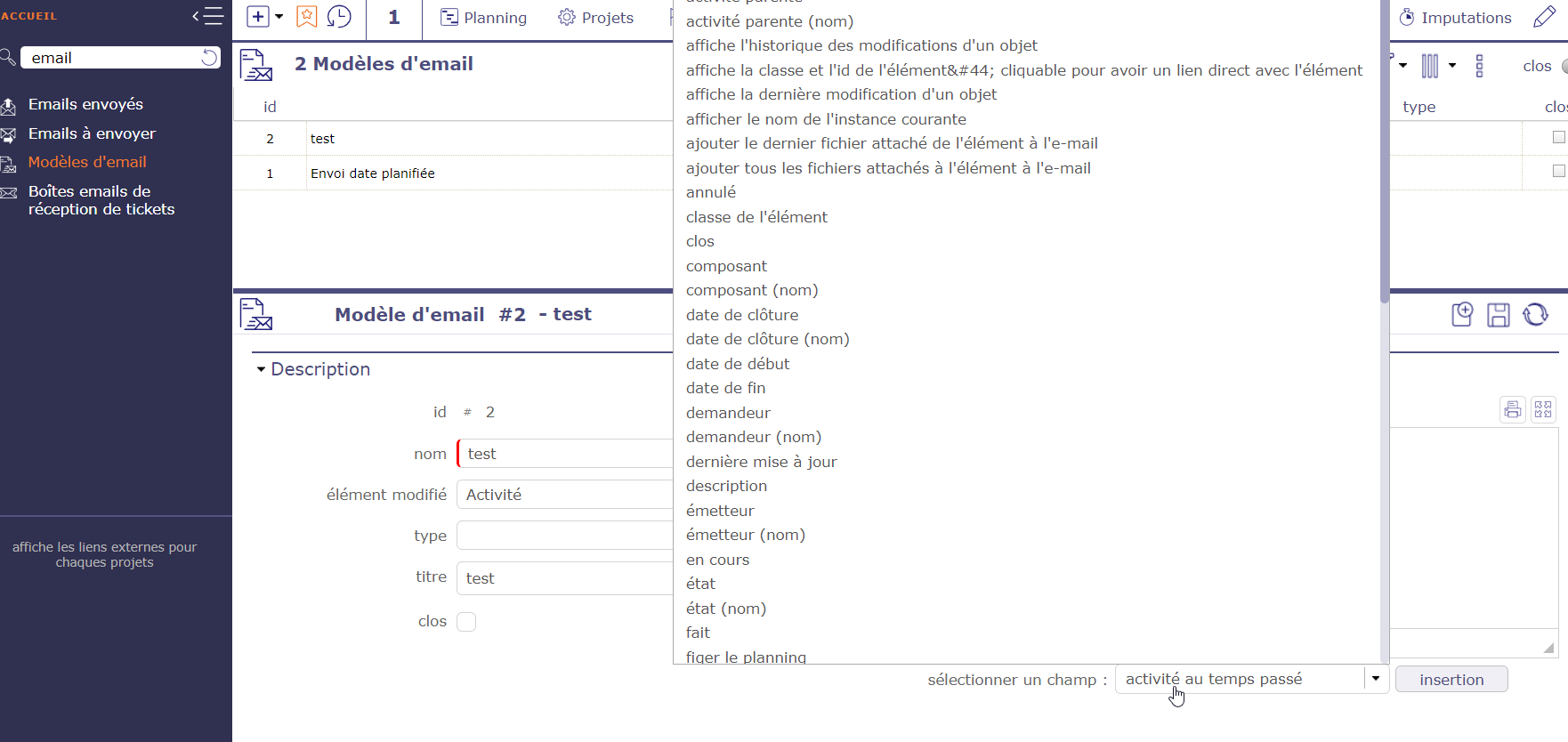
Wich version of projeqtor do you have ?
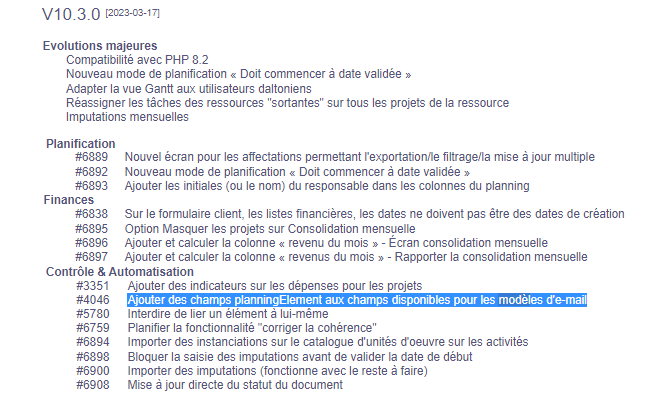
The planned dates have been added in version 10.3