
Welcome to ProjeQtOr new Forum. We migrated old forum to the new website.
You will find all your posts here, with your usual account.
Just one point : you’ll have to reinitialize your password. Use “Lost password” feature.

Dear all,
I'm a new user of ProjeQtOr first trying it and see if it can help our company developpment. I did follow the user guide to create some ressource and the corresponding users. I also created some different user profiles by copiyng the existing one to avoid making wrong manipulations on the preset one. So below the profil lists :
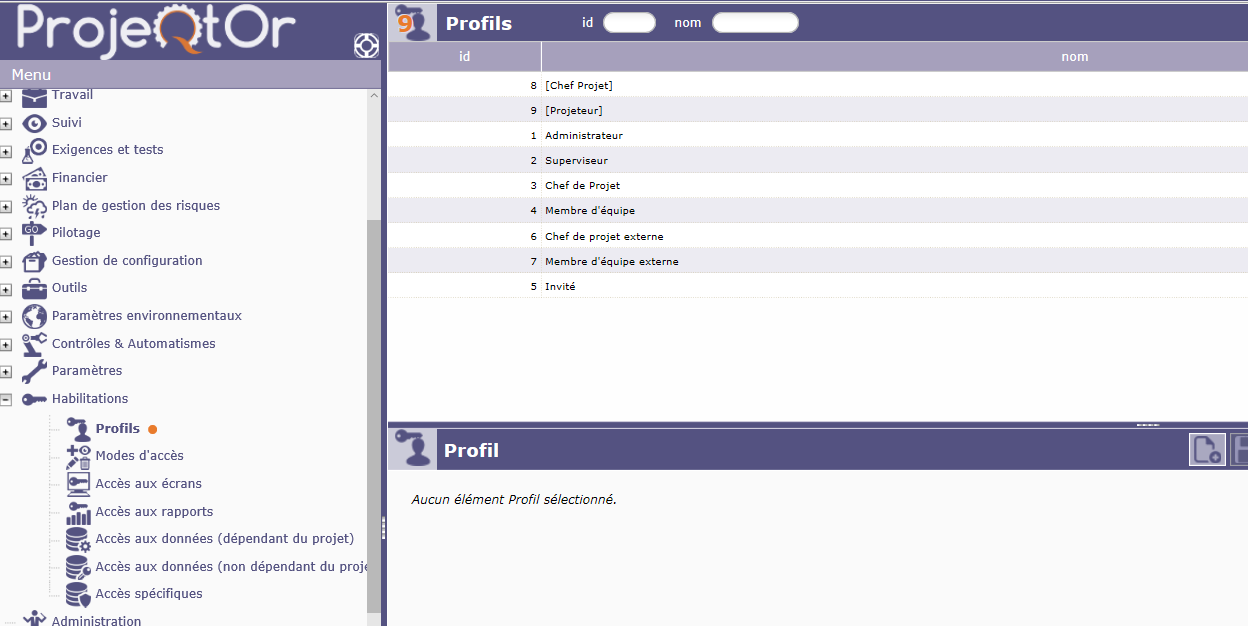
The profil I created are in between [ ] , I do not really know why but that not the problem.
When I go to the project and I want to assigned a ressource to the project, I can not select the profil I created in the drop down menu :
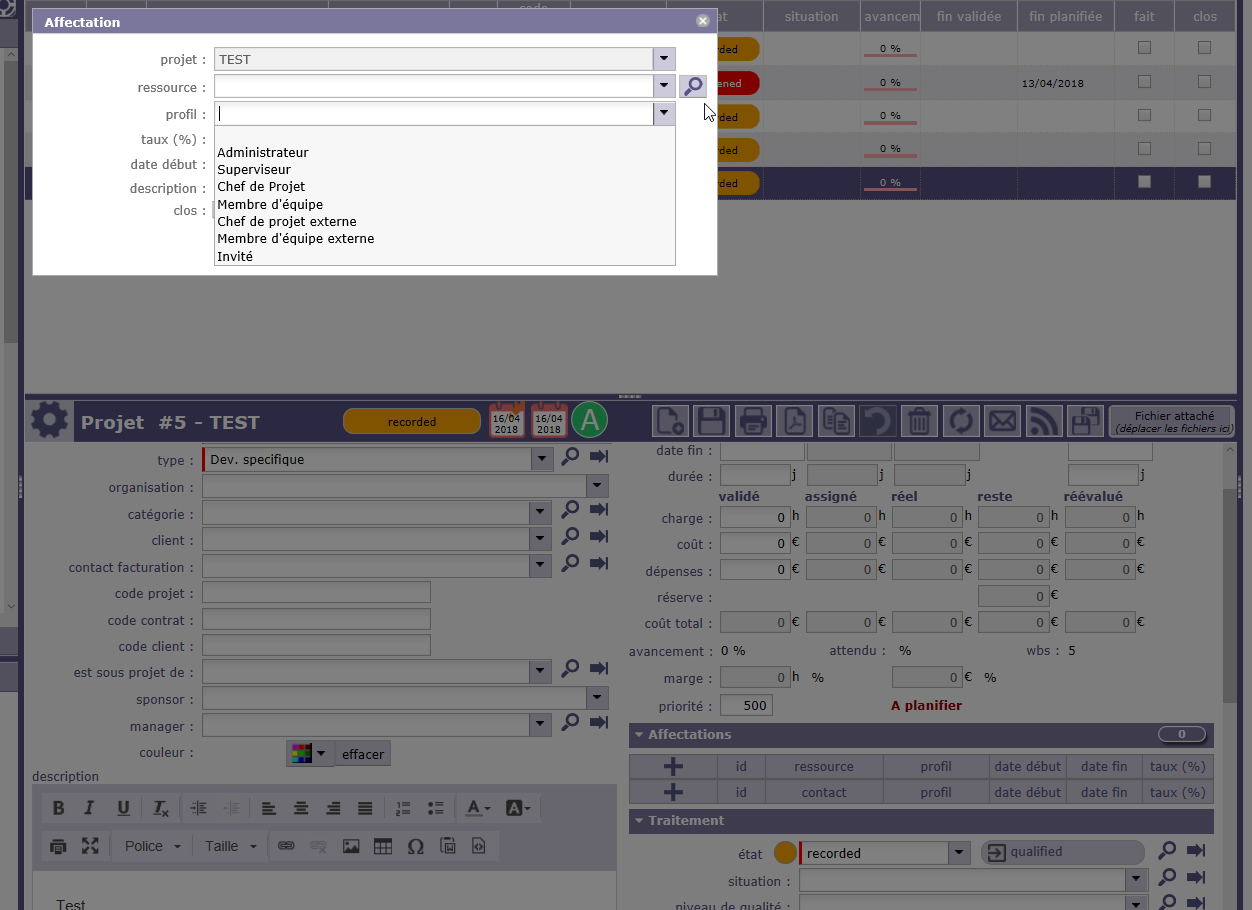
Any ideas why? Is is a normal behavior or did I make Something wrong?
Thanks in advance for your replies, Regards.

Hi,
This list in not updated each time it is opened
As profile list is relatively stable, this whould not be gread issue.
Just disconnect / reconnect to see correct list.
Thanks Babynus for your quick answer.
During the day I have noticed that sometimes the list is updated and sometimes not, I wonder if it is linked with the user right I'm connecting to database.
I found in the help that the [] with profile name in between is due to the fact that this is a translatable field which has no translation in the file "lang.js". I do not know how to update and find this file if somebody knows it would be nice.
Regards,
PS : Please note that you may found another topic looking same, I did not see my question in the list so I thought I made a wrong step and ask question again.
I found in the help that the [] with profile name in between is due to the fact that this is a translatable field which has no translation in the file "lang.js". I do not know how to update and find this file if somebody knows it would be nice.
The lang files are in /tool/i18n/nls
But take care that every deployment of new version will overwrite your changes.
The only way to store new translations witthout loosing thel at each deployment is tou use our plugin "personalized translation".
Dear Babynus,
Thanks for informations above about translations stuffs.
For the profile selection in the project or activities I confirmed you that the problem is not solved by login on and off, I did this many time up to now and it is not possible to select the profil I created...
At other place for example assigning created profil to the ressource it is working fine.
Regards.
Surely your own profile on the project is "lower" than new profile.
You must take care of profile order.
Dear babynus,
Thanks for trying solving the issue. As this is of a minor issue for us we will live with it.
We keep trying the software and starting implementing at a "larger scale" now, I might post some new questions soon...
Regards.

hi,
Welcome to Projeqtor.
(The profil I created are in between [ ] , I do not really know why but that not the problem.)
"Type" profiles are already pre-registered and therefore do not appear as the ones you create distinguished by the square brackets. Then, please think about setting the access modes for each of the profiles.
"When I go to the project and I want to assigned a ressource to the project, I can not select the profil I created in the drop down menu :"
First select a resource that should have a profile already determined. No problem, you can select and modify it for this particular project.