
Welcome to ProjeQtOr new Forum. We migrated old forum to the new website.
You will find all your posts here, with your usual account.
Just one point : you’ll have to reinitialize your password. Use “Lost password” feature.

Hi,
I'm trying to "play" with email templates and i'm quite stuck on one thing, i'm trying to put the "creationDateTime" of a ticket in a mail but can't work...?
So i opened the F1 help and i can see that : in the template, user can use any property of the updated object to show in the mail, just use ${propertyName} for instance ${name} will display the name of the item, ${id} will display its id
so i tested to put ${creationDateTime} into my template but ... 🙁
Any idea ?

Hi,
so i tested to put ${creationDateTime} into my template but ... 🙁
But what ?
What is result ?
${creationDateTime} still displayed or replaced with blank ?
I've just tested, and it works fine...
My template :
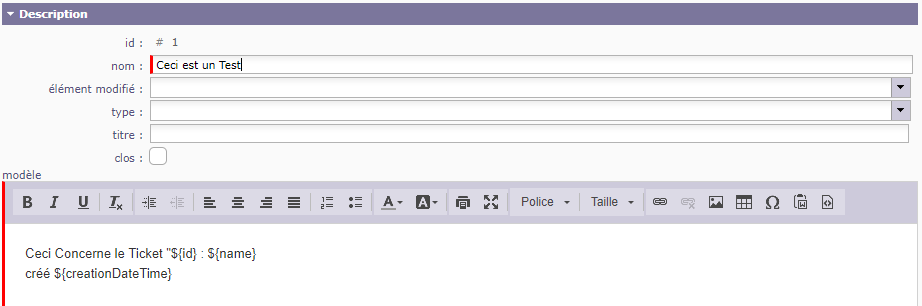
My email trigger :
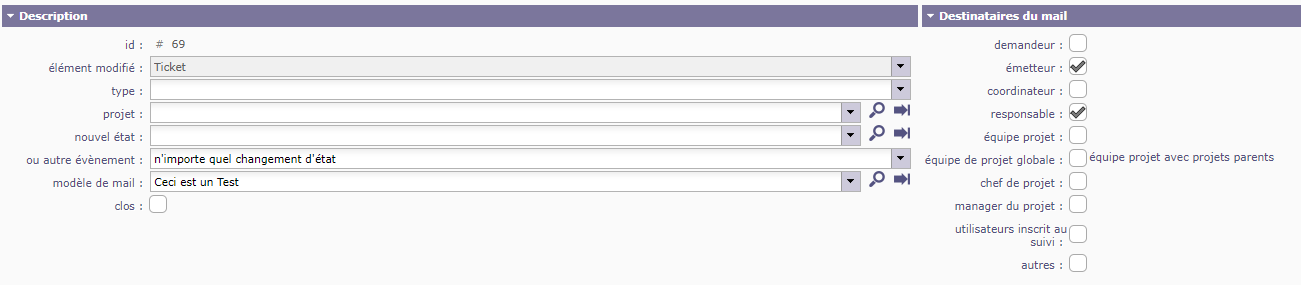
The email received :

Here is what i get :
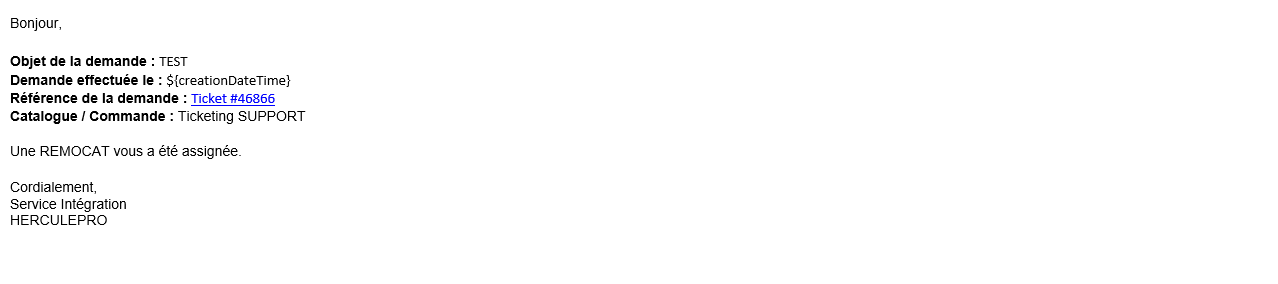
check that there is no "hidden" html code in the field.
You can switch editor to html format or simply : cut text, copy is simple text editor (notepad), copy from text editor, paste on template.
I have something called "class=scayt-misspell-word", what is that ?
It is interaction of the spell checker...
Remove extra html.
You must have ${creationDateTime} in one single work in the html code
All right, thanks
Hm, one more question :
Can i display the name of the responsible of a project when i use "Ticket" event ?
A ticket depend of a Project, and i want to display the name of the project's responsible.
No, only information of the current item is available.
Ok, can you explain this note (in you F1 help) please ? looks like i don't understand well :
for properties referencing external item, such as idXxxxx, use ${nameXxxxx} to display name of item instead of its id for instance ${nameProject} will display the name of the project, as ${idProject} will display the id of the project
This meams that when you have a reference to an object, referencing another object, like idXxxx
> for instance idProject in Ticket
you can display the name of the references object instead of its id
> for instance name of the project
by using field ${nameXxxx} instead of ${idXxxx}
> for instance ${nameProject} to display the name of the project, ${idProject} would display the id of the project
Ok thanks for your help.