
Welcome to ProjeQtOr new Forum. We migrated old forum to the new website.
You will find all your posts here, with your usual account.
Just one point : you’ll have to reinitialize your password. Use “Lost password” feature.

Hi,
Currently working on version v5.2.5, I have many tasks that failed to be scheduled probably for many different reasons...
Except the message alert when doing planning calculation and the "red day" in assignation part of one activity, is there a quick way to find tasks that are not really scheduled ?
In fact I have some tasks appearing in purple when not completely scheduled, but I have also some tasks not appearing at all !
Could it be an idea to make appear this kind of info in reports such "monthly planning resource/project" ?
Thx

I have many tasks that failed to be scheduled
what do you mean ?
is there a quick way to find tasks that are not really scheduled
What is the criteriea to list these tasks in you mind ?
but I have also some tasks not appearing at all !
Possibly because they have no assigned work at all. Simple filter on "Assigned work = 0" should do the trick.
Hi,
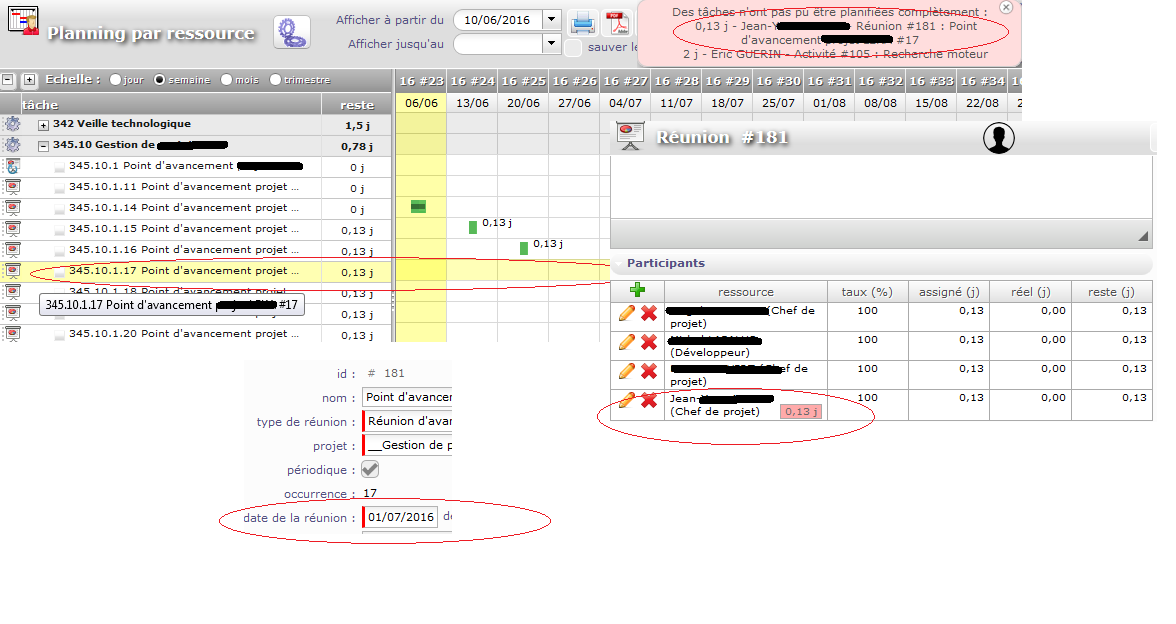
For sure I was not clear :blink: , in fact I have 2 points:
- first one is on some tasks with no more time available for one ressource that is not displayed in "planning by ressource", see below (I expect them to be displayed in purple, right ?):
- 2nd point is more e request :
on some tasks correctly displayed in purple, I would like to see the "not plannified work" because of some conflicts in report such as "synthesis of availability. Currently I have info in each activity and would like to have it in a workload sheet.
When I have availability = 0, it could mean that all is planned and OK, but also mean many activities have been correctly planned but some are not because ressource is already full.
Maybe future activity not fully planned could be displayed as some extra work in the past.
A kind of mix of this :
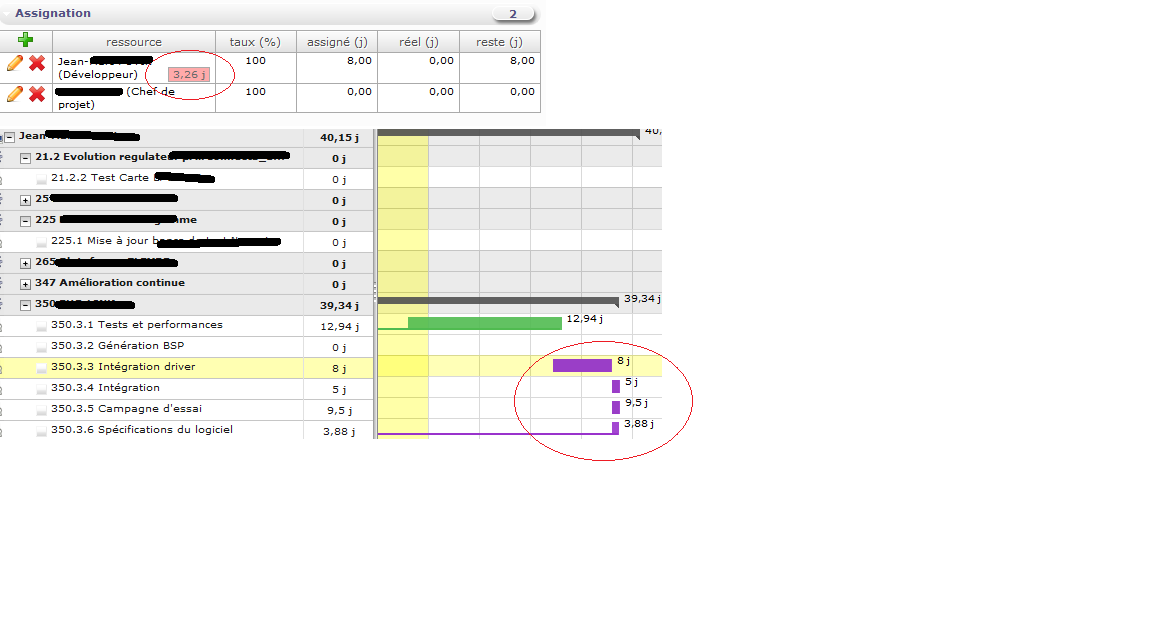
into this :
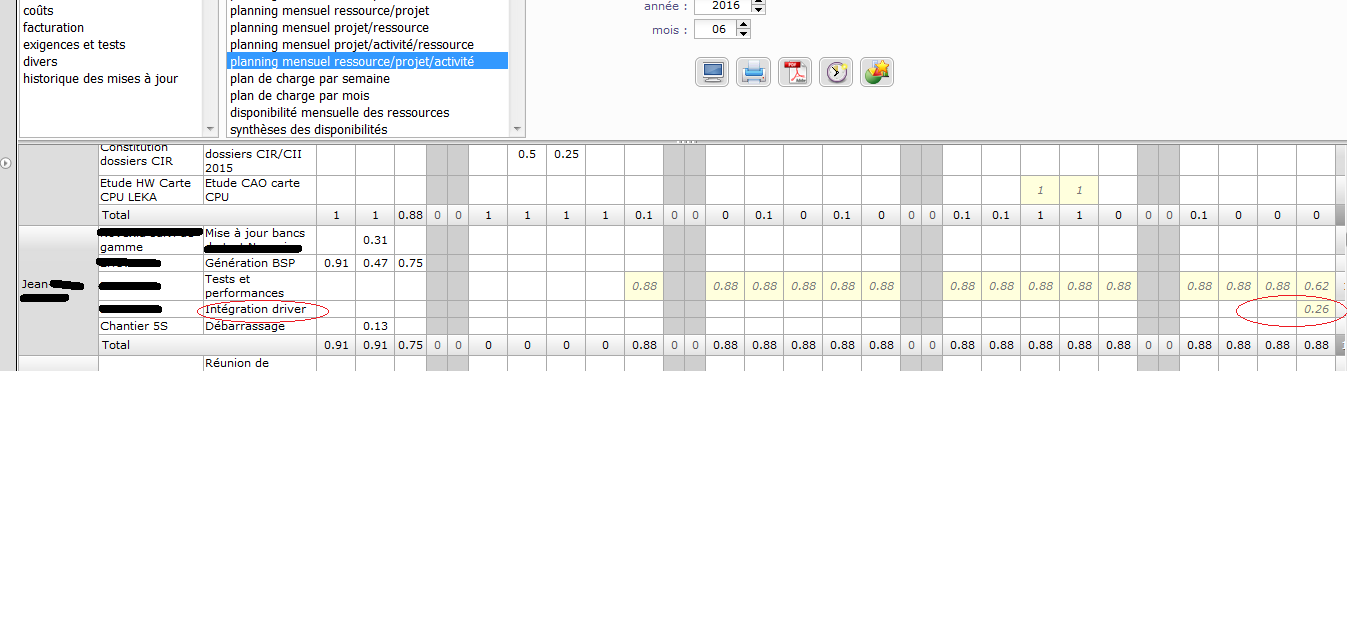
moreover activity "integration", "campagne d'essai" and "spec du logiciel" are not listed in this workload for Jean whereas he is assigned to ... From my point of view we're missing some interesting info in this workload then.
First point : yes tasks apear in purple in the gantt view.
Do you expect anothor way to highlight them ?
SEcond point : I still do,'t understand how you expect the report to be displayed.
Difficulty with "not planned work" is that ... it in not planned, so cannot be displayed on a day by day report...
Have you got an idea of how you think it could be displayed ?
First point: I agree that it should be displayed in purple, but currently it is not displayed at all and I don't understand why?
Second point: Would it be possible to have "not planned work" displayed on day by day report just like it is currently displayed on activity, it will lead to something like this:
on one report
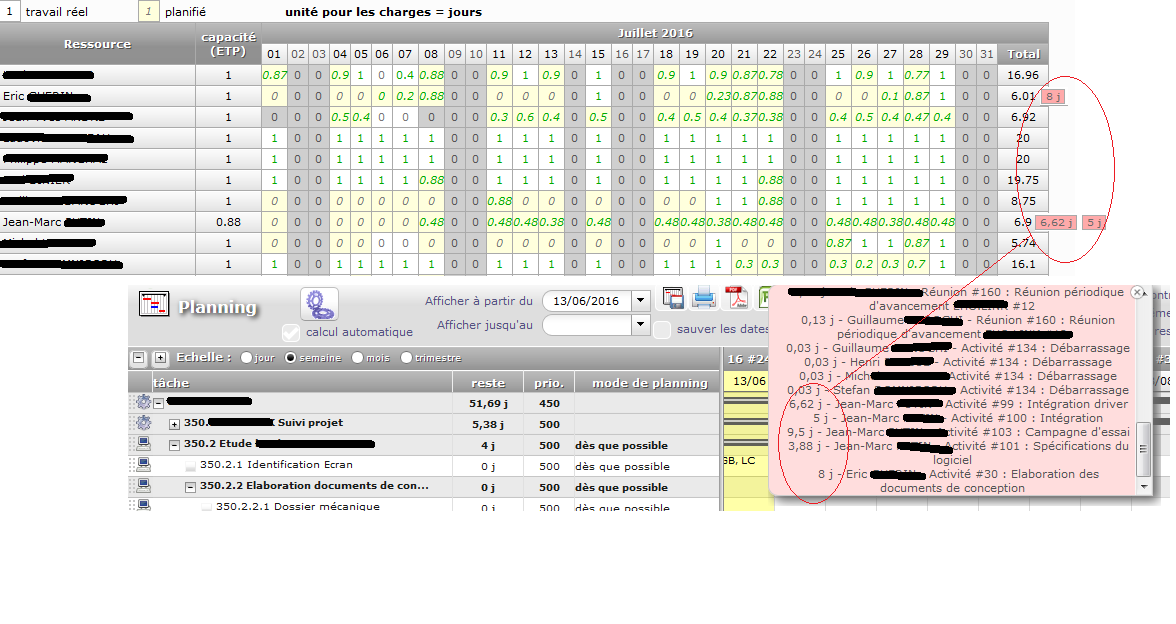
on another one:
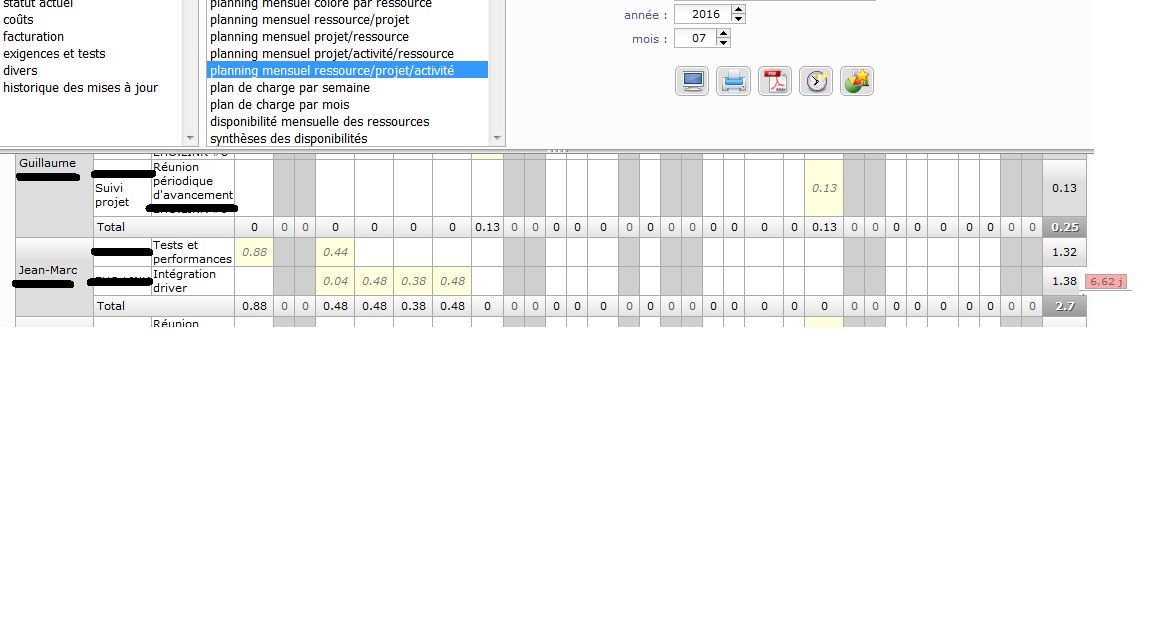
If validated start and end date are filled in, it should be possible to have this missing work displayed on correct monthly report.
First point: I agree that it should be displayed in purple, but currently it is not displayed at all and I don't understand why?
Possibly because it is on an "Adminsitrative" projet ?
Second point is recorded as Ticket #2129