
Welcome to ProjeQtOr new Forum. We migrated old forum to the new website.
You will find all your posts here, with your usual account.
Just one point : you’ll have to reinitialize your password. Use “Lost password” feature.

Bonjour à tous,
nous venons d'installer, en test,sur un de nos serveurs apache l'application Project'or RIA dans sa version 4.1.1.
Voici quelques données techniques concermant le serveur en question : version d'apache : 2.2.22, version de MySQL : 5.5.34, version de php : 5.3.10
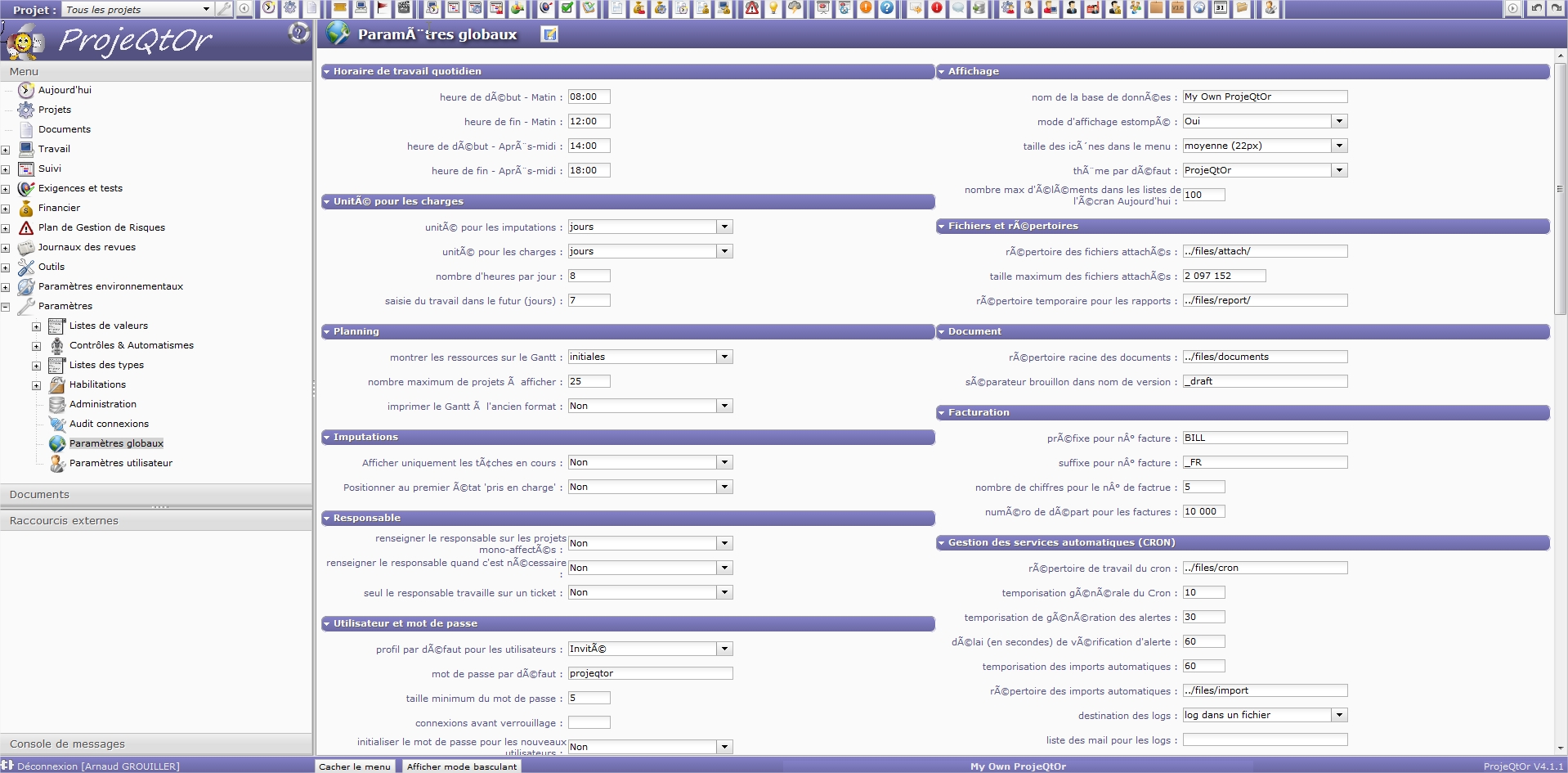
La solution fonctionne correctement mais nous constatons des problemes d'affichage sur les libellés, les rubriques et le contenu des champs sur les caractères accentués (capture d'écran en piece jointe). Pour info, ce serveur héberge également d'autres applications développées avec des bases données MySQL en encodage iso. Y a t'il une incidence? Si oui, peut-on contourner ce probleme? En vous remerciant d'avance.

PLEASE POST IN ENGLISH.
___
ProjeQtOr is designed to work on UTF-8.

Posté en anglais ou en français ne change rien au problème !
Par contre existe-t-il une solution ?
Merci de la réponse, parce que le produit à l'air assez sympa par ailleurs.
Posté en anglais ou en français ne change rien au problème !
Non, mais c'est la règle de base du Forum : poster en anglais pour que les réponses puissent profiter au plus grand nombre.
Je répondrai donc en anglais. 👿
___________________________________________________
The problem you get with accentuated caracters do not seem to be linked to database.
The problem appears on captions, which are stored on files (exactly on /tool/i18n/nls/xx/lang.js files)
So first check for /tool/i18n/nls/fr/lang.js. It must be ANSI AS UTF-8. And accentuated caracters must appear correctly.
Is it the case ?
What is stange is that captions on menu items are correct (for instance "Paramètres globaux") and the same on Screen Name (beside save button) is incorrect : but both come from same lang.js file, same line :S
Only difference is that first one is just a HTML page with standard request, and second one is loaded using Ajax.
Do you have any specific configuration about locale, or UNICODE proxy or something like that ?
Could you try to check on Demo version : do you reproduce issue (then it is linked to your browser configuration) or not (then it is linked to your server - or network - configuration).

Hello,
The main problem is not on the labels of the program but on the text I type :
- it's registered with wrong signs
- worst, if I modify the text, wrong signs are added and I'm forced to retype the original text
It's a bit annoying !
Strange, I never faced this issue.
Sometimes, what is stored in database in incorrectly encoded (when MySql is not completely defined in UTF-8 ), but reading through the application is clean.
Could you give an example (screen shots) of the test case you describe ?
=> Initial status
=> what you type
=> what is displayed after saving
Do you reproduce the issue in the Demo ?
For instance :
- I type : "Mettre à jour les pages HTML"
- after saving the field becomes : "Mettre à  jour les pages HTML"
- if a save one more time, it becomes : "Mettre à jour les pages HTML"
- ad libitum (latin is also an excellent universal language) : "Mettre à jour les pages HTML"
Do you reproduce on Demo ?
No, all is good on the Démo environment, and the lang.js is also good.
So it's a problem upon my own configuration. How can I modify it after installation ?
Hi,
1) check PHP configuration :
;exif.encode_unicode = ISO-8859-15          //should be commented
extension=php_mbstring.dll        //mbstring should be enabled
default_charset = utf-8
2) check MySql Configuration
[client]
default-character-set=utf8

[mysql]
default-character-set=utf8

[mysqld]
character-set-server = utf8
3) check Apache Configuration
AddDefaultCharset utf-8
Après un petit tour chez mon hébergeur, le problème est résolu.
J'en profite pour leur faire de la pub parce qu'ils sont particulièrement sympas et efficaces : shost.ca