
Welcome to ProjeQtOr new Forum. We migrated old forum to the new website.
You will find all your posts here, with your usual account.
Just one point : you’ll have to reinitialize your password. Use “Lost password” feature.

Hi, some user do not have the magnifier and the blue arrow
Can you tell me how to enable those to icon for specific user.
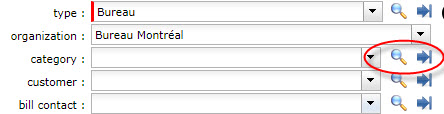

Menu Access Rights > Specific access.
Parameter "display of combo detail button"
Hi, thanks for your reply, but still, i'm having the same issue,
My user profile is "Project Leader"
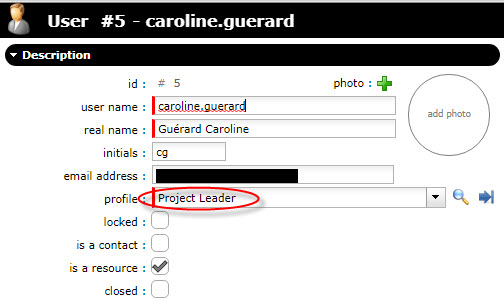
in access rights --> specific acces
Display of combo detail button is set to yes

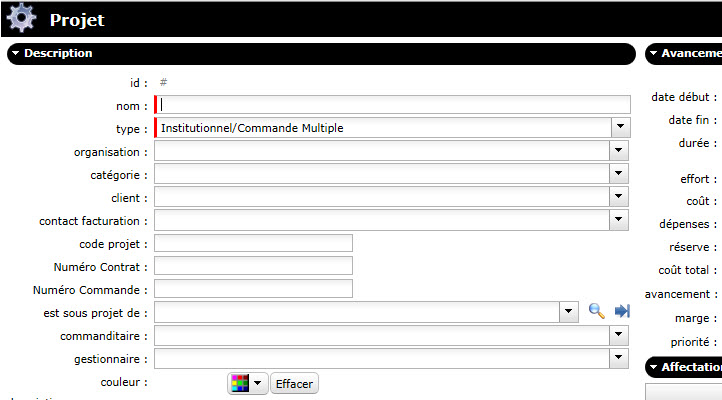
and still, in project i'm not able to see the combo detail button
I'm using version 7.0.0
Any other hint ?
Regards

I think that user profile is not necessarily his function in the project. To verify.
Hi Envergus,
Yes you may be right, but in my case, when creating a new project, even before adding allocation to projects, the user should be able to see the button ! right ?
But, yes, the user in each allocated project has projet leader as profile.
Hello,
If you look carefully at your pront screen, you'll see that you have acces to "combo detail" : for field "est sous-projet de".
Other fields don't propose it, just because you (your profile) don't have acces rights to the corresponding screen (catégorie, client, ...).
Hi Babynus, you are right, thank you, give access to form and it worked.