
Welcome to ProjeQtOr new Forum. We migrated old forum to the new website.
You will find all your posts here, with your usual account.
Just one point : you’ll have to reinitialize your password. Use “Lost password” feature.

Hello,
Greetings.
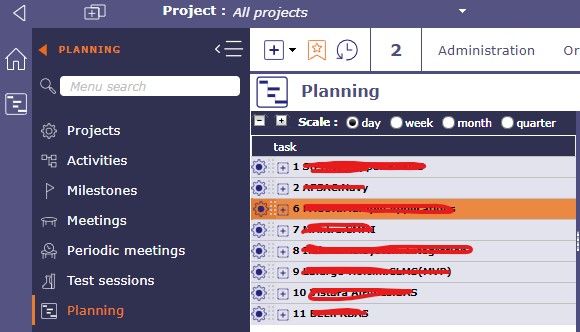
When I performed consistency checks under Administration. It is showing an issue related to WBS ordering. when I checked in planning it shows 3 WBS missing after WBS 1. Attaching a screenshot for your reference.
It shows error " WBS '00006' for Project #7 is in incorrect order after '00002' "
Please help me to cure that.

Just apply consitency fix.
It should solve the issue.
Note that "hole" in WBS is not always an issue, it may be due to "invisible" projects : administrative, closed, or just project you can't see.
Hi Friend,
Thanks for your support, It has been fixed.