
Welcome to ProjeQtOr new Forum. We migrated old forum to the new website.
You will find all your posts here, with your usual account.
Just one point : you’ll have to reinitialize your password. Use “Lost password” feature.

Hello,
Do you think about a Projeqtor package on Synology plateforme ?
Best Regards

We're not involved in material...

you can install projeqtor on synology manually
i already test !
Hello chris@mccool.fr
How did you do that ?
Best Regards
You must have a minimum of skills
Projector is not part of the synology application store it must be manually installed
1 install phpmyadmin to create your database (phpmyadmin is in the packet center available in synology
3 activate web station
2 download and unpack the projeqtor site in the web folder
3 log in and follow the steps
4 you can in webstation define virtual hosts
I guess point 1 is optional as Projeqtor will create database on configuration step

Hello All,
I'm new in the forum, so first of all thanks to all of the contributors, and I say hi to everyone. I would like to install and customise projector for our oranisation, I think that it is very adapted to the management of our projects.
I'm coming back to the post, as I'm trying to install it on a synology server. I have a projector database created in phpmyadmin.
I have 1 question : what is the use of step 4 : creating virtual hosts?
And I have an issue, I get the following message : SQLSTATE[HY000] [1045] Access denied for user 'xxxxx'@'localhost' (using password: YES)
dsn = mysql:host=127.0.0.1;port=3306
How can I solve this?
What am I doing wrong ? what is the proper way to proceed and how can I close / cancel some of the tasks, activities, etc without any pain ?
Just in case you want ot acces your instance as http://projeqtor.yourdomain.xxx
You must know how to configure Apache to do this.
And I have an issue, I get the following message : SQLSTATE[HY000] [1045] Access denied for user 'xxxxx'@'localhost' (using password: YES)
dsn = mysql:host=127.0.0.1;port=3306
How can I solve this?
Define correct password to mysql database in parameters.php
Thank you Babinus
I have resolved almost all the issues in the definition of parameters. I'm only left with a problem to rights to write the log files. I have tried every possible thing to solve that. I'm accessing to database with the same ID and password as my own access to the server. Any hints?
what is the identity that asks the system to write the log file? Should I create a specific Identity on the server and award it read/write rights?

You must set apache user as owner on directory.
Thank you Richard,
I gave read/write rights to the http user and it works.
I am now facing a new issue. When I access to the application for the first time, the admin/admin default access does not work. Do you know what could the the problem?
Any advice on how to proceed?
Please report any error (in browser console, in projeqtor log file, in apache log file)
Hi Babynus,
I have restarted the process and now it works fine.
So finally the steps I used to launch Projeqtor are:
- Install Apache, PHP, PHPMyAdmin and Web Station packages
- Create the Projeqtor database with PHPMyAdmin
- Install required plugins and parameters with Web station as indicated in the readme.txt file and through the configuration parameter page
- Give read/write rights to HTTP user in the Projeqtor files (and to the external files if configured this way - as recommended)
The Web Station Package provides access to the PHP parameters.
Thanks for your help 🙂

HI there all, I know this is a previous post but thought it would be best to keep this all in one location
I wanted to know if we can run the website URL from an encrypted "HTTPs" URL?; I had seen elsewhere in this forum, that an SSL connection via the database was recommended but believe this would leave the data entered into the browser would be vulnerable.
At present Synology is utilising a reverse proxy for encrypted (port accessible) web platforms and I would like to certificate Projeqtor as well.
Any guidance welcomed.
Of course Projeqtor can run over https (have a look at demo.projeqtor.orgdemo.projeqtor.org and track.projeqtor.orgtrack.projeqtor.org)
SSL connection to DB has no link with https acces to web application.
It is just here to secure acces from web server to db server if php and db are not on same server and not on a secured network.
The demo sites look great.
My dilemma is how do go about SSL encrypting the Projeqtor URL behind the reverse proxy without a dedicated port? (i.e. as a dedicated application would use) or a local URL when we cannot direct https ref to www.example.com/projeqtor as the "/" forward slash is not allowed?
Sorry I don't understand you issue.
And I guess it is not a ProjeQtOr issue but a reverse proxy issue.
Yes, you're right.
Synology's virtual host was the solution

Sorry I don't understand you issue.
And I guess it is not a ProjeQtOr issue but a reverse proxy issue.
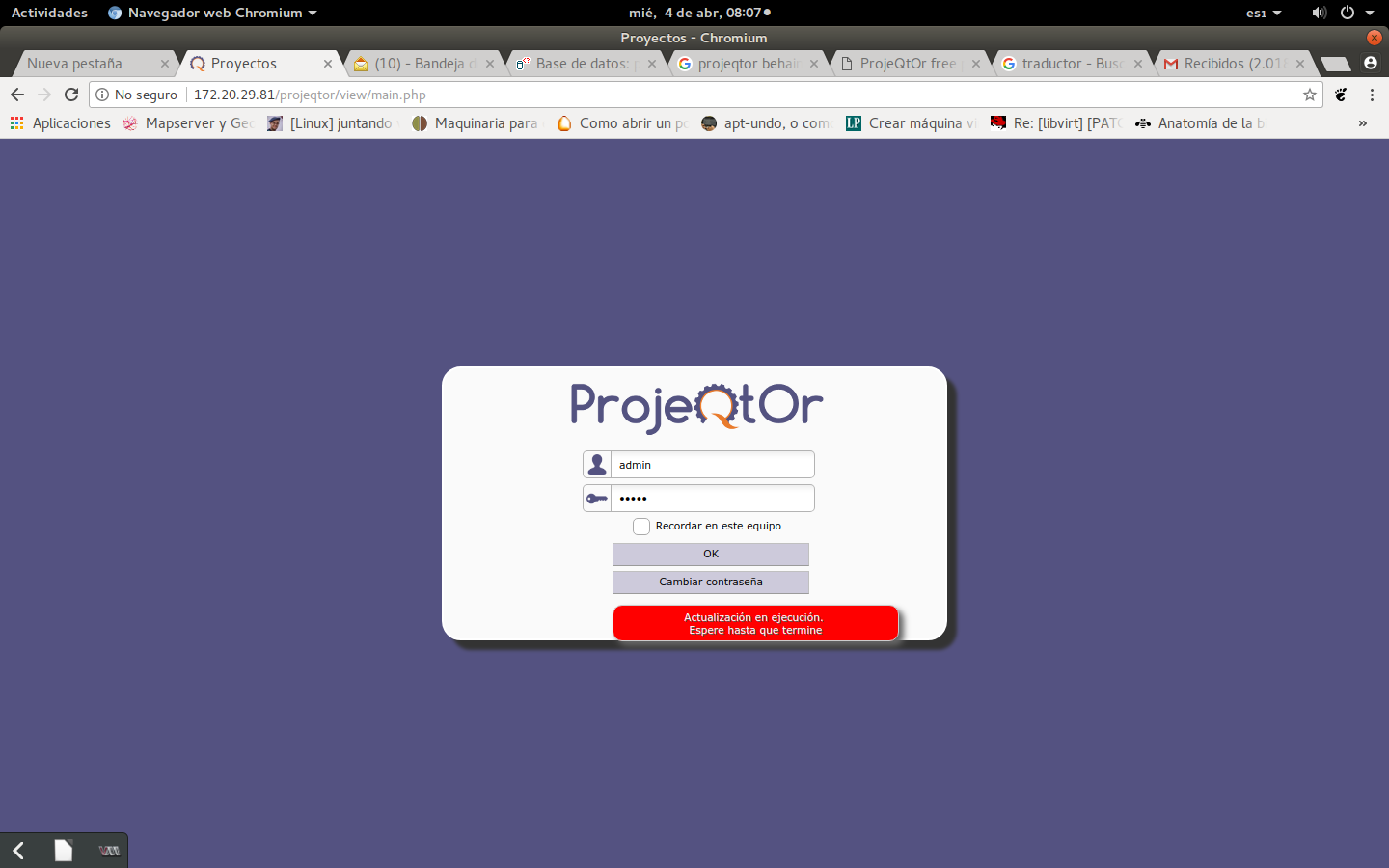
Merci d'avoir répondu, je vais essayer de m'expliquer. J'ai installé la dernière version, apparemment tout va bien, mais en essayant le premier démarrage avec Utilisateur: admin, mot de passe: admin, le message suivant apparaît avec insistance: "Mise à jour en cours, attente jusqu'à la fin", image jointe du message.
Reconnaissant
Alan Ruiz
Please post in english