Welcome to ProjeQtOr new Forum. We migrated old forum to the new website.
You will find all your posts here, with your usual account.
Just one point : you’ll have to reinitialize your password. Use “Lost password” feature.

This is a repost -- for some reason my original issue post didn't register in the forum.
I’m using ProjeQtOr V8.6.4 (272). Have been using the program for some time. I'm the administrator, and also the server administrator, so I am certainly not a novice with respect to installing, configuring and using open source software like ProjeQtOr. I have fairly strong project management experience and a strong IT usage level. So, I generally know how to get things done, or figure it out from a forum poor Google.
I’ve looked at the ProjeQtOr forum, and searched Google, and cannot find anything that helps me with this problem. I’m of course also not sure whether the program is working as intended (and which I don’t understand why it is doing what it is) or, this is a bug or a configuration, installation or other issue.
Here is what is happening:
I’ve created a moderate sized project – about 30-40 task activities and 8-10 milestones – with a moderate number of dependencies. Nothing crazy. The project “type” was a custom type I created. I did NOT create the project as a template, because I thought it’d be one and done.
After I got the project setup as I wanted, there was a requirements change, and I wanted to duplicate the project into a NEW project, and then modify the newly-created (copied) project quite a bit. I’d then have two versions to review with the client.
Since I had been copying activities and milestones quite successfully, I just figured it would work the same with a project. So I attempted to copy the project.
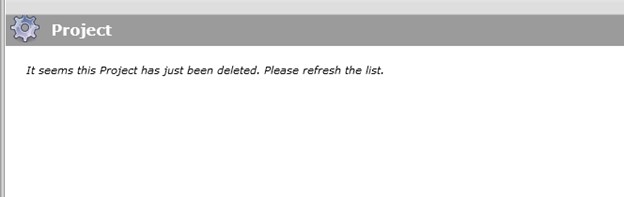
I filled out the new project name, put in a unique project code, selected the first to tick boxes as parts of the project to copy, and clicked copy. As always happens, ProjeQtOr flashed it’s green “success” box at the top of the screen. When it does so, I can see that it creates in the flashing message a NEW project ID – so it must start the processes – but – then almost immediately – the screen redirects to a mostly blank screen where it then says“It seems this project has just been deleted. Please refresh the list.” I’ve attached an image of the screen.
I tried doing this multiple times, in multiple ways. I tried selecting and entering different entries in the copy project dialogue box, and I also tried creating a new project as a sub-project of the same existing project (which didn’t work and gave me a RED screen). NOthing worked, but, each time I tried the copy command, I could see the program was incrementing the project ID by one.
So, what is happening here? Everything else with the instance seems to be working fine. NOTHING seems wrong. Could this be a permissions issue with the server directories?
Any assistance would be greatly appreciated.