
Welcome to ProjeQtOr new Forum. We migrated old forum to the new website.
You will find all your posts here, with your usual account.
Just one point : you’ll have to reinitialize your password. Use “Lost password” feature.

Dear all,
I have recently purchased the ProjeQtOr Screen Customization plugin. I have been working fine with it on Customer and Supplier screens.
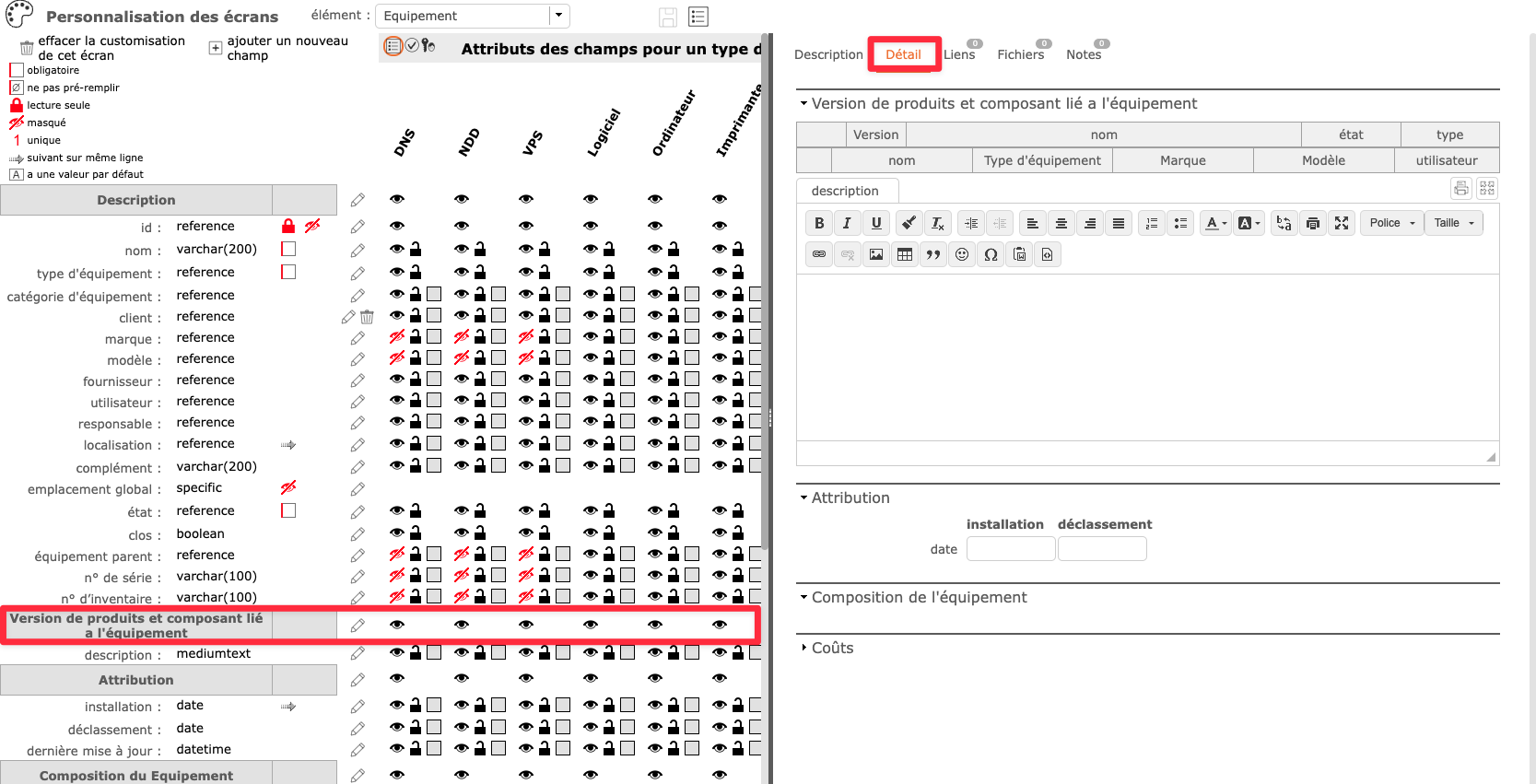
I have used it to optimize the Equipment screen but I faced a bug try to move the " Product version and linked component " field to the Description tab.
As you can see in the first screenshot, the field appears in the Detail tab also I would like it to appear in the Description tab.
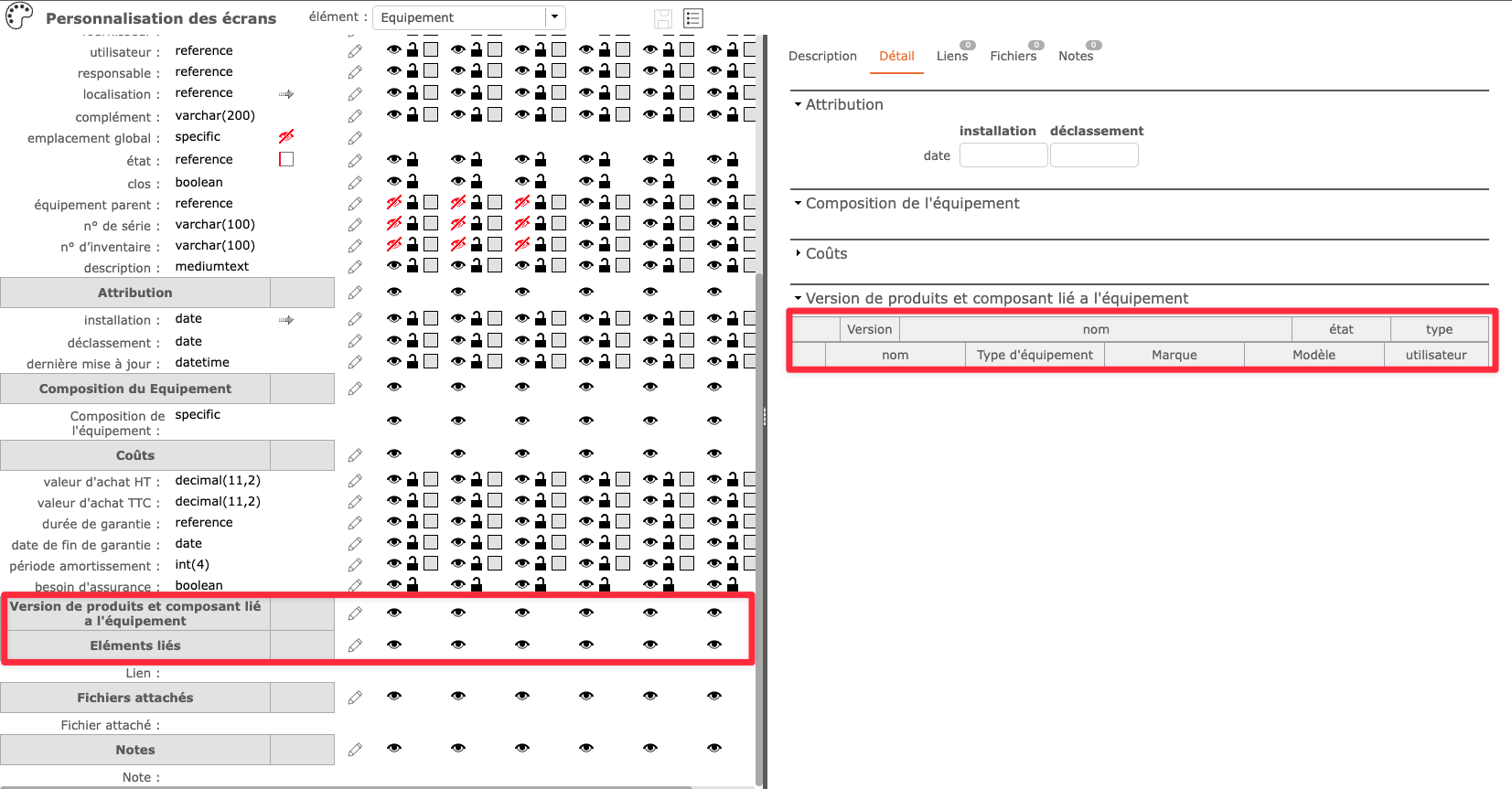
Therefore, I moved it back to its initial position (after insurance needed) but I lost the initial layout of this part of the screen.
Now, the product versions grid and the linked components grid are a bit mixed up (see second screenshot).
Could you tell me how to restore the original layout of the part of the Equipment screen ?
Thanks for your feedback.
Regards,
Olivier
Screenshot #1
Screenshot #2

Hello,
I do not reproduce. The modification is going well and I have the field in the description section.
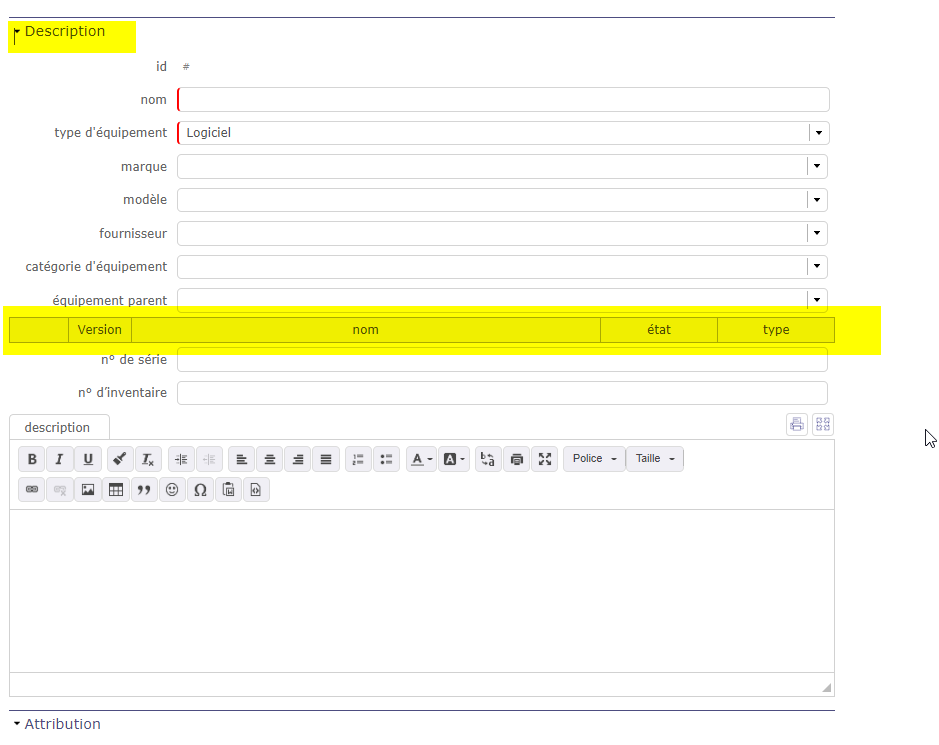
Can you attach the screenshot of the edit popup?
Which version of ProjeQtOr are you using? the version of the plugin?
to delete the customization, just click on the small trash can at the top left of the screen

I am using Screen Customization 6.4 on ProjeQtOr V10.1.2
I have deleted the customization on the Equipment screen. I will try to customize it again and let you know.
Regards,
Olivier
Anyway thank you for your feedback.

The most simple is to erase current customization of the screen.
You'll retreive defaut layout