
Welcome to ProjeQtOr new Forum. We migrated old forum to the new website.
You will find all your posts here, with your usual account.
Just one point : you’ll have to reinitialize your password. Use “Lost password” feature.

Hi,
I'm facing problems using projeqtor (v 5.0.5) with google Chrome v 47.0.2526.106 m.
When I click in some items like "projects, issues, risks, etc.", instead of showing the details of the item, an empty screen is shown, and google chrome stops responding. There are no logs in projeqtor nor chrome crash reports.
However, using projeqtor with firefox v 43.0.3 works perfectly. Is there any known issue with this google chrome version (v 47.0.2526.106 m)?
Attached print screens of chrome behavior, in case it helps.
Any tip on how can I get more details about this error?
Kind regards.


I am using Chrome V47.0.2526.106 m, and all is working fine.
Here are some tests to do :
1) Clean browser cache (use the option in the browser advanced paramters to be sure to clean all cached files)
2) Try and disable all chrome extensions (some are well known to set a mess such as "Skype Click to Call")
3) Check for errors in the browser console (not only crash, any error or even warning may give a hint)
4) Check the network tab in browser dev tools and check for last request (post here request and response)
Hi.
Sorry for the late response... I've being using firefox as an alternative. Finally got some time to run the tests.
1) Clean browser cache (use the option in the browser advanced paramters to be sure to clean all cached files)
cache cleaned - no results
2) Try and disable all chrome extensions (some are well known to set a mess such as "Skype Click to Call")
all extensions disabled - no results
3) Check for errors in the browser console (not only crash, any error or even warning may give a hint)
There are some dojo warnings, but not for the page which is generating the error. console log attached
4) Check the network tab in browser dev tools and check for last request (post here request and response)
Attached... I could get the "request". However, i got no response, since the browser "freezes".
I've also tried uninstalling and reinstalling chrome, but didn't solve.
Please let me know if there's any other test i could run.
Kind regards,
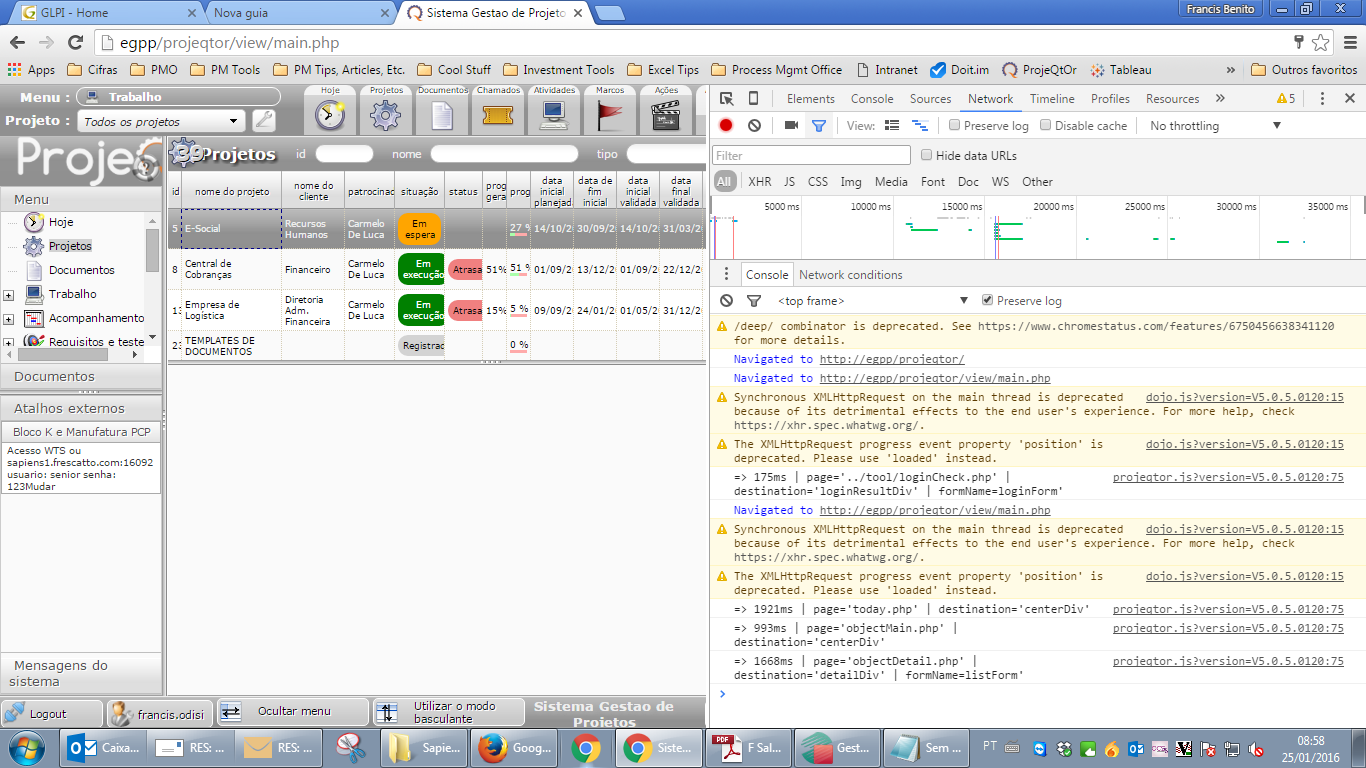
Attached... I could get the "request". However, i got no response, since the browser "freezes".
I'm almost sure there is an extension or additional module that interferes with Chrome and/or ProjeQtOr.
Or it is some network elements that messes pages.
Could you try with Chrome on another workstation and/or from another network ?