Welcome to ProjeQtOr new Forum. We migrated old forum to the new website.
You will find all your posts here, with your usual account.
Just one point : you’ll have to reinitialize your password. Use “Lost password” feature.

Hello,
I don't know if it's due to the new version 10.0.6 but since I put this version, I can't put back the information of the selected task in the right pane, in the Gantt view.
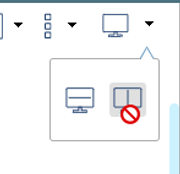
It seems to me that after the update, my 3rd column has disappeared. And I can't reactivate it.
Down is OK.
Thank you

Hello,
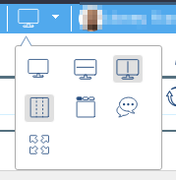
Have you checked your general screen layout? It is perhaps this setting that conflicts with the presentation of the Gantt chart

Hello,
Thank you for the answer.
When I wrote the post, the cursor was changing with the ban simbol on the settings.
Today, having changed, I was able to return to the desired configuration.
And of course I also find all the options in the Gantt
I'm going to put it on the browser's cache after the update!
Thanks again