
Welcome to ProjeQtOr new Forum. We migrated old forum to the new website.
You will find all your posts here, with your usual account.
Just one point : you’ll have to reinitialize your password. Use “Lost password” feature.

Hello,
since the upgrade to the latest stable version, the activity screen is always empty, even when they exist and are opened.
As you can see, with the same filter on one project on top, the activity screen is empty :

while the planning shows a lot of activities :
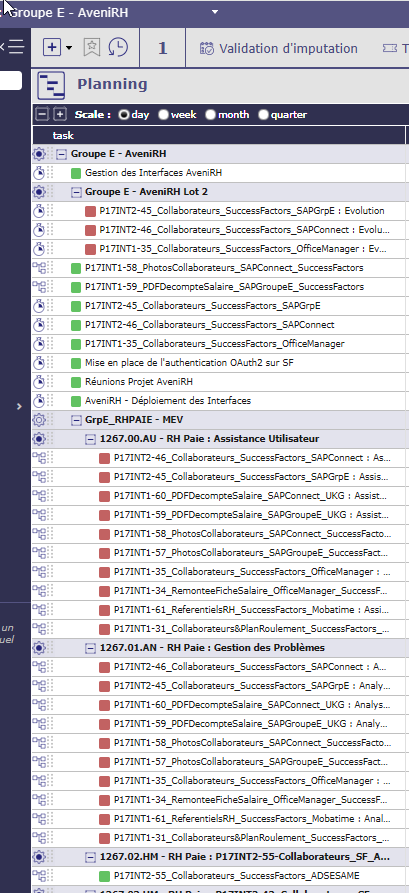
Is this problem known? How can I fix it?
Regards,
MCanuto

Hello
We do not encounter any errors on this screen.
Do you have errors in the logs? Are there any in the browser console?
The screen images are not complete, so I do not know if this is the case, but did you pull the splitter that separates the list area from the detail area?
Haven't your rights changed in the meantime on the projects contained in the group E project?
Hi,
No errors on the log. How can I see the errors of the browser?
I have the splitter in the middle of the screen horizontally.
There are no changes on the rights, I'm checking this with the admin account which has full rights everywhere. And I even allocated him to the project but nothing changes.
Regards,
MCanuto
I've noticed that the other users don't encounter this problem, just the admin user

I had the same problem with project screen, where a few times the entire list of projects suddenly disappeared. I don't know, maybe following some changes to the layout of the "select columns to display" fields !. Well, after several attempts to solve the problem, I solved it by clicking on the Reset button
Thanks, Lumit,
the "reset" tip worked just fine.
Regards,
MCanuto