
Welcome to ProjeQtOr new Forum. We migrated old forum to the new website.
You will find all your posts here, with your usual account.
Just one point : you’ll have to reinitialize your password. Use “Lost password” feature.

No menu to acceed to screenCustomization functionnality
Please show screen on admin account
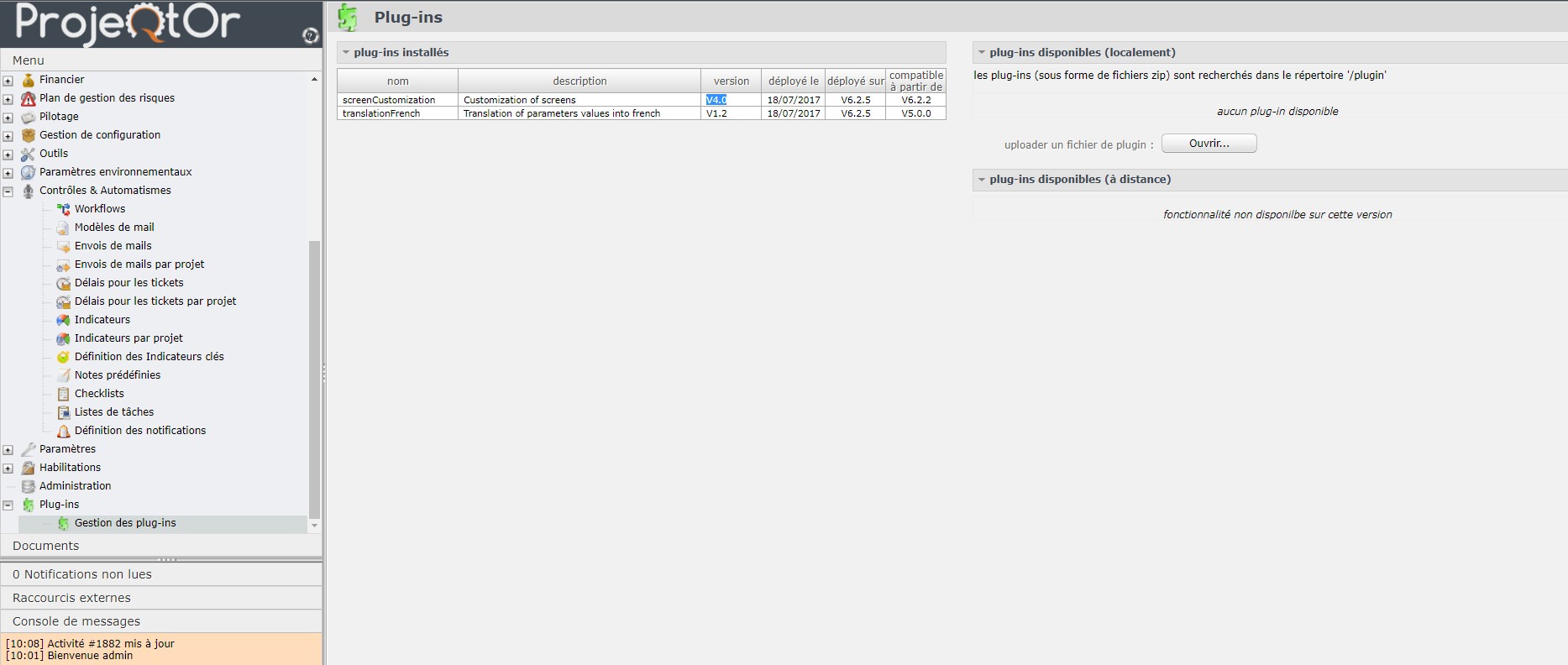
Thank's for help

Hi,
First , your should concider download and install latest version of plugin (V5.1)
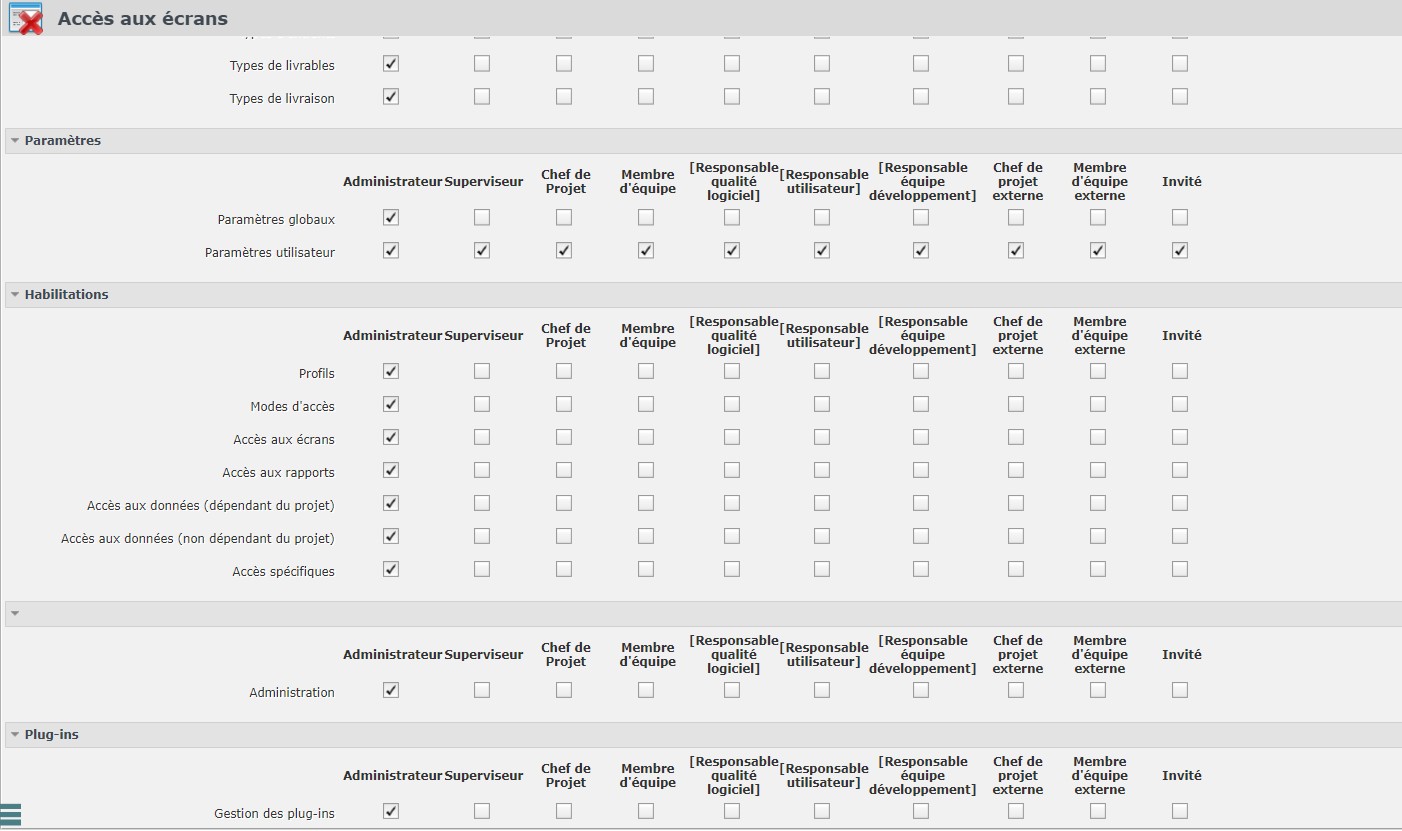
Access to the "screen customization" plugin is managed through "accees to forms", like access to any other screen.
Check that profile of user has access to this screen
Hello,
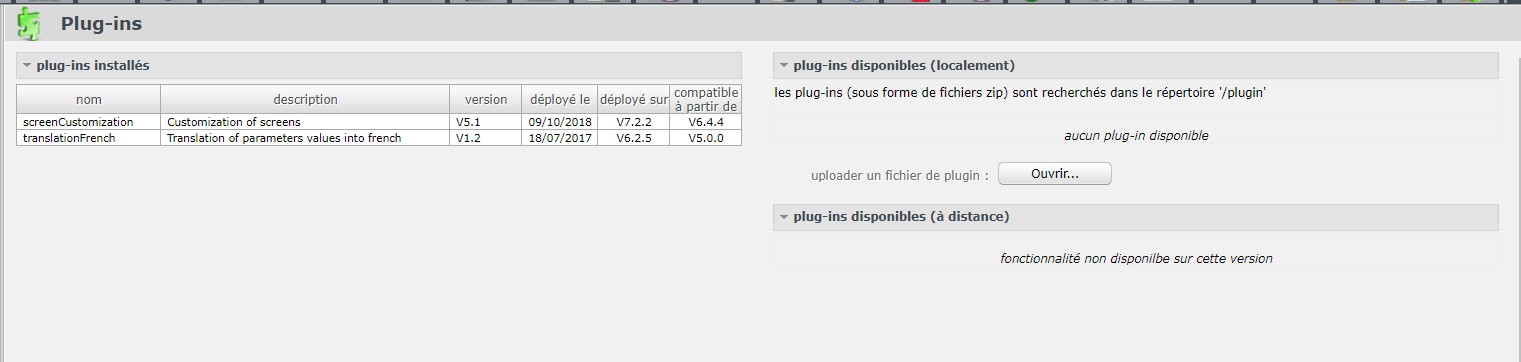
I have updated this plugin but cannot access config interface
Please Check Version installed :
On accees to forms i have all checked for admin that is account i used
Thanks for help

Hello,
Could you post your logs after install of screen Customization plugin please.
You will find attached log
Directory rights has been corrected on 10-09-2018
There is an issue that may have led to bad configuration of plugin
This plugins (as others) will try move files under projeqtor structure
Here issue seems to stand on "../view/css/images/" that is readonly (for php user) so plugin installation cannot copy expected icons
Try and set access rights as 755 on all files and folders, at least during install of plugin.
Also take care that execution of plugin will require write access to folder projeqtor/model/custom
Try and fix and reinstall.
If menu does not appear, try and delete line with corresponding name in table plugin, and reinstall
This will force complete reinstall.
Access rights were already corrected before last install (described in log) without success.
I delete manually ALL version of component directly from table plugin
Then install last version of plugin
Menu appears normaly after
Thanks