
Welcome to ProjeQtOr new Forum. We migrated old forum to the new website.
You will find all your posts here, with your usual account.
Just one point : you’ll have to reinitialize your password. Use “Lost password” feature.

Hi Everyone,
The issue described here exists in version 7.1 to latest.
When importing Assignment work for Activities, the IMPORT process completes without any reported issue.
But when we go to TimeSheet we can see the assigned tasks are missing the icon. Screenshot attached for reference.
This prevents the user from Selecting the Activity, and if you click in the area where the icons is to be, opens up Details window followed by message to confirm leaving the site.
Which results and getting disconnected.
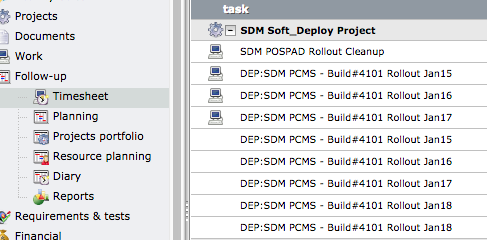
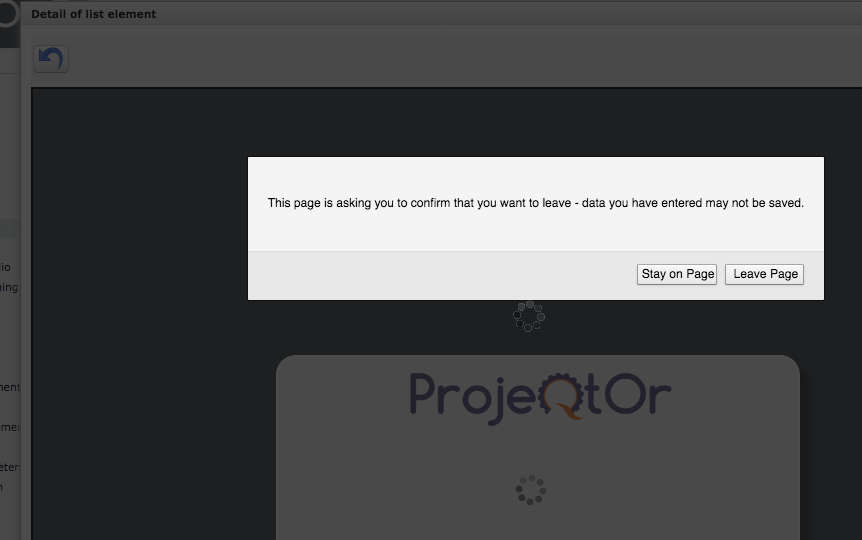
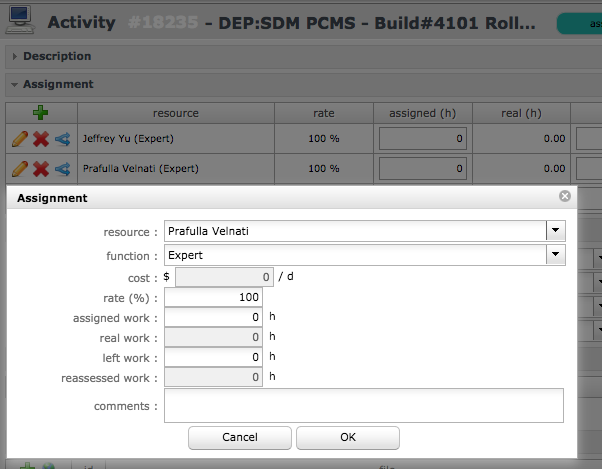
The only way we can correct this is by going into each Activity, edit the Assignment and save. Only then the assignments look and function correct.
I have check the logs and theirs is not error reported. Sample Log attached.
2018-08-01 15:40:25.280 ===== TRACE ===== NEW CONNECTED USER 'admin'
2018-08-01 15:53:42.675 ===== TRACE ===== Importation : File type CSV
2018-08-01 15:53:42.675 ===== TRACE ===== File Name : /var/www_files/man_upgrade/attachments/import/update_assign_TEST.csv
2018-08-01 15:54:55.744 ===== TRACE ===== DISCONNECTED USER 'aagapi'
2018-08-01 15:55:17.520 ----- DEBUG ----- loginCheck : current db version = 'V7.1.4'

licinio@portal /var/www_files/man_upgrade/logs $ cat /var/www_files/man_upgrade/attachments/import/update_assign_TEST.csv
project,type of item,element id,status,resource
SDM Soft_Deploy Project,activity,18253,recorded,Prafulla Velnati
SDM Soft_Deploy Project,activity,18252,recorded,Prafulla Velnati
SDM Soft_Deploy Project,activity,18251,recorded,Prafulla Velnati
SDM Soft_Deploy Project,activity,18250,recorded,Prafulla Velnati
SDM Soft_Deploy Project,activity,18238,recorded,Prafulla Velnati
SDM Soft_Deploy Project,activity,18237,recorded,Prafulla Velnati
SDM Soft_Deploy Project,activity,18236,recorded,Prafulla Velnati
SDM Soft_Deploy Project,activity,18235,recorded,Prafulla Velnati

Hi,
It looks like refType and/or refId was not correctly inserted.
It is strange as these fields are required so items should not have been imported if fields are missing.
Can you please post your import file for tests.
[EDIT] I just tested, if refType is missing, import fails.
And if refType and refId are correct, import is correct and Timesheet has icon.
Thank you for the quick reply.
Just like you had mentioned we reviewed the import sheet we are using. Which has been always the same for some time now.
The column "refType" we always had it in lowercase, but after looking into the DB table we noticed the text was Capitalized.
So we updated the import sheet and tried it again, AND it worked.
Seems that with the new updates, this field now needs to be exactly as expected (Capitalized).
Again thank you for looking into the issue.