
Welcome to ProjeQtOr new Forum. We migrated old forum to the new website.
You will find all your posts here, with your usual account.
Just one point : you’ll have to reinitialize your password. Use “Lost password” feature.

Hello,
I am trying to add a new item in the left-side menu. I have manually added this new item in the menu table in the database thanks to the following command :
INSERT INTO menu (id, name, idMenu, type, sortOrder, level, idle) VALUES (‘135’, ‘menuActionTree’, ‘0’, ‘object’, ‘21’, ‘0’);
(By the way, was it the best way to do it?)
I have set the access rights in the parameters so that every user can see it.
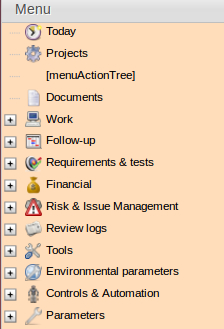
Now I would like to change the name that is displayed (“[menuActionTree]”) into “Action Tree”. How should it be done ? Where do I set the name for every language ?
Attached to this post, a screenshot of what I have right now.
Thank you for your answers,
Kind regards,
FTav

You have to add this line
menuActionTree: "Action Tree",
in
tool->i18n->en->lang.js file
and for icon you have add/insert three icon named
iconActionTree32.png
iconActionTree16.png
iconActionTree22.png
in
view->css->images
folder
Thank you for your answer.
I did exactly what you said, including adding the 3 icons. Only the icon in the top bar menu is showing.
Concerning the left-side menu, when I add the line : menuActionTree: "Action Tree", nothing changes and I get 2 errors :
- "dojo/parser::parse() error" ReferenceError: menuStore is not defined
- "Error parsing in _ContentSetter#undefined" ReferenceError: menuStore is not defined
Any idea how to fix it ?
Kind regards,
FTav
in which file you add this line???
give me screen shot of that file
Sure, here it is !
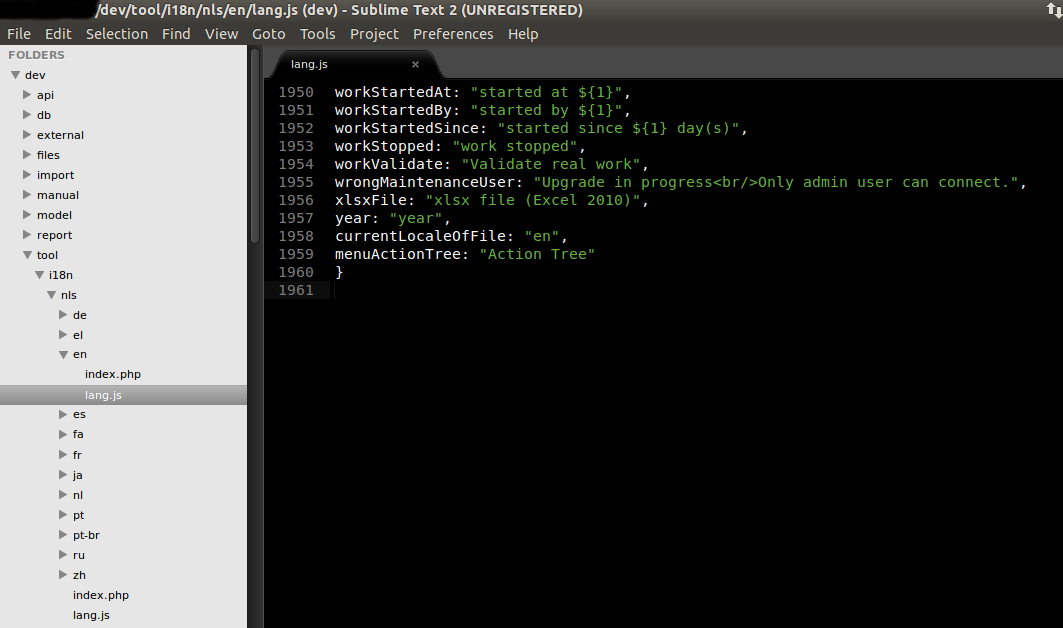
add this line at line no 1140 and try again
i solved this error like this
Indeed this solved the name displayed error, thank you !
Although, no icon is visible...
I have iconActionTree16.png, iconActionTree22.png, iconActionTree32.png inside the view/css/images folder. What's weird is that I have it displayed on the top tool bar !

You need to have a look at /view/css/projeqtorIcons.css 😉
Thanks for your answer Babynus, that solved my last problem!
By the way, your new logo looks awesome, way better than the old one!
And while I’m on that subject, it seems that the Projeqtor logo for projeqtor.org is in full size and only a piece of it take all the screen. (I am using firefox and a 4:3 monitor).
Kind regards,
FTav
Thanks for pinting out issue on Logo for FF.
It is fixed now.