
Welcome to ProjeQtOr new Forum. We migrated old forum to the new website.
You will find all your posts here, with your usual account.
Just one point : you’ll have to reinitialize your password. Use “Lost password” feature.

hi i put my projeqtor on linux server,
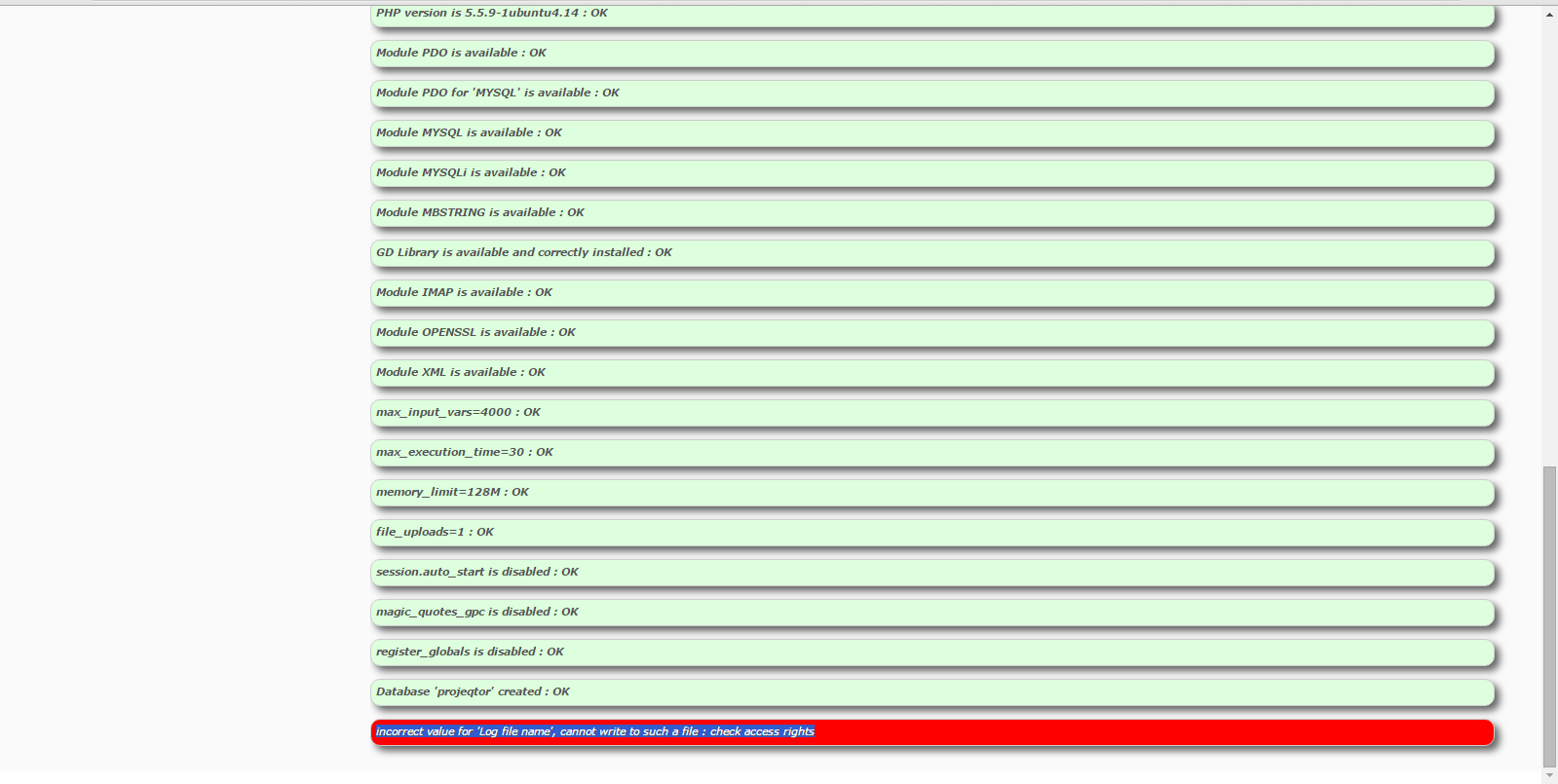
and then when i finish to set all my first configuration its returning this message in the bottom :
incorrect value for 'Log file name', cannot write to such a file : check access rights
what is the problem? it is the access right?
or it is the projeqtor permission?
Thanks

The problem is write access rights on file system.
You must set some write rights to php user (www-data on debian like distribs) on some directories :
- directory where log files will be written
- directory where documents and attachments will be stored
- temporary files directories (projeqtor/files/*)
- projeqtor/tools : configuration process will write one file here. Can be set to readonly after config steps
im sorry but what is the syntax to change our write rights in that folder ?
i have change all the write rights required files to 777 but it return this kind of error :
ERROR : An error occurred on 2015-11-27 at 07:01:16
and when i check the log files, there is not file that describe what happen in my projeqtor
help me
thanks

If you have this kind of error, you must have detailed error on projeqtor log file (default location is projeqtor/files/logs, one file per day).
Please post error here.
when i check that, there is no file other thatn index.php

Can you check :
1) projeqtor/tool/parametersLocation.php : here is defined location of your parameters.php file (default is projector/files/config/parameters.php)
2) in your parameters.php file, location for log files (default is projeqtor/files/logs but it can be changed)
If really log files location is defaut and empty, try and check Apache error file.
It should be in /var/logs/apache2/error.log
i found in the file you refer this sentence :
Error cause =date_default_timezone_set() : Timezone ID 'Asian/Jakarta' is Invalid

Thanks Admin, it has been solved, its not Asian, its asia in default php timezone
please help me in another topic..
Thanks Admin 🙂