
Welcome to ProjeQtOr new Forum. We migrated old forum to the new website.
You will find all your posts here, with your usual account.
Just one point : you’ll have to reinitialize your password. Use “Lost password” feature.

Hello,
Can I have a full list of variables from the file "parameters.php" ?
If I cant', could you tell me the name of the variables to secure all the directories we should not put in the root directory of the website ?
The directories are : attach, config, cron, images, import and logs. I already set the config and logs directory outsite, but I can't do the same for the rest without the variable to set path in the parameters.php file.
Sincerely.

Hello,
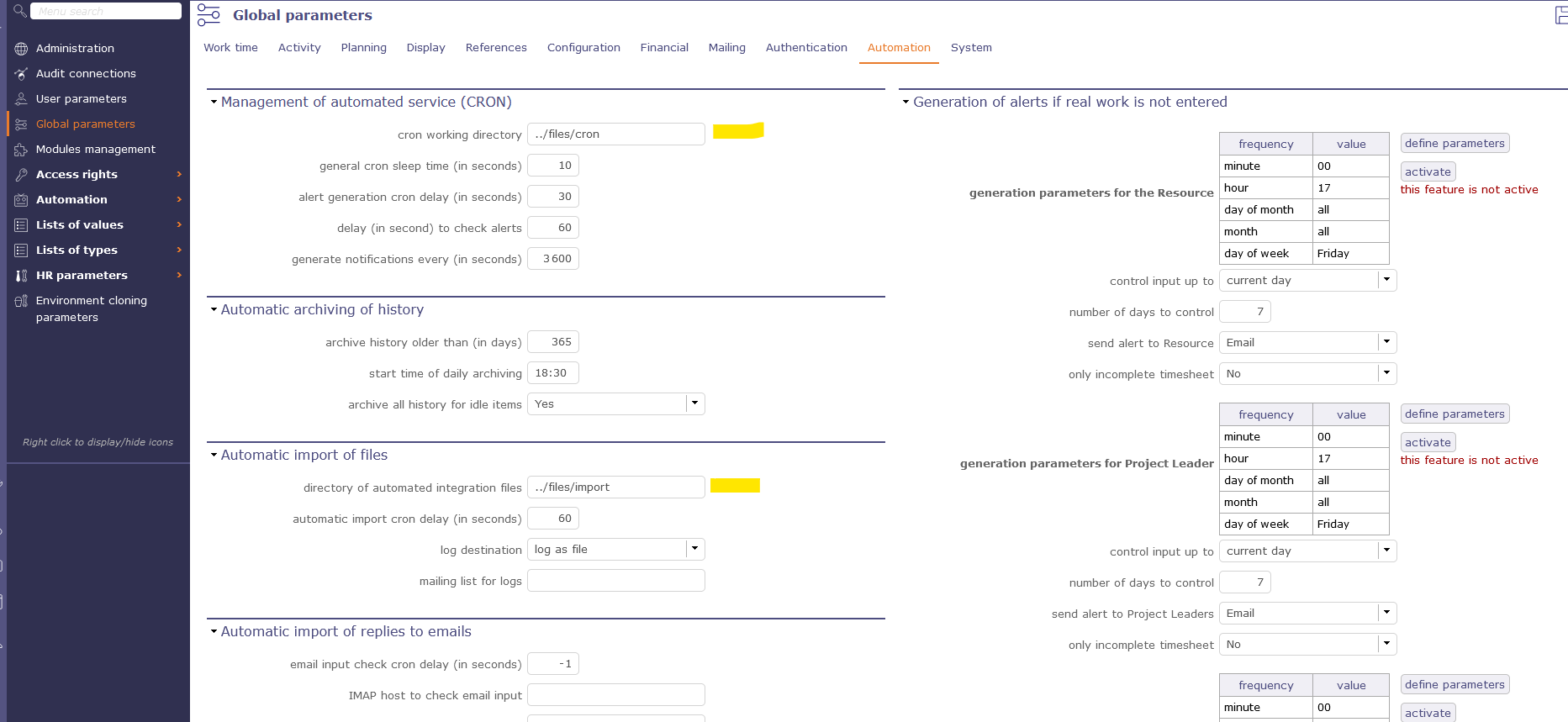
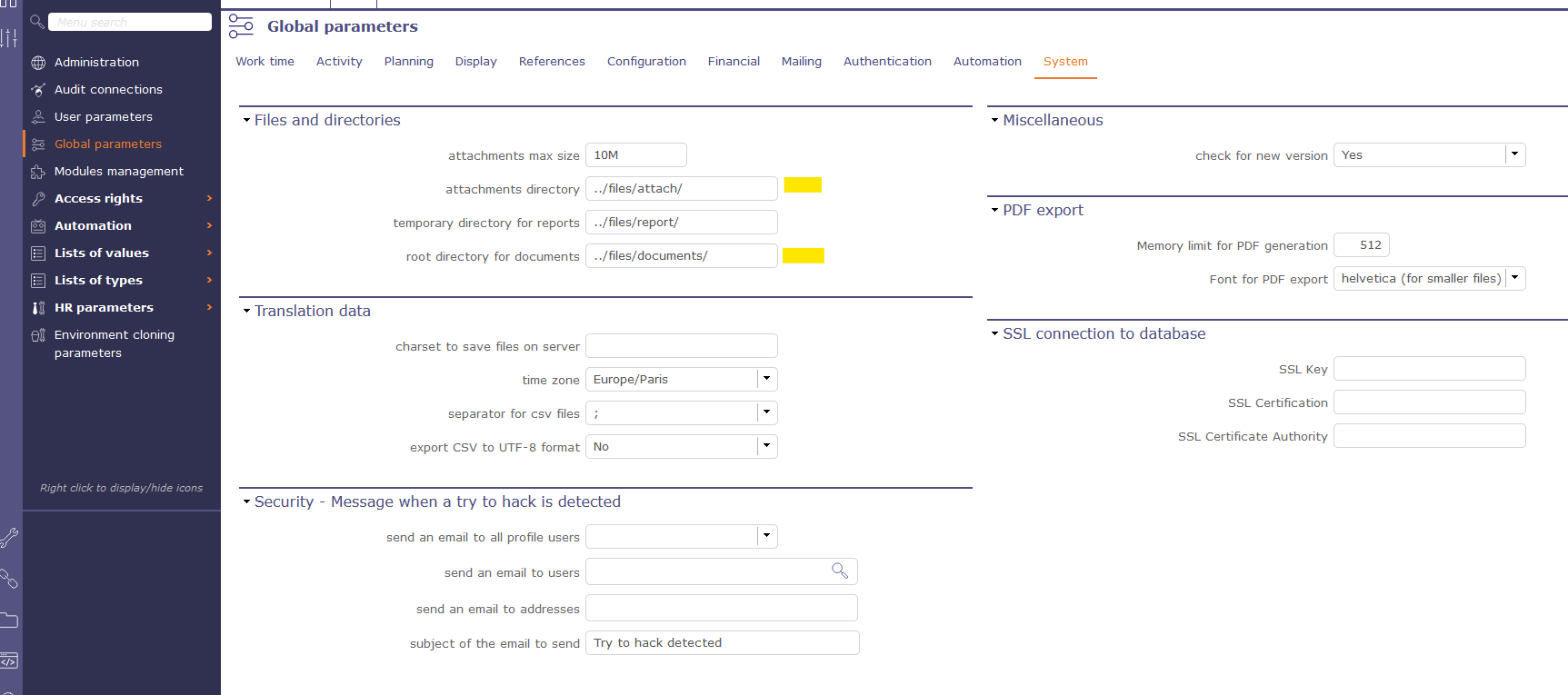
Did you try to connect as an admin and modify the paths in global parameters ? See in files attached.
Hope this help.
Hello,
Thanks for your answer. I changed the parameters in the admin GUI, thanks to you.
But, I see "documents" and I don't have this directory on my web server. Furthermore, I don't find the same parameter for the "images" directory ?
For the report directory, does it need to be in the root directory, or somewhere else ?
Sincerely.
Hello,
The "documents" directory is created on installation. Maybe you've changed its default location in the global parameters, system tab. Then you have to manually create it where you want it to be.
On mouse over of the input, you can see what you should do with those paths.
For instance, documents should be moved out of web access for security reasons.

But it's not the case for reports. If you move it, it's not going to work anymore.

The images directory shouldn't be moved. It's filled with images added in text areas (description, etc.). It must be in web access to work.
Thanks a lot ! It's working now. 🙂
You can close the subject.