
Welcome to ProjeQtOr new Forum. We migrated old forum to the new website.
You will find all your posts here, with your usual account.
Just one point : you’ll have to reinitialize your password. Use “Lost password” feature.

Hi There,Hope you're having a good day.I've been working on setting up a template project (Project ID 21) with some pre-existing planning information. I'd like to reset the planned start date, end date, and duration for these template tasks to be null or zero so they can be easily customized for new projects.I was considering using the following SQL update statement to achieve this:update planningelement set plannedStartDate=null, plannedEndDate=null, Plannedduration=0
where idproject=21 and (plannedStartDate is not null or plannedEndDate is not null or ifnull(Plannedduration,0)0) ;Before I proceed, I wanted to humbly ask for your expert guidance. I'm a little unsure about any potential knock-on effects this might have on other related data or functionalities. Would you mind taking a quick look to see if you foresee any potential issues or have any suggestions for a better approach? I really appreciate you taking the time to help me with this, especially since you're so generously providing this support without charge.
Thank you so much for your consideration!Best regards,

Never use DB updates unless your are sure of what you do.
What you try and do will set the mess.
Use multiple update feature
Hi,
Thank you for the suggestion – using the multiple update feature for activities was my first thought as well. I tried to use it to update the planningelement, plannedStartDate, plannedEndDate, and Plannedduration fields, but they don't seem to be present in the options. I've attached a screenshot; am I missing something, or is there a specific configuration needed to access these fields?

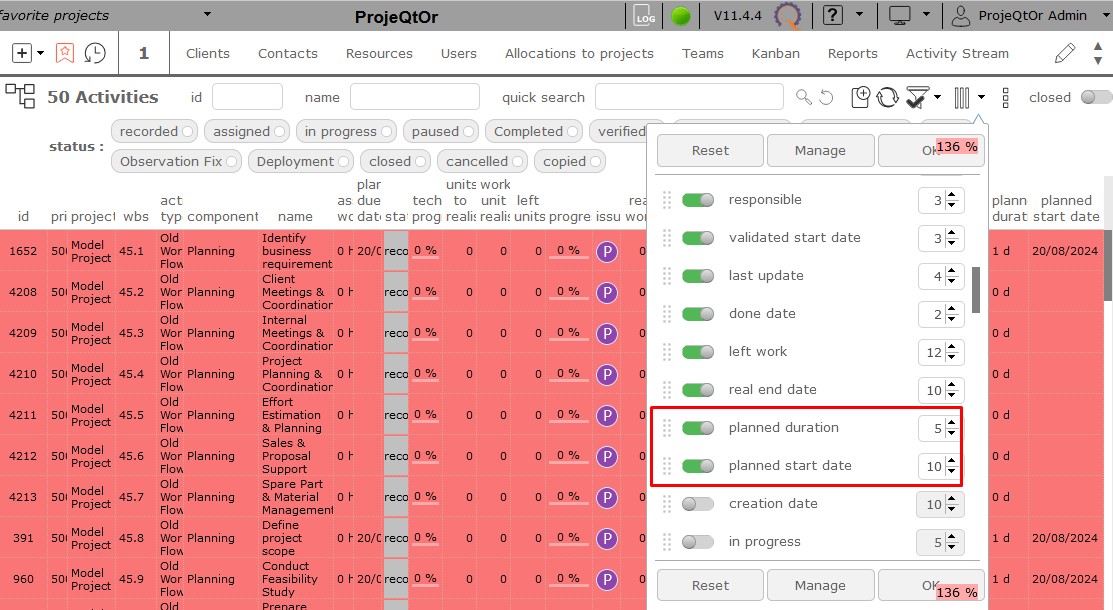
The "planned" values are readonly, as they are calculated by planning calcvulation process.
Just go to Gantt view and calculate planning to update these fields.
Hi,
Is it compulsory to run planning calculation?
What if I've been working on setting up a template project?
There is no planning needed in template project.
Could you guide me accordingly?
Template projets are planned, to show you what it gives with constraints you defined, planning modes and so one, but their planning is not stored.
Thanks,I truly appreciate the time and effort you spent helping me with this. After considering your guidance, I found a solution by creating a copy of each activity in the planning screen to retain records of those with planning dates and duration. I then kept the newly created records without planning dates and duration, removed the old ones, and achieved my intended outcome.Thanks again for your support and the efforts you put into guiding me toward a solution!Best regards