
Welcome to ProjeQtOr new Forum. We migrated old forum to the new website.
You will find all your posts here, with your usual account.
Just one point : you’ll have to reinitialize your password. Use “Lost password” feature.

hi all,
Today this amazing platform "ProjeQtor" cannot display one of our project ... I can't find why !
I can't edit and view this project's activities, but the GAntt chart no ...
Can you help :blush:
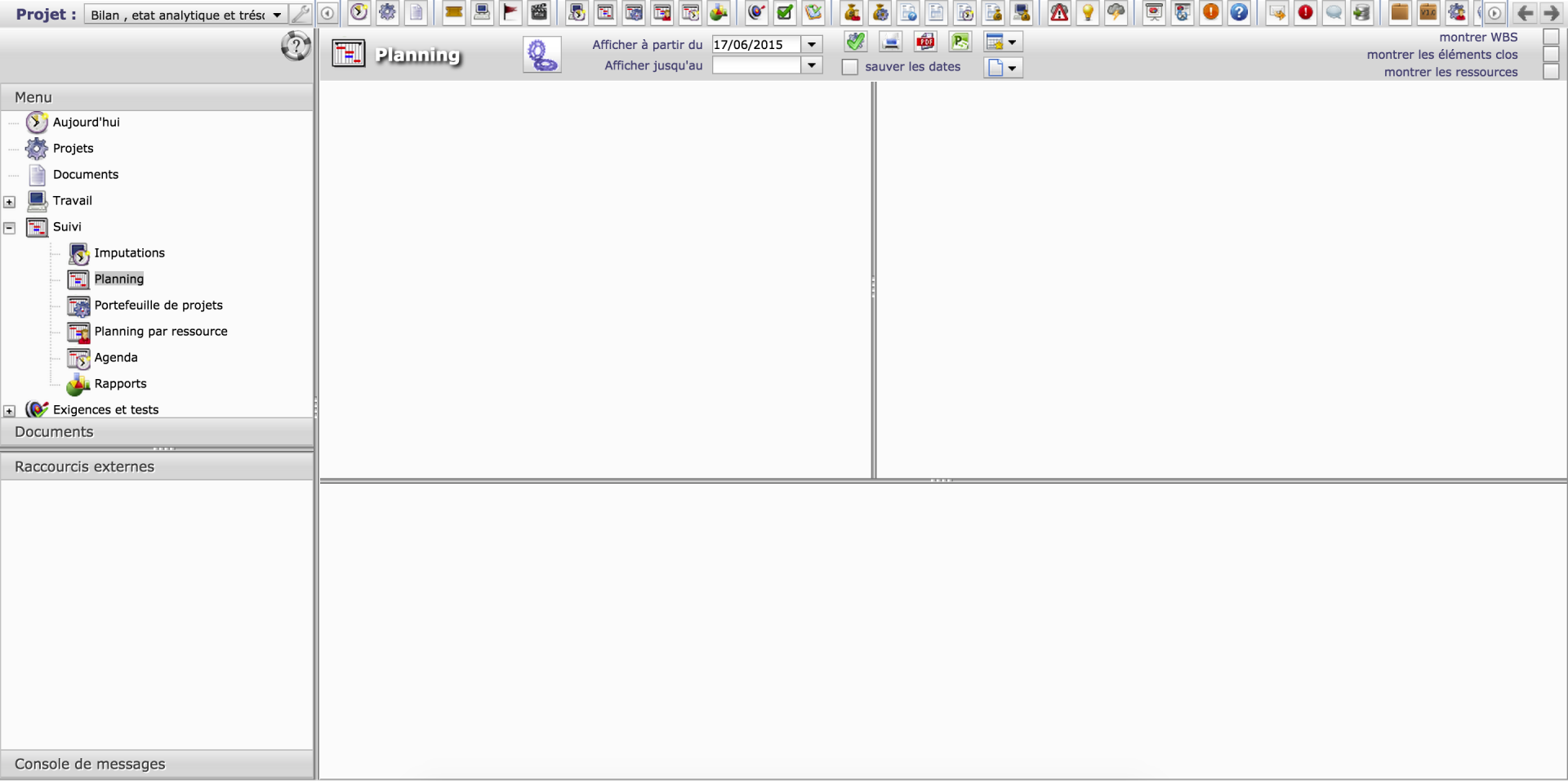

1) check for error in log file and post it here
2) check for errors in browser concole and post it here.
if no error in 1) and 2)
3) after trying to display thje Gantt of the project, open new tab in the same prowser and go to http://yourserver/projeqtor/tool/jsonPlanning.php
Post result here.
Thanks
1) Please Check the file .
2) There is no error in the browser's console, just warning
"Synchronous XMLHttpRequest on the main thread is deprecated because of its detrimental effects to the end user's experience. For more help, check http://xhr.spec.whatwg.org/ ."
3) No response in the file jsonPlanning.php just :
{
identifier: "id",
items: [ ]
}
N.B : i changed the path of my server ( confidentiality purpose ) 🙂
=> You have a configuration issue with SMTP server : emails are not sent
=> You're facing max_input_vars issue on "real work allocation" screen : increase this value in php.ini
=> There is an error about checklist access, to some element where type is not set. Do you remember how (on with element) you got this error ?
=> There is not error about planning :
1) can you try and go to the project (through projects screen) and just save the project (without any change) : what is result ? what is displayed on history for this change ?
2) add on debugLog line in /tool/jsonPlanning.php like this :
  $result=Sql::query($query);
debugLog($query);
  $nbRows=0;
then test again, check log file and post result here.
Thanks.
Regards.
Yeah,
but i can't edit the php.ini because we have a shared hosting ( Hostgator ) ( http://support.hostgator.com/articles/cpanel/php-settings-that-cannot-be-changed )
this is the log file after we add the code in 2)
2015-06-18 12:34:12 ===== TRACE ===== Cannot check Version at http://icompetences.com/admin/getVersion.php
2015-06-18 12:34:12 ===== TRACE ===== Maybe allow_url_fopen is Off in php.ini...
2015-06-18 12:37:56 ===== TRACE ===== DISCONNECTED USER 'admin'
2015-06-18 12:38:05 ===== TRACE ===== Cannot check Version at http://icompetences.com/admin/getVersion.php
2015-06-18 12:38:05 ===== TRACE ===== Maybe allow_url_fopen is Off in php.ini...
Thank you
hi, thank you for your quick reply 🙂
but i can't edit the php.ini because we have a shared hosting ( Hostgator ) ( support )
this is the log file after we add the code in 2)
2015-06-18 12:34:12 ===== TRACE ===== Cannot check Version at MyWebSite.com/admin/getVersion.php
2015-06-18 12:34:12 ===== TRACE ===== Maybe allow_url_fopen is Off in php.ini...
2015-06-18 12:37:56 ===== TRACE ===== DISCONNECTED USER 'admin'
2015-06-18 12:38:05 ===== TRACE ===== Cannot check Version at MyWebSite.com/admin/getVersion.php
2015-06-18 12:38:05 ===== TRACE ===== Maybe allow_url_fopen is Off in php.ini...

Does your project is administrative type ?
Because the Gantt chart don't display this type of project.
Thank you a lot , my project was administrative 🙂 ....
Also thank you admin for your quick reply 🙂 🙂
Thank you 😀