
Welcome to ProjeQtOr new Forum. We migrated old forum to the new website.
You will find all your posts here, with your usual account.
Just one point : you’ll have to reinitialize your password. Use “Lost password” feature.

Hello
V12.2.2
If the "Name on bars" option is true, then the names on bars are shown, but only in the case of o sub activitythe name is show completely . I the activity has no sub acricity, then the displayd name is only shown for as big the box is (as long the task is)

Hello,
Either I don't understand what you're saying, or I can't reproduce the problem.
Can you take a screenshot? And check if you have any errors in the console.
Have a nive day,
Hello
I figured out how to reproduce the issue.
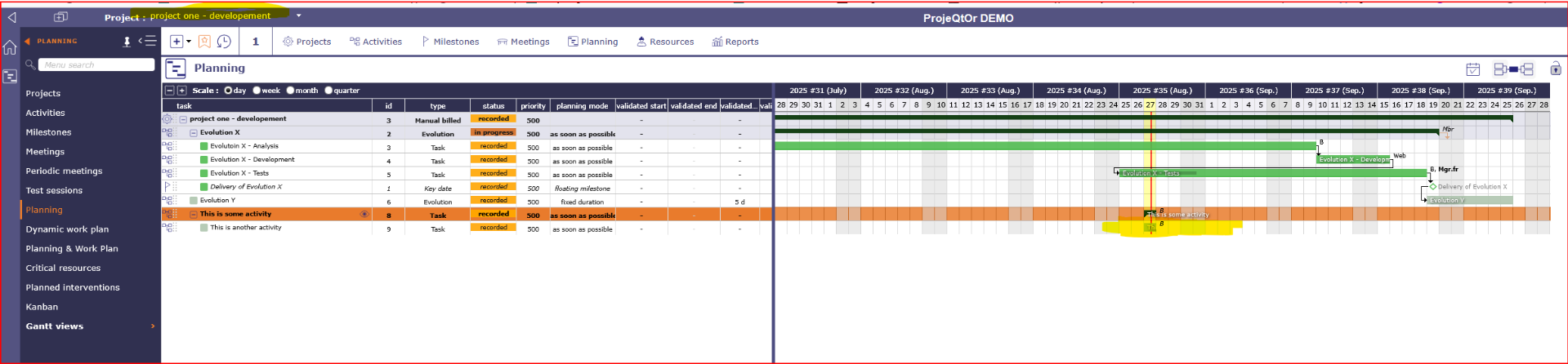
Please go to the demo and select the project "project one - development"
There I've mand the activitie "This is some activity" and the subactivity "This is another activity"
If you enable now "Resources" and "Name on bars" then you have the situation.
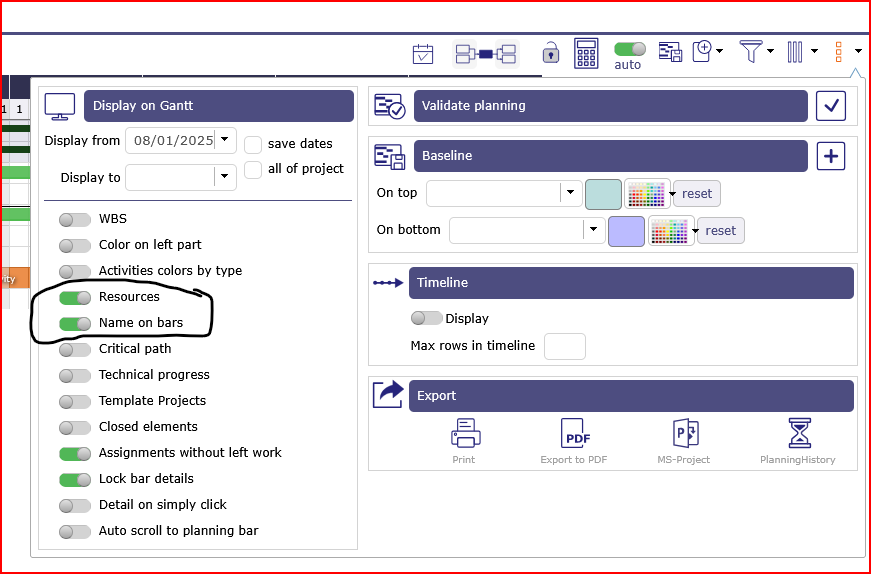
I've marked the activity.
(it can also be seen on the activity "Evolution X - Development" which means that it is independant of beeing a sub activity)
I think that the intention was to have the display showing name and resource like "This is some activity
Regards
hello,
Okay, no, I see it's because we can't see the whole project.
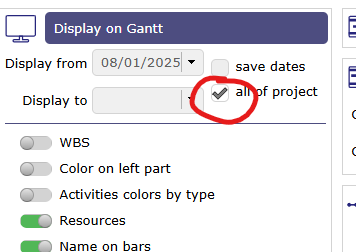
The name of the activity is at the beginning of the bar.
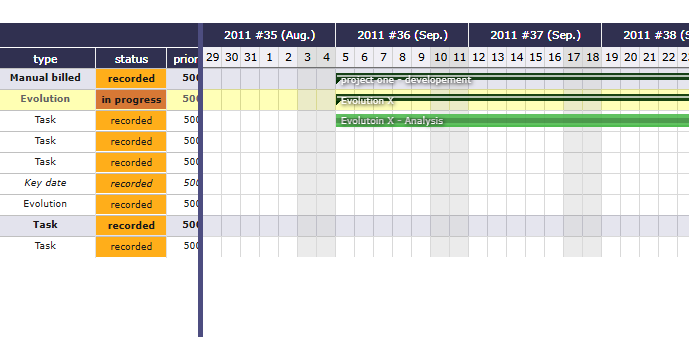
I'll submit a ticket so that we can see the name of the bar when the ‘all of project’ checkbox is not checked.
Please note that you can see the name of the activity when you hover over the bar in a tooltip.
Have a nice day,
Hello
The "All of project" option has no influence to that problem. It exists with and without the checked option.
Here is a more detailed description in the screenshot
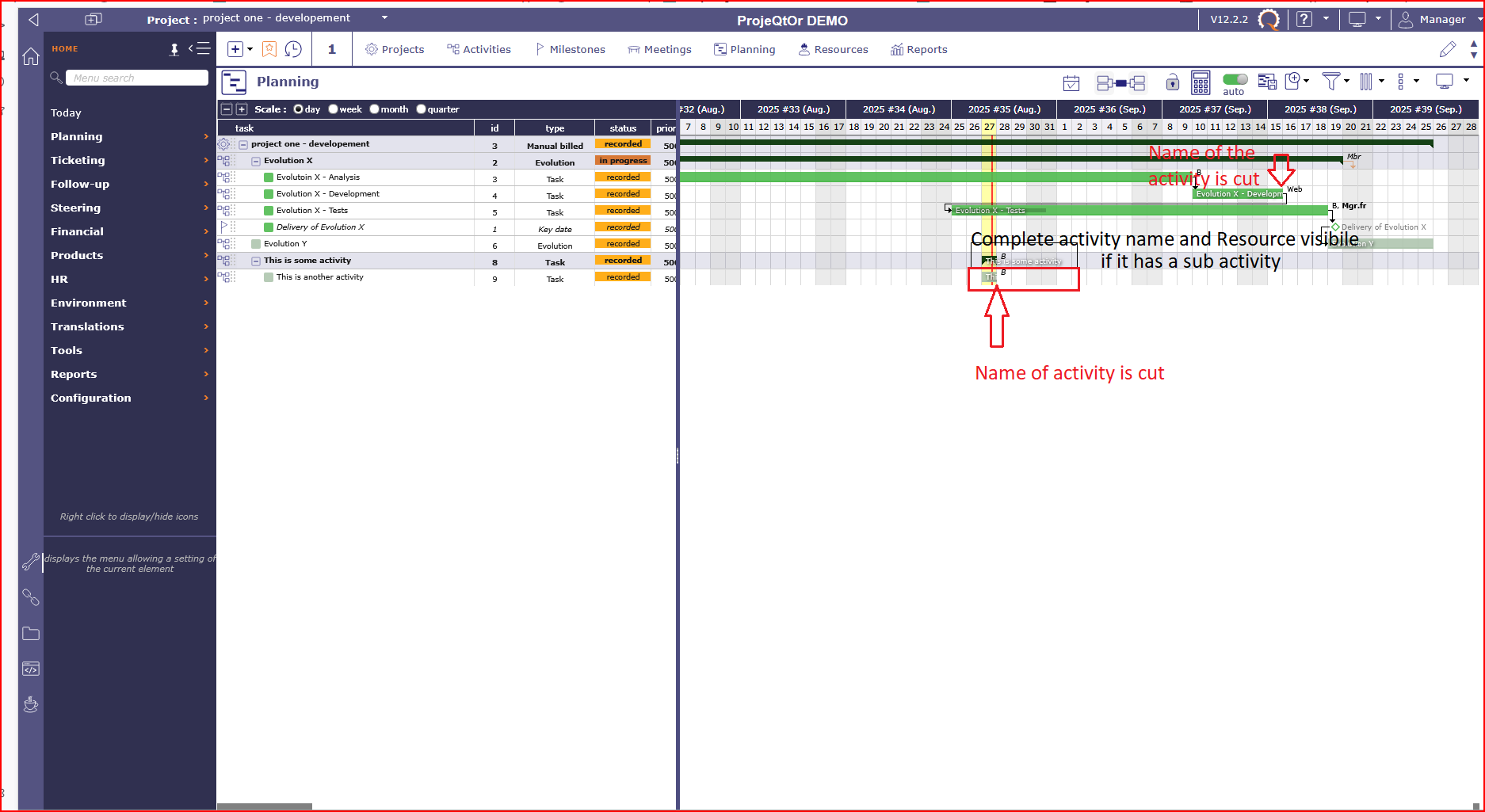
Regards
Ah, indeed, I hadn't looked closely enough, because for me it's normal behaviour (two pieces of information in the same place cannot overlap)
It's true that there is a problem when the resource and the name are displayed at the same time.
That's why the user can hover over the bar to see the name, because it would be complicated to do otherwise.
ticket #10466
Thank you and have a nice day,