
Welcome to ProjeQtOr new Forum. We migrated old forum to the new website.
You will find all your posts here, with your usual account.
Just one point : you’ll have to reinitialize your password. Use “Lost password” feature.

Hello everybody,
I'm trying to install Project'Or RIA for hours and there's still the same problem:
first I copy files and dirs on my server, then I launch the URL and there's the config page. Then after tunning my configuration I launch again the webapp and and correctly redirected to http://{my-website}/{install-dir}/view/main.php but when I try to log with admin/admin a loader appears and NEVER disappears. I've looked in DB, the schema was created but there's no table created in.
I would really appreciate to be helped.
For information, installation is on a VPS, {install-dir} is "project" and I've no error message and db schema was auto-created.

the first time you log in, tables are created. That's why it takes some time.
You can follow up progress in the log file.
First of all, thank you for your answer.
I've read the manual book (pdf) so I knew that tables was created on first run B) but I think that more than half an hour later tables should be created :blink:
In fact I check logs and there was nothing excepted this line:
2012-11-01 11:38:37 ===== TRACE ===== register_globals doit être désactivé (positionné à false).
Mettez à jour le fichier Php.ini.
And "Project" schema do not contains any table ...
Well, tables creation should not last more than few minutes.
Could you try to run again configuration ?
Just delete the /tool/parametersLocation.php file and run again.
Then try to create new schema in lowercase, without a work that could be reserved (Project could be a reserved word...).
Check that you get message "database ceated".
Let me know how you get there.
Hello,
I couldn't answer you sooner cause I live in France so there's a certain time difference.
This morning I've deleted the "/tool/parametersLocation.php" file and ran again the configurator. The only fields I updated were:
- Database user to connect
- Database password for user
- Default locale to be used on i18n
so the default schema name was not updated. I got this message:
Database 'projectorria' created.
Parameters are saved.
And then when I try to connect with admin/admin, I still get the "unbeatable" loader ...
I assume there's no problem with DB connection thanks to the schema auto creation ... But there must be a problem somewhere.
Would it be possible, to have sql table creation queries in order to run them manually in order to try to solve this problem. I saw queries in the /db directory but file starts with an "ALTER" so I guess this is not the good file ...
Thanks
Hi,
I've just tried again, all is working fine for table creation.
I don't really understand the problem you're facing.
What is really strange is that you should get at least a "standard" error in the log file
2012-11-02 11:40:41 ** ERROR ** Exception-[42S02] SQLSTATE[42S02]: Base table or view not found: 1146 La table 'projectorria_test_install.parameter' n'existe pas
2012-11-02 11:40:41 ** ERROR ** For query : select * from parameter where parameter.idUser is null and parameter.idProject is null and parameter.parameterCode ='dbVersion'
2012-11-02 11:40:41 ** ERROR ** Strack trace :
2012-11-02 11:40:41 ** ERROR ** #0 Sql->query called at [G:wwwprojectorriaV2.6modelpersistenceSqlElement.php:1103]
2012-11-02 11:40:41 ** ERROR ** #1 SqlElement->getSqlElementsFromCriteria called at [G:wwwprojectorriaV2.6modelpersistenceSqlElement.php:1194]
2012-11-02 11:40:41 ** ERROR ** #2 SqlElement->getSingleSqlElementFromCriteria called at [G:wwwprojectorriaV2.6modelpersistenceSql.php:276]
2012-11-02 11:40:41 ** ERROR ** #3 Sql->getDbVersion called at [G:wwwprojectorriaV2.6toolloginCheck.php:21]
This is due to table parameters not existing yet.
You can try and run scripts in /db folder.
Just start at 0.3.0, and execute them in the versions order.
You'll just have to replace the ${prefix} with desired prefix for tables (or just remove it for no prefix).
Just to try, maybe you can first try just to create "parameter" table and connect to application to try automatic update.
CREATE TABLE `parameter` (
  `id` int(12) unsigned NOT NULL AUTO_INCREMENT,
  `idUser` int(12) unsigned DEFAULT NULL,
  `idProject` int(12) unsigned DEFAULT NULL,
  `parameterCode` varchar(100) DEFAULT NULL,
  `parameterValue` varchar(100) DEFAULT NULL,
  PRIMARY KEY (`id`)
) ENGINE=InnoDB  DEFAULT CHARSET=utf8 ;
I've information: it still not works BUT ...
I've now a message in Firebug:
NetworkError: 500 Internal Server Error - http://agence-benedetti.com/project/tool/loginCheck.php?destinationWidth=350
When calling: http://{my-website}/project/tool/loginCheck.php?destinationWidth=350 with POST params: isLoginPage=true&login=admin&password=admin
servers returns:
and console warns
Erreur sur le retour de xhrPost de loadContent('../tool/loginCheck.php?destinationWidth=350', 'loginResultDiv', 'loginForm', 'undefined').
RequestError: Unable to load ../tool/loginCheck.php?destinationWidth=350 status: 500
But there's still nothing about this problem in log file.
If I correctly understand the problem, it means PDO must be activated, no ?
Yes, you got it : PDO module must be enabled in PHP !!!
You must update your php.ini file to enable pdo and pdo for mysql modules.
I just asked the sysadmins to enable PDO on my VPS so I can't confirm you that everything goes fine, but there's something strange: PDO isn't used to create schema but for table creation ...
Thank you very much, everything seems to go fine.
In fact for those who'd have the same problem, you have to first of all enable PDO but you also need to empty (or delete) DB schema, because app seems to try to update existing tables (and I got an error), then app creates schema and table and no problem.
:cheer: :cheer: :cheer: :cheer:
PDO isn't used to create schema but for table creation ...
Up to V2.6, PDO implementation is not complete.
It is in next coming version : V3.0

I have a similar problem
after solving all the problem at configuration page of qt now when i go to home a page a page like below appears and never redirect to login page
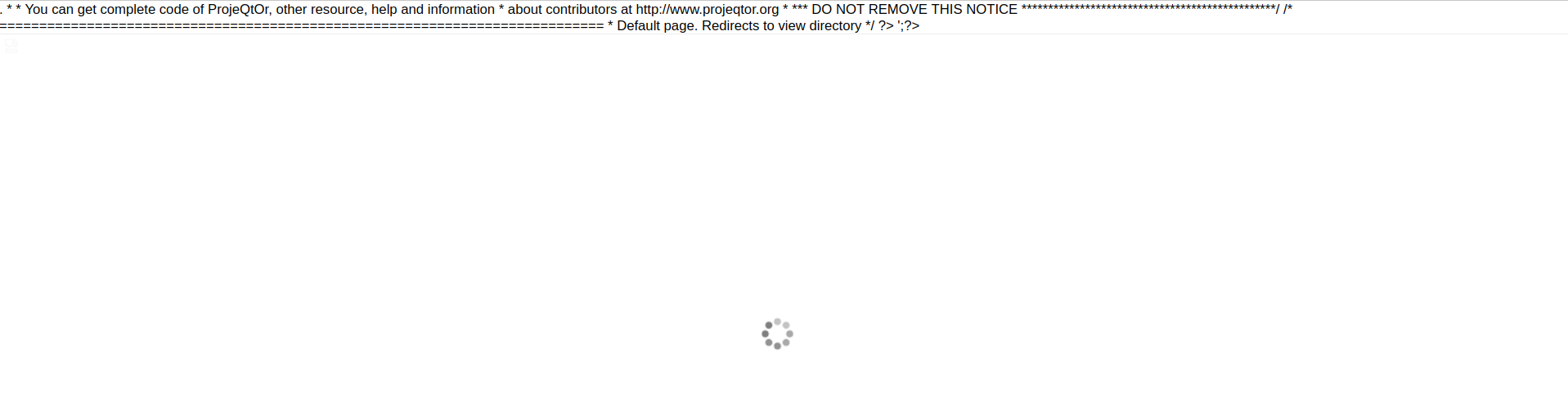
You apache does not have PHP enabled