

Hi,
I have a perplexity about the right organization of project documents.
If I have well understood, the document directories structure in ProjeQtOr is the same for every project!!!
If so, in which way can I better consider the unavoidable differences about project organization needs (for scope, dimension, tipology, number and kind of files, ecc.)?

the document directories structure in ProjeQtOr is the same for every project!!!
yes, by defaut, but you can define your own structure.
in which way can I better consider the unavoidable differences about project organization needs
You can define the structure you want...
For instance :
Project 1
Directory 1 of Project 1
Directory 2 of Project 1
Project 2
Directory 1 of Project 2
Directory 2 of Project 2
You cannot limit the visibility of direcgtories, but you can limit the visibility of their content, just setting the project attribute of the documents.
I know the possibility to define my own directory structure (and I already did so in a previous release), but it remains the same for all the projects. So, if I add some new dir for a project, I see it also for all the other projects,
It would be great, instead, that when I chose the project in the selector, in the document window I filter also the directory structure of the selected project, in this way reducing the big confusion for showing folders not used by the selected project.
But I understand also that the ProjeQtOr User needn't too much of the document window and its folders structure, because he can view, filter and search the project files directly in the List window.
Just as I was doing these tests, I noticed a problem in my current setup of version 5.3.1!!!
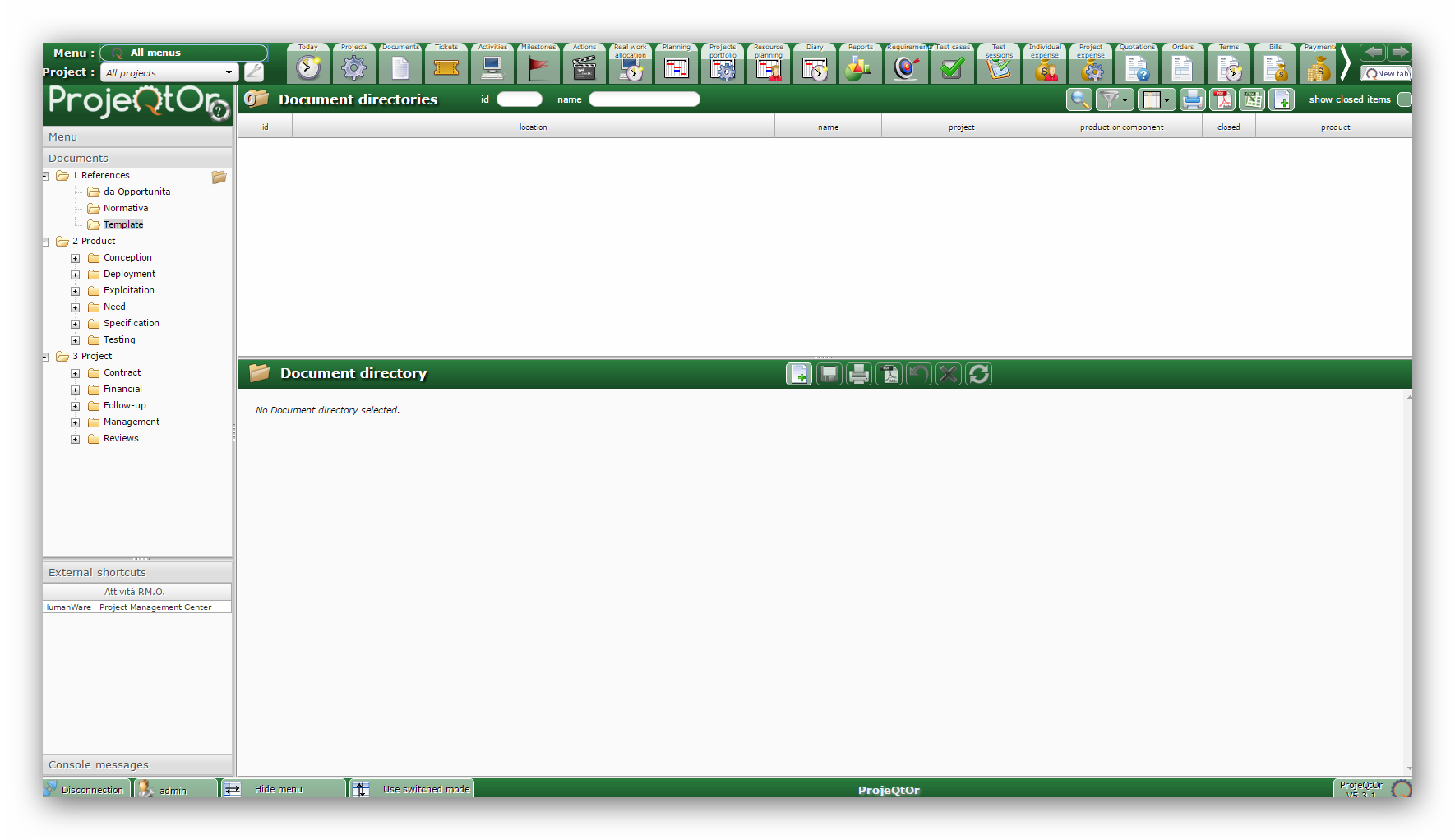
Even if I have created and uploaded some document (ie, now id# is 3), in the List window I don't see anything.
And also when I try to change directly the "document directories", the List Window is empty.
But the strange thing is that the SW has not given me any mistake ever...
HELP!!!
Making some tests I have understood that sw DB has corrupted, because the real folder tree present on the Host is different from that recorded in the SW. And I don't know why!!!
In reality, the folder structure that shows the "Document Window" is the same of that on the Host, meanwhile this one is different from that the SW shows in the combo box of the field "parent directory" in the Description section when I try to create a new directory...
How can I fix the problem, without lose all the other data already in the DB?
Thanks
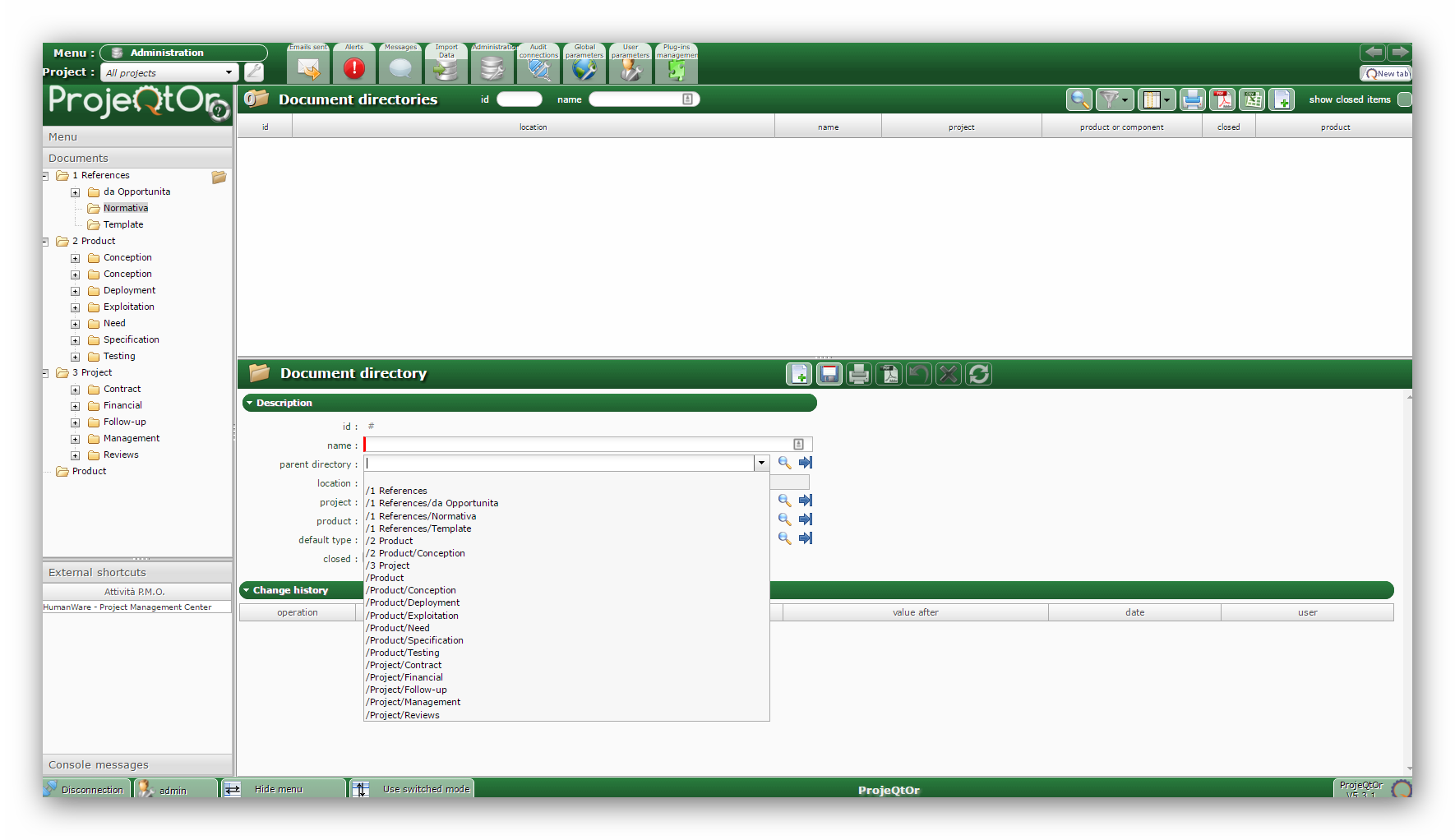
The difference lay be linked to project selected for directories.
You can select as a parent only directories wthout project of with same project as the current directory.
The difference lay be linked to project selected for directories.
You can select as a parent only directories wthout project of with same project as the current directory.
Sorry, but I haven't well understood your explanation. Can you explain more?
You can define the structure you want...
For instance :
Project 1
Directory 1 of Project 1
Directory 2 of Project 1
Project 2
Directory 1 of Project 2
Directory 2 of Project 2
The same as above. Can you explain more?
In any case, now I can't do anything because I don't see any item in the List Window, nor in the Detail Window...
What can I do to fix the problem?
In any case, now I can't do anything because I don't see any item in the List Window, nor in the Detail Window...
What can I do to fix the problem?
Be sure you did not select a project in the project selector (top left)
Be sure you did not apply a filter.
Yes, I am sure!
And I have the same empty screen also when I click on Document in the menu tree...
Can you check for error in the log file ?
And in the browser console ?
Also try and reset list presentation (in the column selector)
I have found the Log files and I see into some ERRORS...
But I think it is better to send you the log files of the last 2 days, so you can see directly what has happened.
Furthermore, I can tell you that the browser console hasn't never shown some advice after my file operations, and that also the reset list presentation unfortunately had no effect (also because I didn't have never changed the column list for this kind of lists)...
The error is always the same:
.....................
2016-04-03 09:51:56.629 ** ERROR ** Exception-[42S22] SQLSTATE[42S22]: Column not found: 1054 Unknown column 'prqtdocument.idProductOrComponent' in 'on clause'
2016-04-03 09:51:56.629 ** ERROR ** For query : select prqtdocument.id as id, T1.name as nameProject, T2.name as nameProductOrComponent, T3.name as nameDocumentType, prqtdocument.name as name, convert(concat(T4.sortOrder,'#split#',T4.name,'#split#',COALESCE(T4.color,'')) using utf8) as colorNameStatus, T5.name as nameDocumentVersion, T6.name as nameDocumentVersionRef, prqtdocument.locked as locked, prqtdocument.idle as idle, T7.name as nameProduct,prqtdocument.idProject as idproject from prqtdocument left join prqtproject as T1 on prqtdocument.idProject = T1.id left join prqtproduct as T2 on prqtdocument.idProductOrComponent = T2.id left join prqttype as T3 on prqtdocument.idDocumentType = T3.id left join prqtstatus as T4 on prqtdocument.idStatus = T4.id left join prqtdocumentversion as T5 on prqtdocument.idDocumentVersion = T5.id left join prqtdocumentversion as T6 on prqtdocument.idDocumentVersionRef = T6.id left join prqtproduct as T7 on prqtdocument.idProduct = T7.id where prqtdocument.idle=0 and ( (prqtdocument.idProject not in (0) or prqtdocument.idProject is null ) and (prqtdocument.idProject not in (0) or prqtdocument.idProject is null or (prqtdocument.idUser='4') ) ) order by prqtdocument.id desc
2016-04-03 09:51:56.629 ** ERROR ** Strack trace :
2016-04-03 09:51:56.629 ** ERROR ** #0 Sql->query called at [/home/u296005607/public_html/projeqtor/tool/jsonQuery.php:530]
2016-04-03 12:17:07.110 ** ERROR ** Exception-[42S22] SQLSTATE[42S22]: Column not found: 1054 Unknown column
..........................................
But, obviously, I don't know what it means...
Hi,
using phpMyAdmin I have adjusted the tables "document", "documentversion" and "documentdirectory" of DB, and after various tests I have discovered that with version of ProjeQtOr 5.2.4 all functions very well and I see all the files and the full directory structure.
But when I try to upgrade to version 5.3.1, the problems recur (in the log file I read that there were "23 error during the upgrade to v5.3.1 version") and I can no longer see the documents and the directory tree of the archive.
Do you think that is a problem that can be solved or will I be forced to stay up to version 5.2.4 to avoid losing all my data and all customizations already made?
Thanks in advance
Clear your filters : you are using some filteres referencing some column that has been renamed.
I don't know which filter I should clear, because I don't have never used particular filters in ProjeQtOr.
Could not you give me some other clue? Eg, how do you rename a column?
However, do you think that I should try this in vers. 5.2.4, ie before of the upgrade of DB, or after, already in vers. 5.3.1?
After analysis, it's not really a filter, it is the columns selection.
Use the column selection button in the list buttons, and click reset button.
All should get back to normal.
Thanks ... that was the problem!!!
finally everything was resolved, with extreme ease and speed
Thanks again