
Welcome to ProjeQtOr new Forum. We migrated old forum to the new website.
You will find all your posts here, with your usual account.
Just one point : you’ll have to reinitialize your password. Use “Lost password” feature.

I have a resource that does a certain activity (Activity X) every day, let's say it is for an time a 0.1 day
When this person goes into her time-sheet to input the time spend on various activities during a week, is there a way that in time-sheet the time spent on activity X is automatically filled with 0.1 every day, so she just has to input the time spent on her other activities ?
thanks

Hello
NO but :
Just one way :
Manual planification mode with the global parameter set up as "planificated manual date are workload done in the futur" ( since V 8.5.)
I do not use projeqtor for project planning, but I will look into it for this particular problem and see what i can do. Thank you
You are welcome Jeeeannnn Mouliiiinnnnn
I tried your solution.
It works using Manual amplification mode except that the minimum amount of work I can manually specify for a given day is 0.5 and I what I need is to specify 0.1 for each day of the week. I worked around it specifying 0.5 every friday
Now when my resource access her time-sheet 0.5 are already inputted every friday and she can change it if she wants : not exactly what I needed but close enough
I use version 8.5.4 but I couldn't find in the global parameter the parameter you were talking about : ""planificated manual date are workload done in the futur" : where is this parameter exactly ????
instead I used "manual planned interventions enter work as " and set it to real
thanks
Hi,
You are right, you can only plan by half day with manual planification.
This parameter can be reach only from V8. 5 on global parameter : work :planning 6th line.
Have you ever tried to use "recurent" mode on planification mode, so you can plan 0,1 per day easily.
I'll take a look at the recurent mode
but event if my version is 8.5.3 I still can't find the parameter you talk about : in "global parameter " there is no "work" option there is a "work time" option but I do not see the option on that screen (see attached
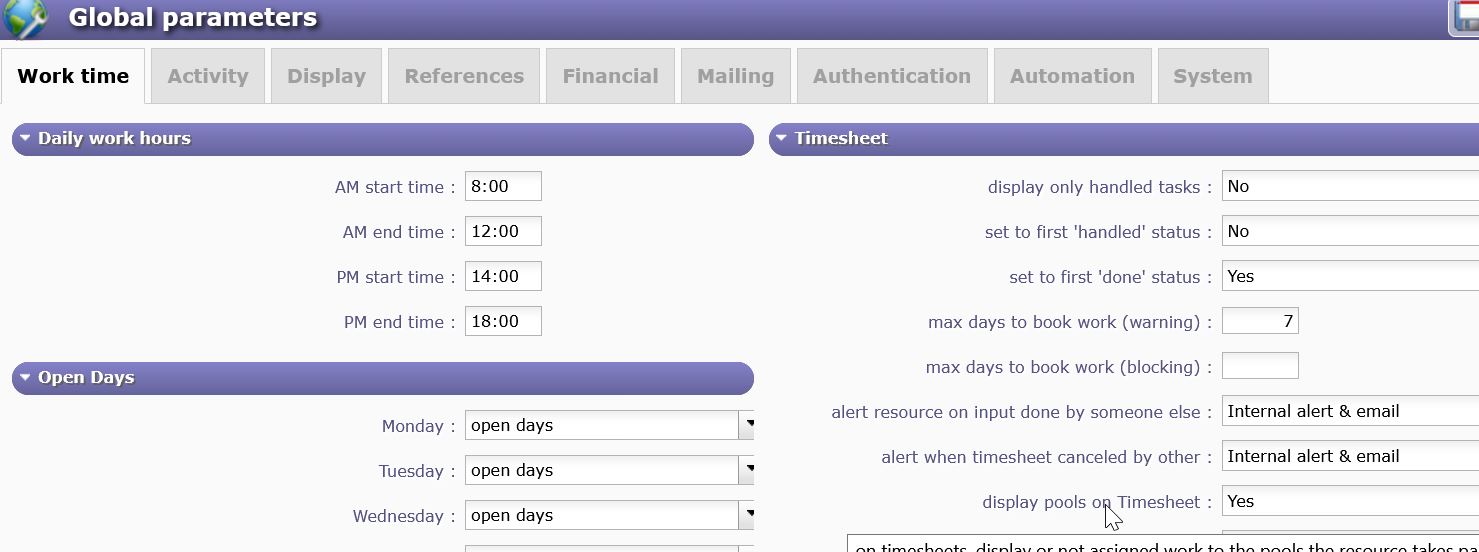
file)
I tried the recurent mode : I can put 0.1 every day, but when I go into the time sheet the 0.1 are not displayed as real work
maybe it is because I did not set the ""planificated manual date are workload done in the futur" that i still cannot find
NO, there is no link beetween both of them.
We come back to the start. There is no way to imput real work in the futur for one line with 0,1 AUTOMATICALLY. You can do it by hand - checking too that imputation on the futur is authorized (on global parameter.)
OK, I understand, so I'll stick to the first solution with manual planning, the work is generated as real in the time-sheet so it will be ok for my resource. thank you
I'm still wondering where the option you're talking about is but it is not important since what I set up works.