
Welcome to ProjeQtOr new Forum. We migrated old forum to the new website.
You will find all your posts here, with your usual account.
Just one point : you’ll have to reinitialize your password. Use “Lost password” feature.

Is there anyway I can set the Notes DIV section of ProjeQtor to actually display under all other columns and take the whole width of all three columns.
I am asking if this is possible, because when it is part of a column (we have large screens) and use 3 columns, the notes part is rather small in width and reading the notes can sometimes means we have to scroll horizontally when images are added in the notes or large tables are added.
It would be great if we can, somehow move the notes to be displayed under all 3 columns and to have the wider width to be able to read it with ease.

No, there is no easy way to do this

There is no way to do it without changing the code as babynus said (since he is the creator he knows better).
but to help you this may be a quick solution (I did it because I have a longitudinal screen):
find the following lines in /view/objectMain.php:
<div id="detailRightDiv" dojoType="dijit.layout.ContentPane" region="right" splitter="true" style="width:">
and change region="right" to region="bottom"
cheers
YEP, good workoround.
Attention, it will bring any part on right to the bottom, not only notes...
How can I use that and just have Notes move to the bottom.
Try it and if you find any inconvenience you can restore it back as it was and it wont affect your data.
You cannot.
That's why I said it's not easy.
Workaround proposed be Envergus will move all right parts.
But as he said, it's worth a try as you can very easily revert it.
Hi Envergus and Babynus,
I tried the change and nothing happened. I refreshed the page, I logged out and then back in and NOTES did not move. It remained in the third column at the right.
Babynus, may I suggest this is part of an upcoming upgrade. Just a little more control of the order we can put these DIV and position their width or size or something similar.
If not all of them, maybe just Notes. Notes is an important thing to be able to read and it would be great if it was allowed to be on its own and as part of the whole screen.
clear browser cache
Cleared cache even Ctrl + F5 and nothing changed to the NOTES div. still sits in right column under all the divs.
it should look like in the attachment. if this is not what you want forget it. If yes it should work.
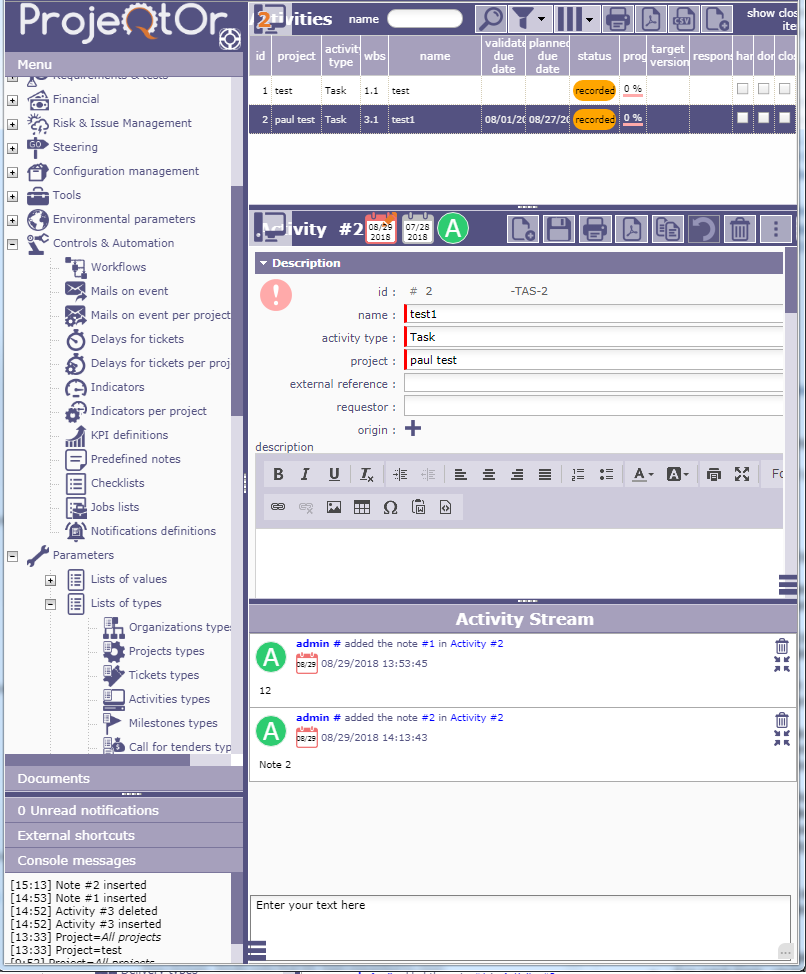
I am referring to the NOTES div that displays in the ACTIVITY section. See the image attached
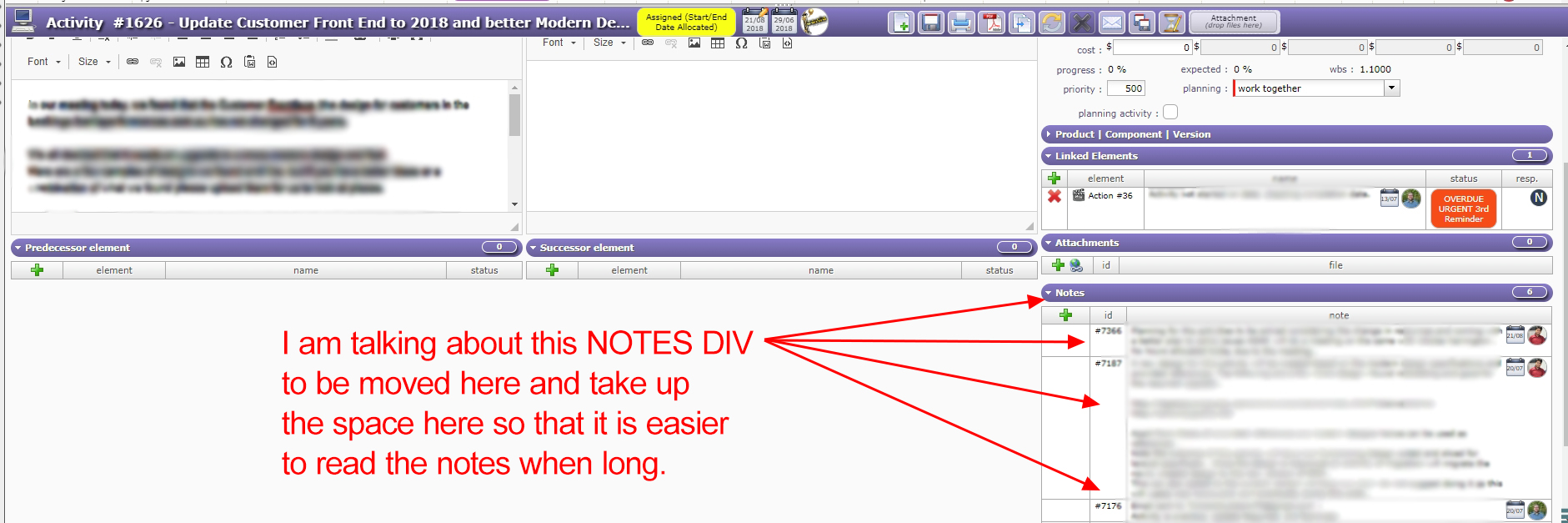
I understand better now.
Solution of Envergus is correct as he moves the Stream part, which displays notes:woohoo:
So it is exactly what you expect, you can then just hide (collapse) the notes.
I have tried to do this and made the changes that were said but the Notes still remains in the right column in its small width?
I can't seem to work out what I am doing wrong.
can you see the stream window? if not, would you send a screen shot of the whole screen? what is your Projeqtor version?
Version I have is 7.1.4
See attached Image for Whole Screen.
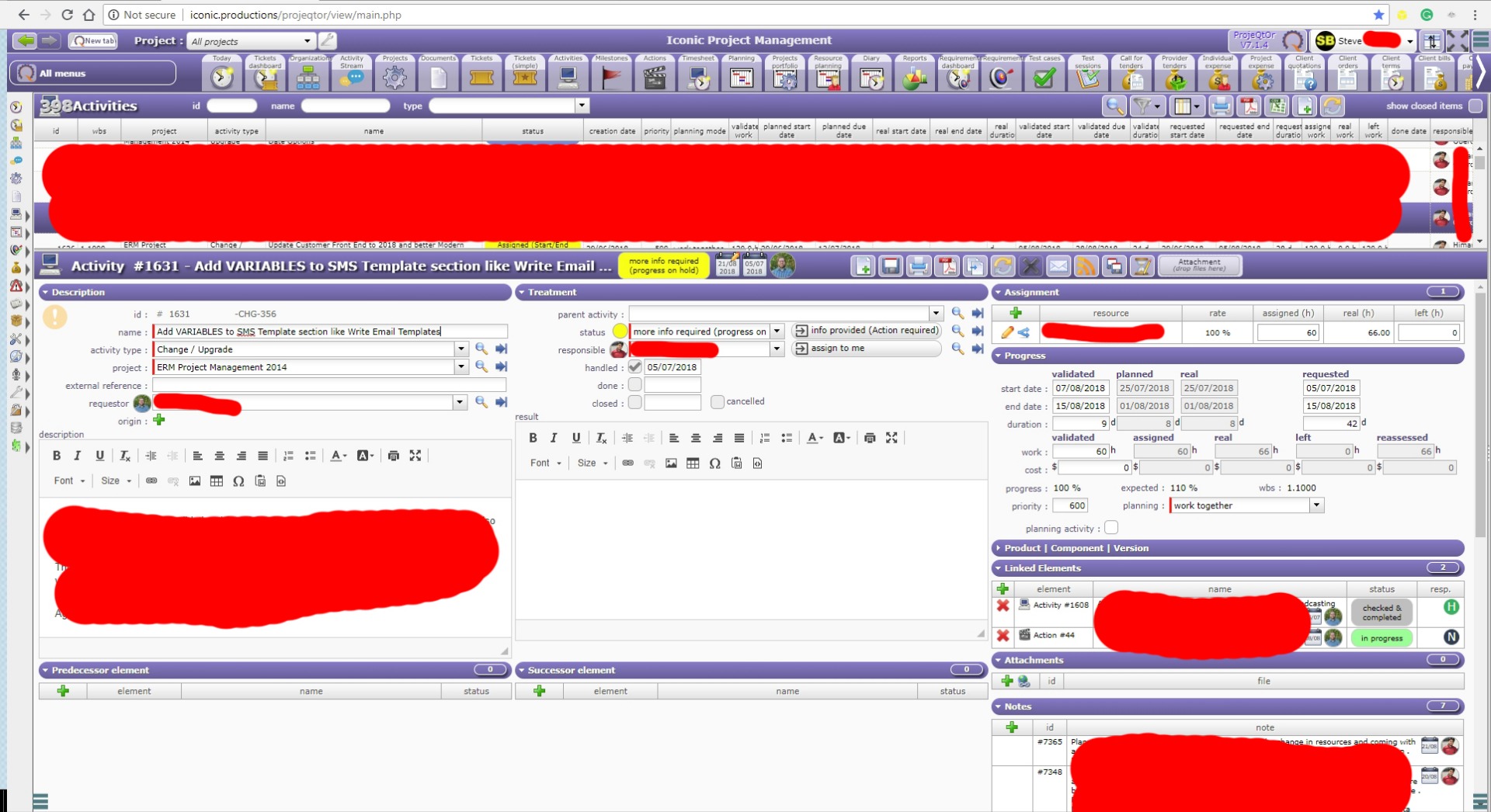
You still have the stream part at right. See the attachment and put the cursor inside the green circle (but on your screen) and pull it to the left then you must see the stream window.
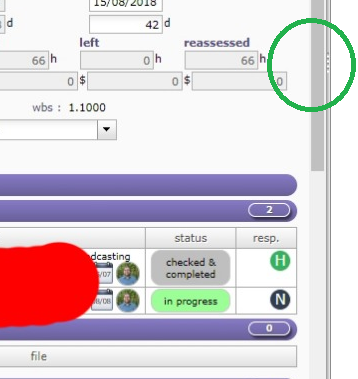
I now have a new problem.
When I click on the Activities TAB don't see the activities anymore.
I only see this response "No Activity selected."
But it shows a white Screen with only the menus.
that is because you pull it too much to the left
Found the activity stream. Thank you for that.
With the white screen showing that error message I can't seem to find where on the left side it is to pull it back to its original place.
See attached image
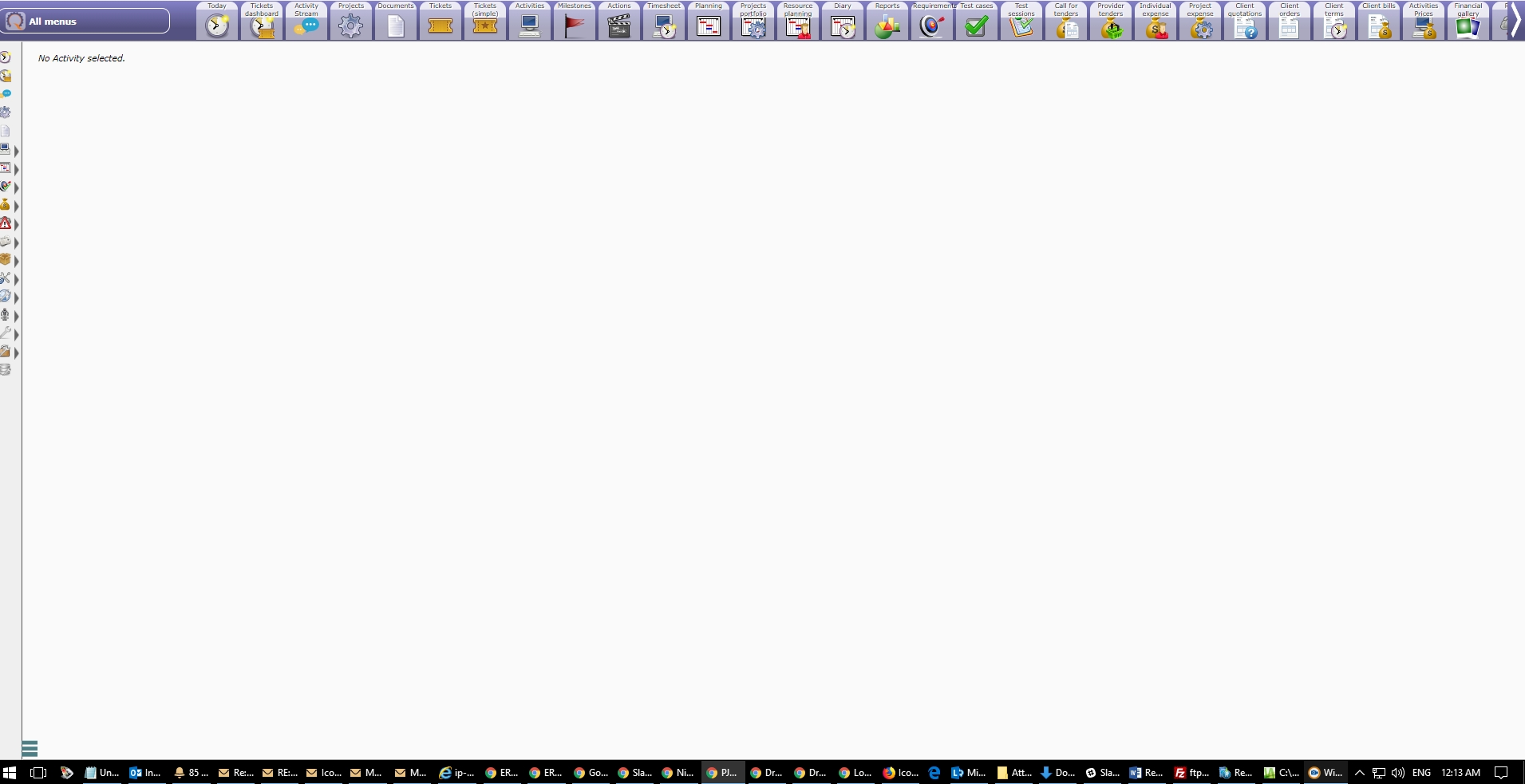
I worked it out.
I had to close the menu part on the far left to very small, which then showed the Activity Stream and I was able to pull it back to the right.
All fixed now.