
Welcome to ProjeQtOr new Forum. We migrated old forum to the new website.
You will find all your posts here, with your usual account.
Just one point : you’ll have to reinitialize your password. Use “Lost password” feature.

Hi
I use version 7.0.9 and I have a problem with planning calculation.
Some task are not "correctly" planned.
Not sure that it's an issue, maybe I have not understood how it works.
Here is a project example :
Something bad happens to the first task "Analyse du besoin" as you can see in the next capture :
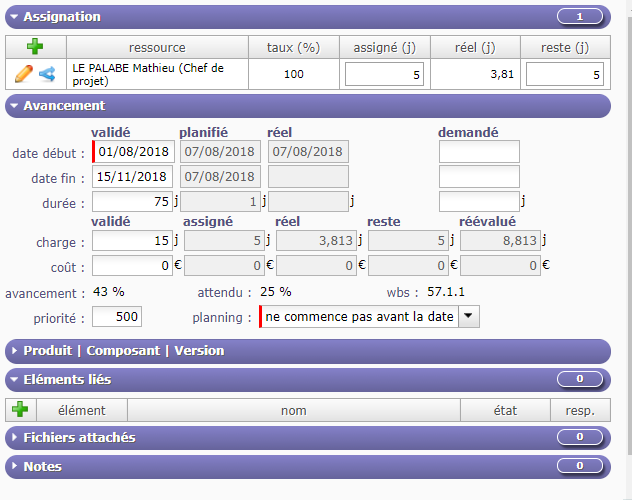
After I click on "calculation", planned date (start/ end) and real date (start / end) are wrong.
Real work started the 7 of august but It continues after this date, nevertheless real end date is null. Why ?
One day is planned (07/08/2018) although left work is 5 days. Why ?
Regards

HI,
Tasks are always well calculated depending on constraints, availability of resources, and left work, so you can not "draw" a planning as well as expected. The result is always true, even if, sometimes, far from what was hoped.
It seems that you did not enter correctly real and left work on this activity compare to the initial duration of the planification, may be you should recalculate the planning. Anyway, I do not understand what you have done, sorry. About the meaning of various dates, I invite you to read the user manual going to "common section" and then to "gantt chart"on the user manual pressing F1.
Best regards
OK
I read and read again common section without finding an answer.
I tried to calculate again the planning but I got the same result.
Whatever I can enter for left work (except 0 which means that task is done) I got the same result.
I can't enter value for real work because it is calculated.
Is there à way to clear calculation result ? It's look like calculation ignore what I can enter.
Note that resource is affected with a rate of 17% until 31/10/2018 then affected with a rate of 5% until 31/12/2021. I realized that when à ressource is affected with different rate, projeqtor seems to have a strange behaviour...
Regards

Whatever I can enter for left work (except 0 which means that task is done) I got the same result.
Possibly it is because you try to calculate a planning "in the past".
Try and change planning calculation start date in the pop-up that triggers planning calculation.
I can't enter value for real work because it is calculated.
Real work is not "calculated". It is entered by resources on Timesheet screen.
Is there à way to clear calculation result ? It's look like calculation ignore what I can enter.
Calculation takes into account "contraints" (assigned work, availability of resources, planning mode, dependencies). It does not take into account "validated dates".these are just for control of expected planning (baseline)
Hi
Try and change planning calculation start date in the pop-up that triggers planning calculation.
Tried but nothing changed
Real work is not "calculated". It is entered by resources on Timesheet screen.
OK real work is entered on Timesheet screen but agregated (calculated) in activity screen.
Calculation takes into account "contraints" (assigned work, availability of resources, planning mode, dependencies).
In my example, task "Analyse du besoin" is "planned" between 01/08/2018 and 15/11/2018.
Mathieu started the 07/08/2018 and continued until 26/10/18. 3,81 days is done until now but he has to work 5 days more (left work) to finish the task.
Mathieu is available 20% for the project (1 day by week) and 100% by day for this task.
If I launch calculation since 01/11/2018, I imagined that projeqtor divide 5 days left in 5 weeks, so I expected a end of task planned at 29/11/2018.
As you can see on picture, planned end is equal with planned start (07/08/2018) : Why ?.
I tried to reproduce this issue on your demo database :
I created a project name "Projet TARZAN", I affected Analyst A, available 20% on the project.
I created a task "Analyse". I assigned Analyst A available 100%
On TimeSheet screen, Analyst A work 6, 7 and 8 august and then the 15 october.
5 days left work then I lauch calculation :
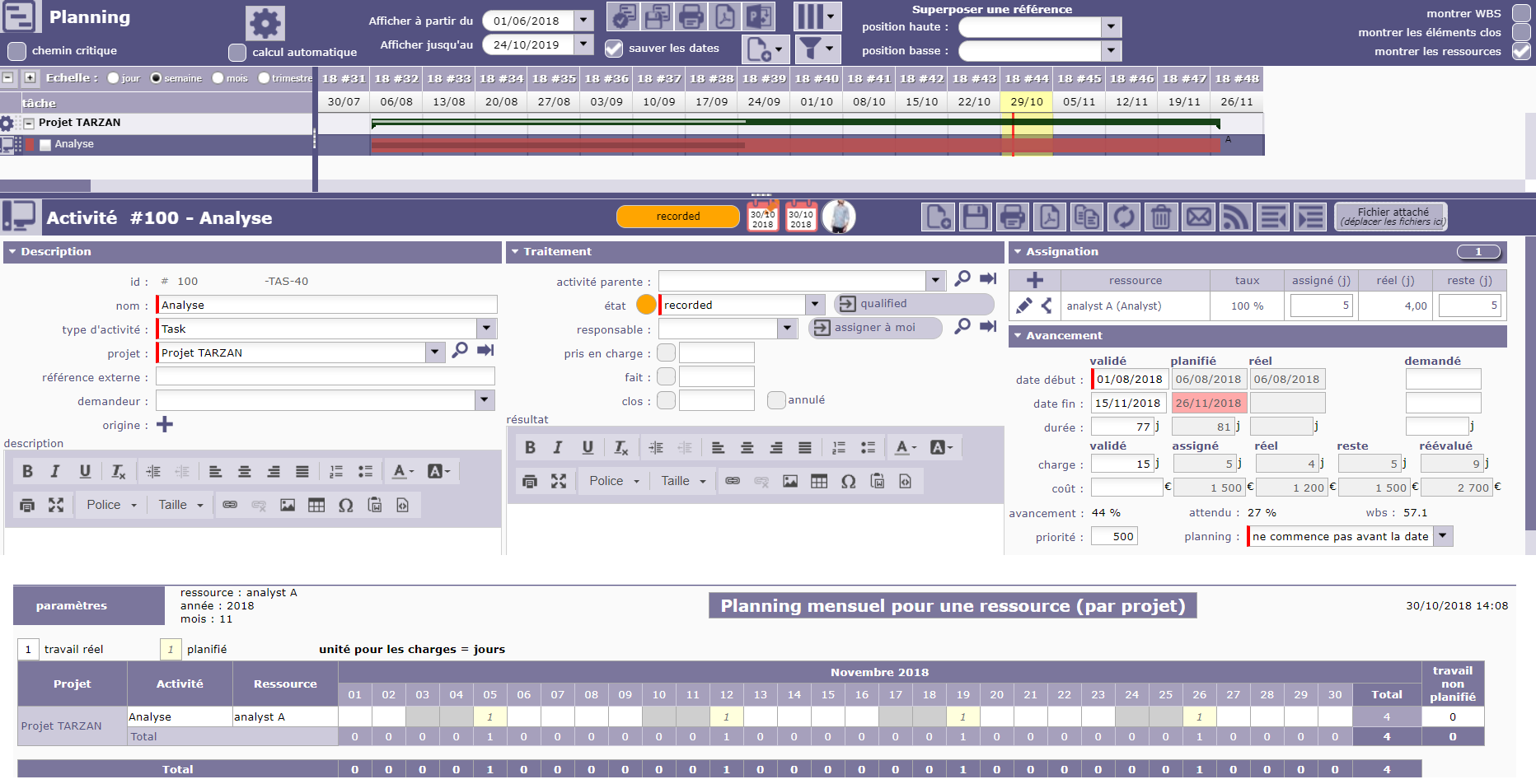
As you can see, end planned date is correct and Analyst A is planned 1 day by week as I expected
Regards
So possibly the solution to your issue is to migrate to V7.2.6
Hi
I tried with version 7.2.7 but it's the same thing
If left work is not set to 0 then projeqtor is unable to calculate planning.
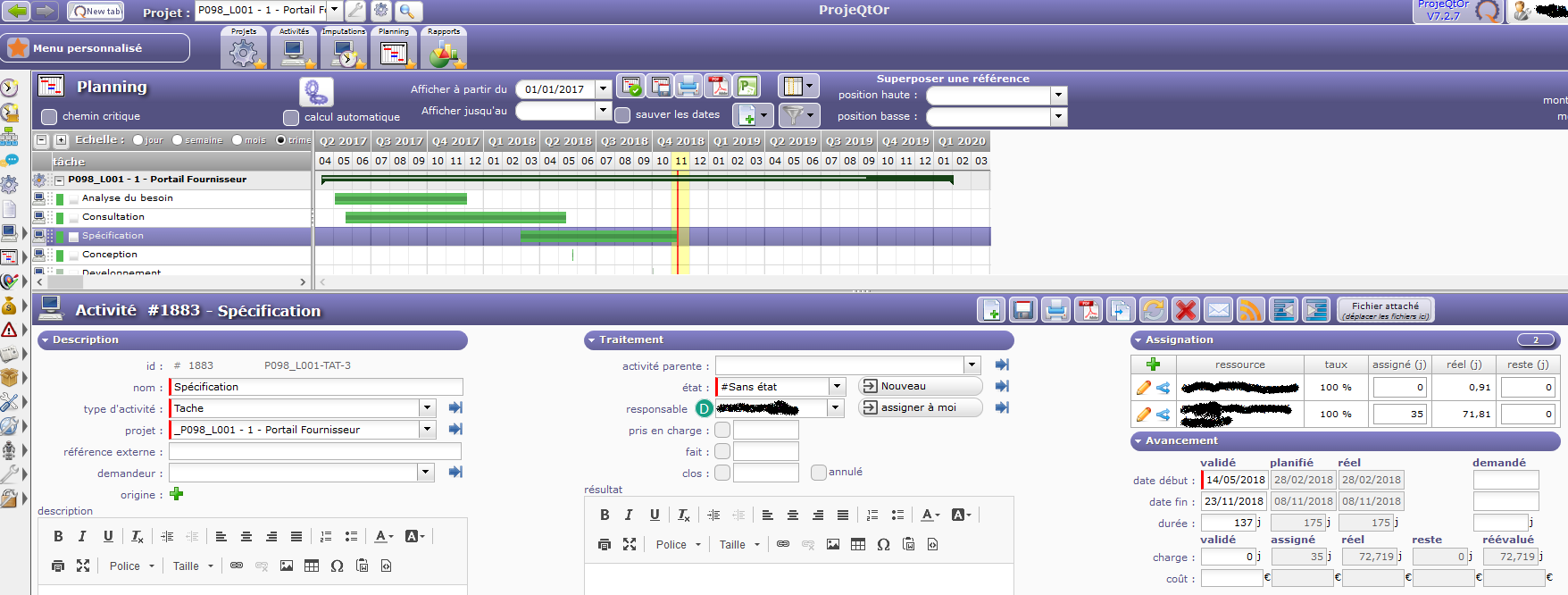
Look at this planning : activity "specification" is well displayed on Gantt but left work is set with 0.
Now I decide to increase left work to 30 and I save. As you can see, activity progress changes on Gantt and it's OK.
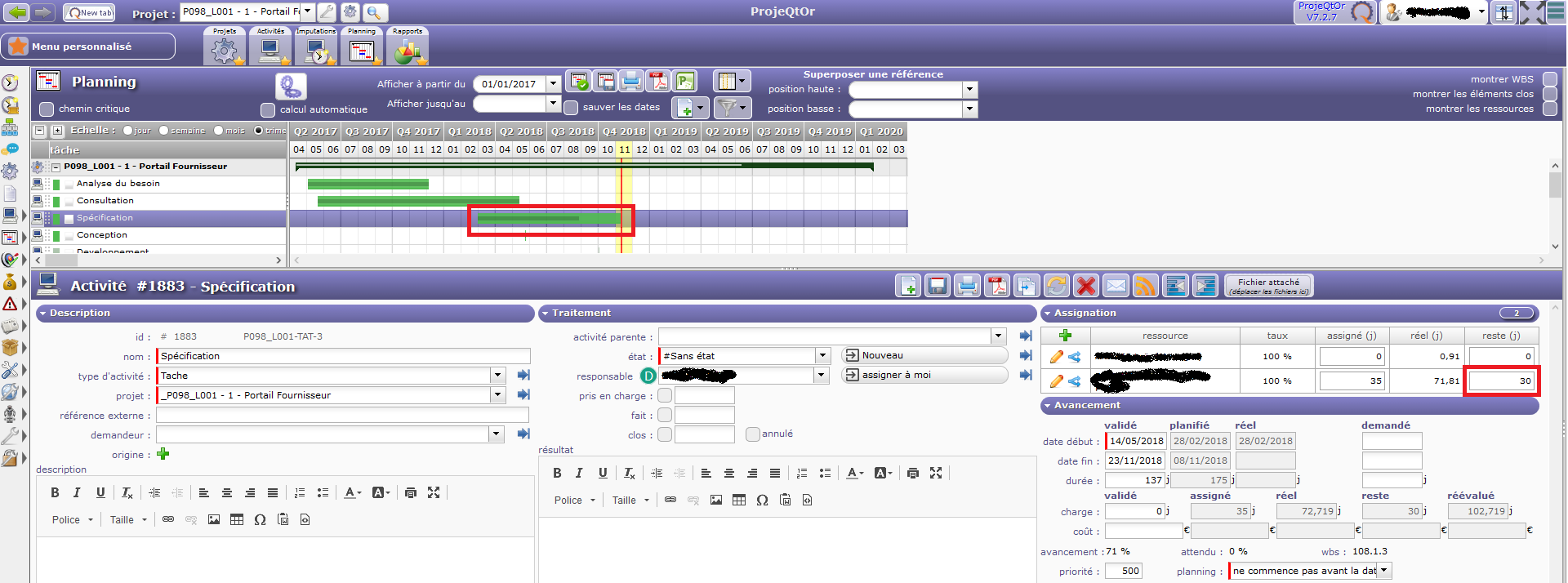
Now I launch planning calculation and activity specification "disappear" (in fact, just 1 day is displayed on gantt and planned duration is only 1 day)
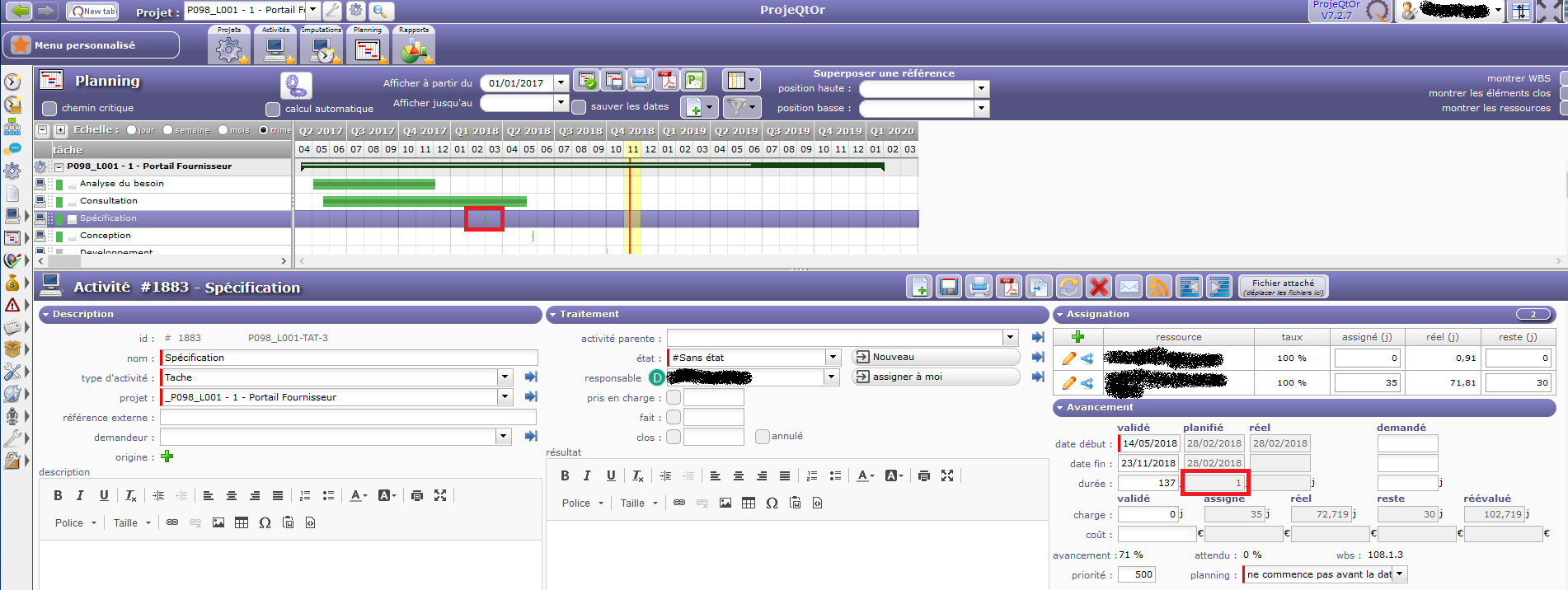
Explain me if it's not an issue ...
Regards
What can explain this is capacity of resource : capacity is Full Time Equivalent. Thids means that normal resources have capacity of 1 (hability to work 1 day poer day).
Possibly you changed capacity to more thant 30.
For instance if you changed capacity to 100, it means resource can work 100 days per day, so can finish 30 day task in 1 day.