
Welcome to ProjeQtOr new Forum. We migrated old forum to the new website.
You will find all your posts here, with your usual account.
Just one point : you’ll have to reinitialize your password. Use “Lost password” feature.

Hi all,
I created a specific profile for new users in ProjeQtOr. It is a slightly limited profile. This profile was associated to a new user that was allocated to a project (as a project member). This user is a resource of the project and although the user is able to update the status of the tasks and register the information in the description and treatment of the activities, the user is unable to register information on the agenda and minutes for the meetings associated to the project (even though the user is a resource). Still, the user is able to register the agenda and the minutes if the meeting is created by himself but no on the ones that were created by a resource classified as administrator.
I guess I am doing something wrong on the access modes/rights but even when I try to change them to Manager + the same thing occurrs.
Could you please help me?
Thank you in advance.

Check Access rights (project dependent) for Meetings for this profile : I guess you have a Creator access mode (can create and update own item). Change to Manager should do what you expect
Hi,
The access mode I have in the Meetings is Manager +. This user is a resource of the project (project member) and is allocated to all meetings of this project. However if someone else creates the meeting (like me as an administrator) the user won't be able to change the agenda and/or the minutes. Still, if the user creates a new meeting (the manager + access mode allows him to do it) he will be able to create an agenda and make the minutes.
I really don't know what else may I do to overcome this.
Thank you for your support!
The access mode I have in the Meetings is Manager +
You mean Project Members are "Manager +"" for Meetings ? And they cannot update every meetings ?
Strange...
Did you change the "Manager+" access mode ?
Do you use Screen Customization ? You may here have defined readonly fields depending on profile.
Hi,
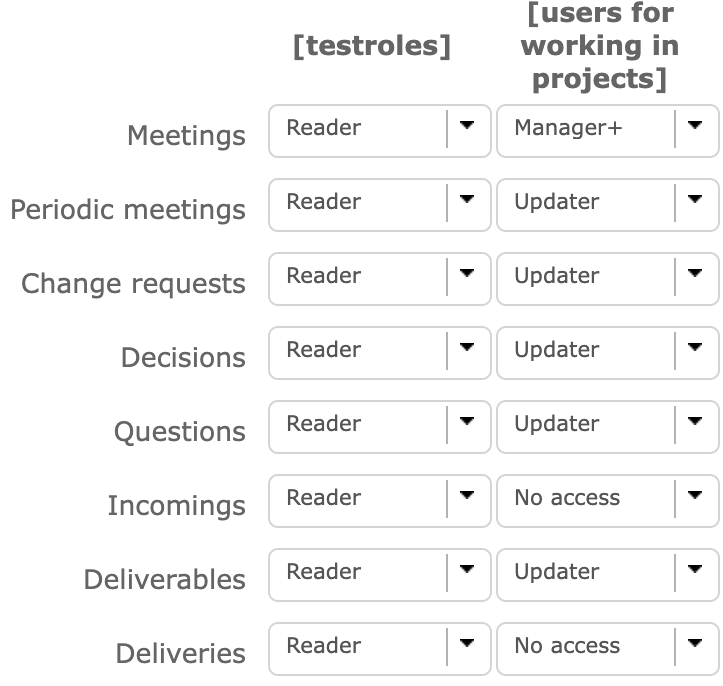
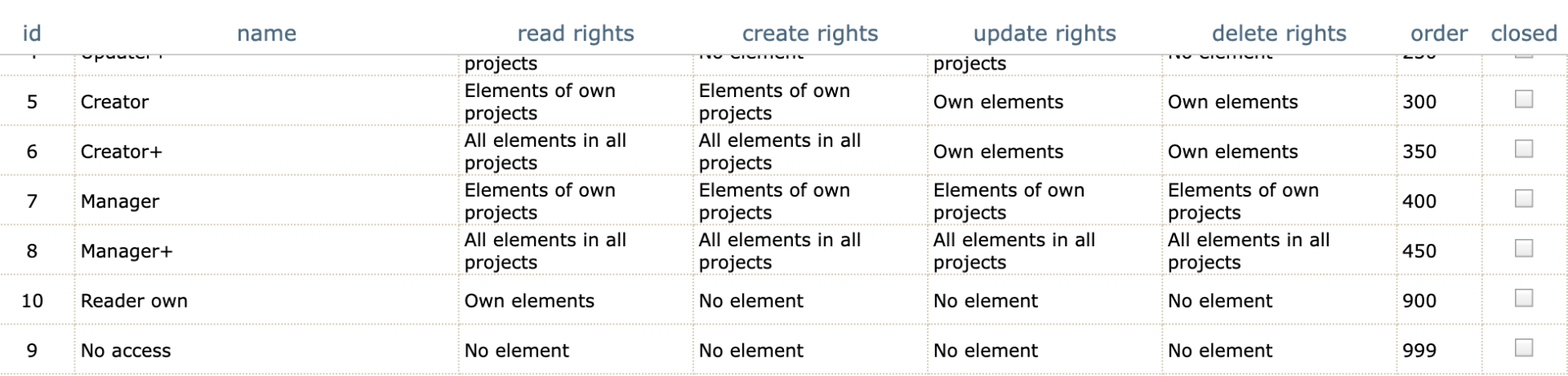
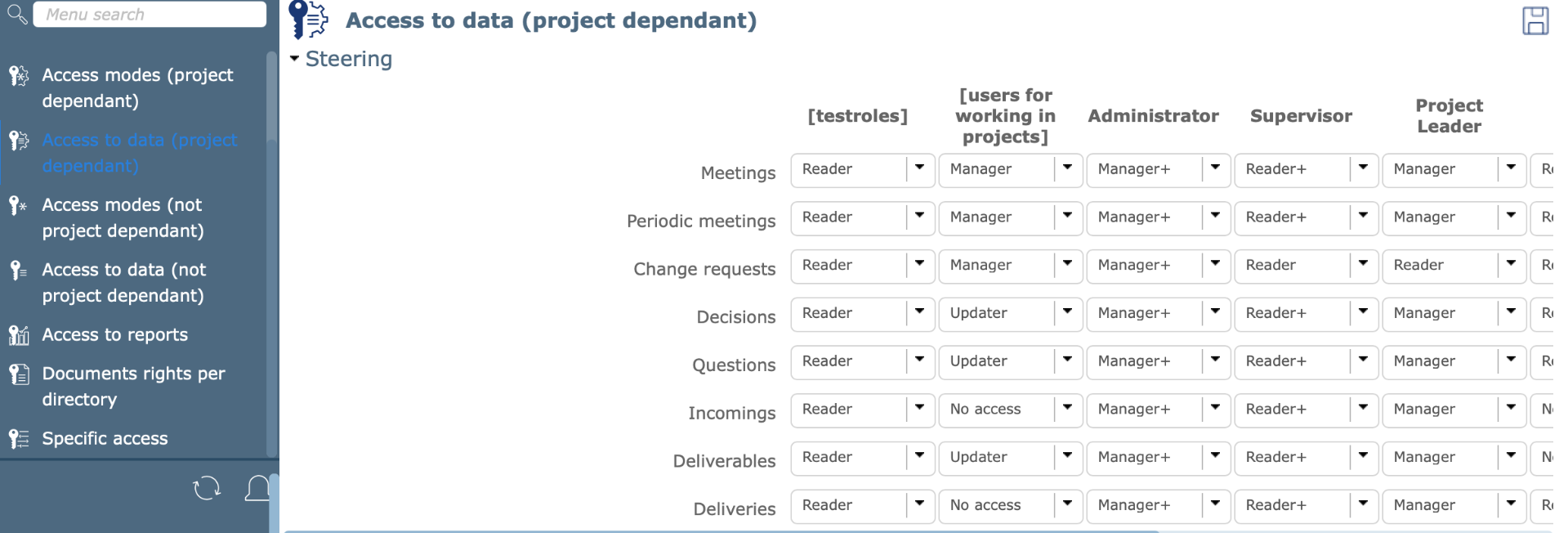
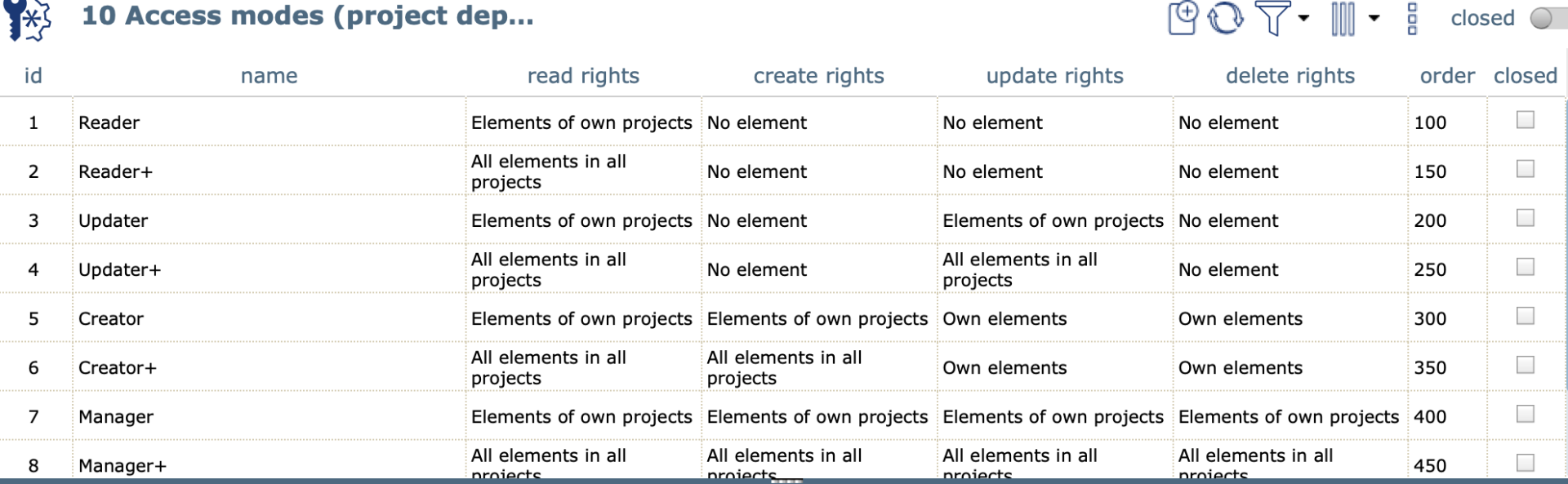
I didn't use screen customization. I'm attaching a screenshot of the configuration I have for the Manager + access mode and another one on how this user may access to data. The user is named "[users for working in projects]".
I must be doing something wrong here but can't figure out what.
Thank you for your help!
Hi,
And your users have default profile "users for working on projets" ?
Hi,
Yes, my users have this profile associated with them.
Thank you for your support!
Hi all,
I've been going through this again and now using the Manager+ access mode this user is able to update everything in the meetings. The thing is: as this access mode relates to all projects the user is now able to see all meeting related to all projects even the ones the user is not assigned to. I changed the access mode to Manager which has the same permissions as the Manager+ except that they relate to "own projects" and the issue remains (i.e. the user can create meetings and edit everything in the meetings he creates but can't update the meetings (agenda, minutes, etc) in the meetings not created by him).
Am I doing something wrong?
Thank you for your help!

Question may be a bit silly... but is the resource that must update the meeting allocated with the correct profile on the project that contains the meeting?
Hi,
The resource is stated as a project member in the project's profile. In the meeting I created the function of this resource is analyst. Yesterday I tested the button to create a new meeting using the credentials of this user. Even though the button is active and allows to access the screen for creating a new meeting the user was not able to select the project that this meeting was associated with. So basically the user was not able to create meetings to the projects where she is allocated with.
The profile I created for this user has "manager" as an access mode to the meetings. This means that she should be able to update, create, read and delete elements of own projects. She is able to read but nothing else.
I suppose I must be doing something wrong with her profile that must be very basic so I'm sorry for the time I'm taking you.
Thank you in advance.
The resource is listed as a project member in the project profile.
You have to know which profile and where exactly... In a previous post and on your capture, you say that your resource has a default profile "users for working on projects"
On the project you say she's... a team member? Member of the project, for us, it's just that she was allocated to the project, it does not give her exact profile.
Post the screenshot of this project's assignment board and the screenshot of the resource in question.
If his default profile is "users for working on project" but the resource has a lower profile on the project, as a team member, then his rights on this project will be different from those of his default profile.
By the way, the function is not used for assigning rights but is used for costs.
Hi,
Thank you for your patience and sorry if I misled you but I was trying to explain the context as best as I could.
This user has a profile named [users for working in projects] (please see screenshot 1 and screenshot 2). I want this user to only see and update information on the tasks associated with projects for which the user is a resource. I don't want this user to see information on the project tab as it contains financial information and other sensitive information. Along with updating/editing tasks I want this user to be able to create/update/read meetings in the specific projects he is associated with.
Screenshots 3 and 4 show the access modes and how this profile is configured to access to data.
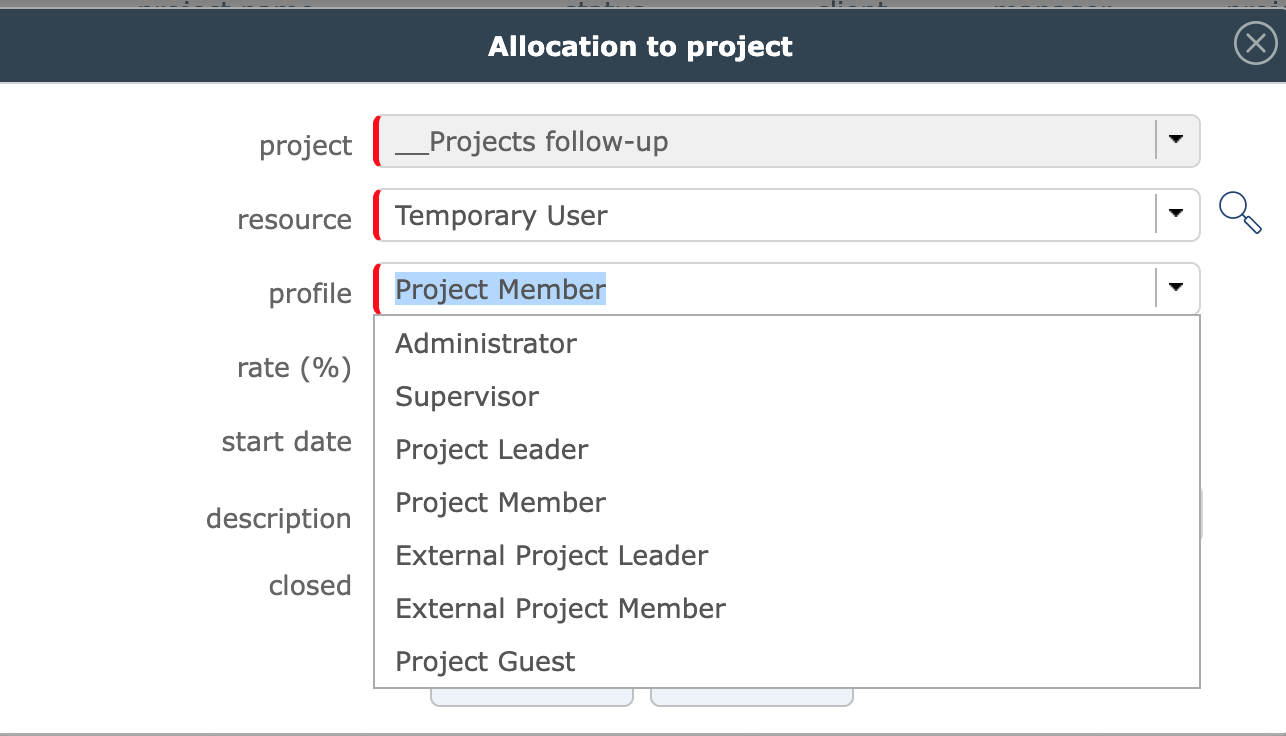
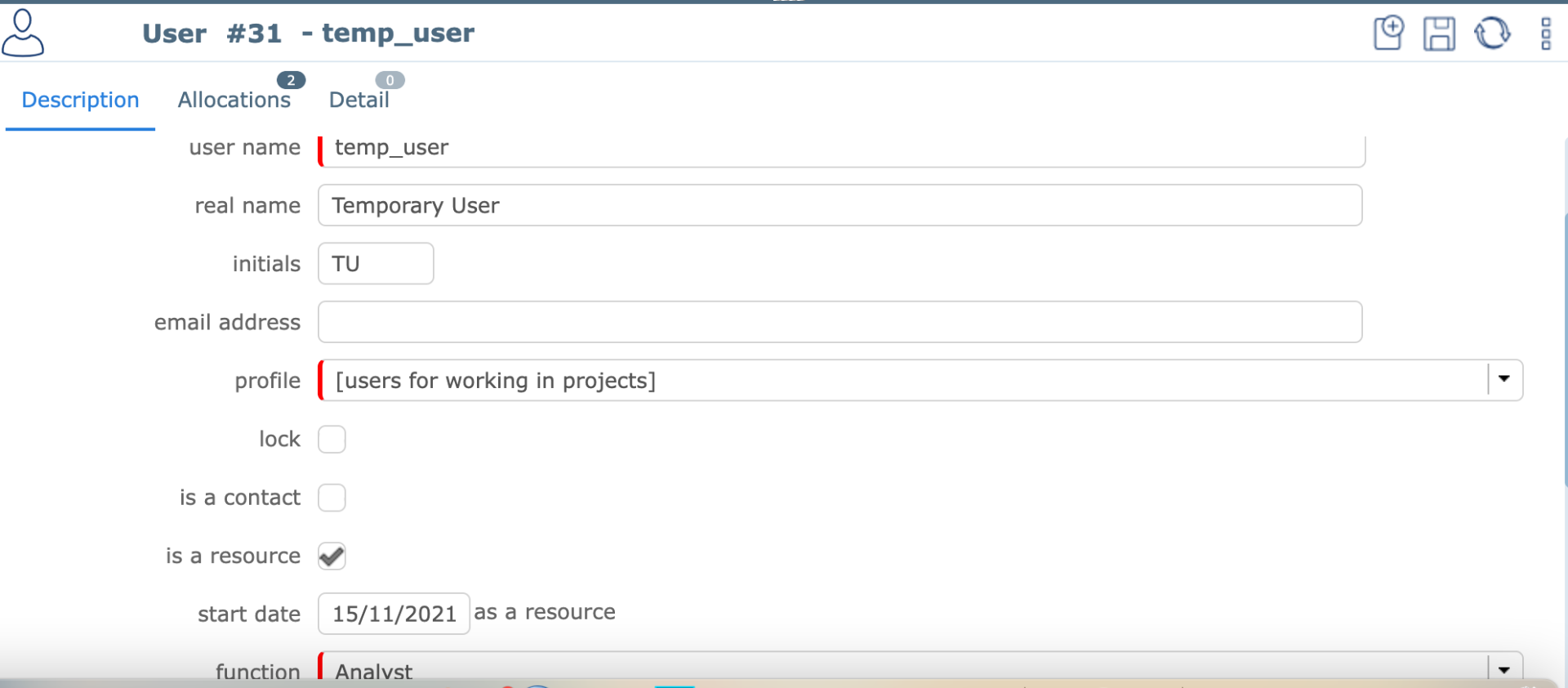
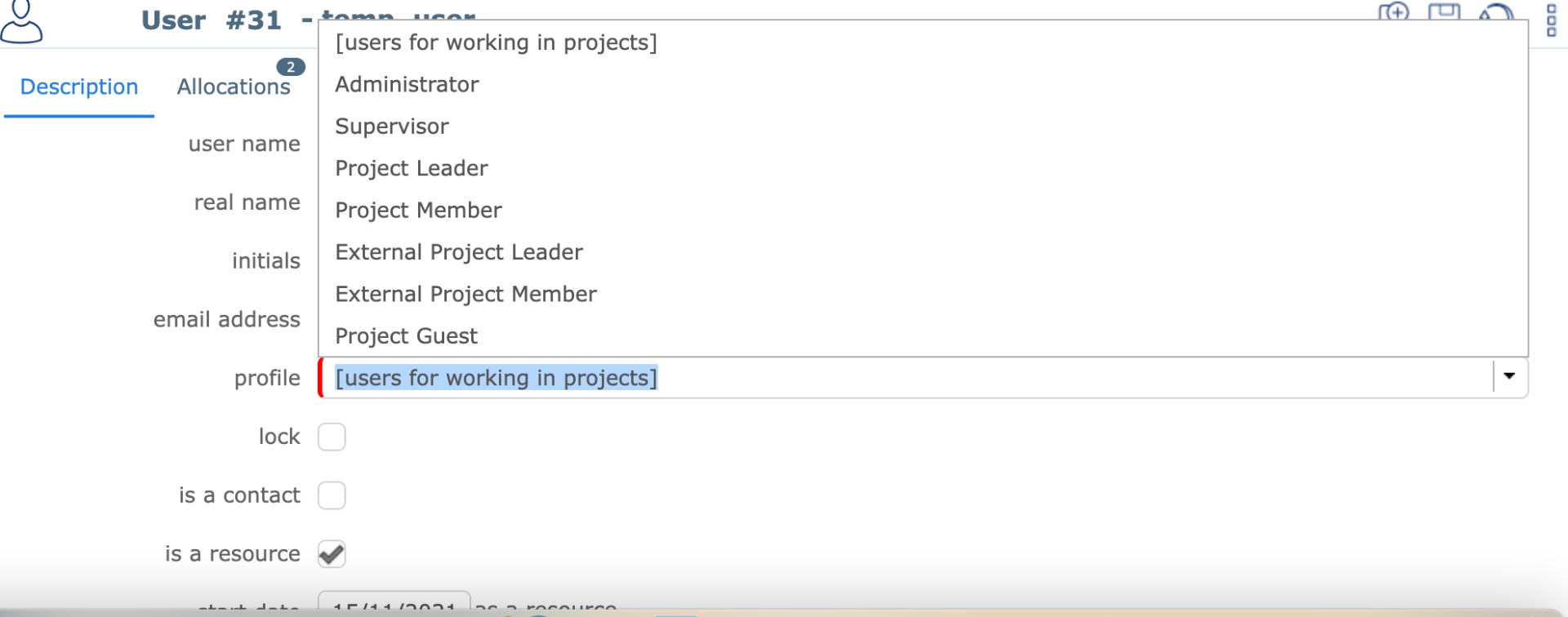
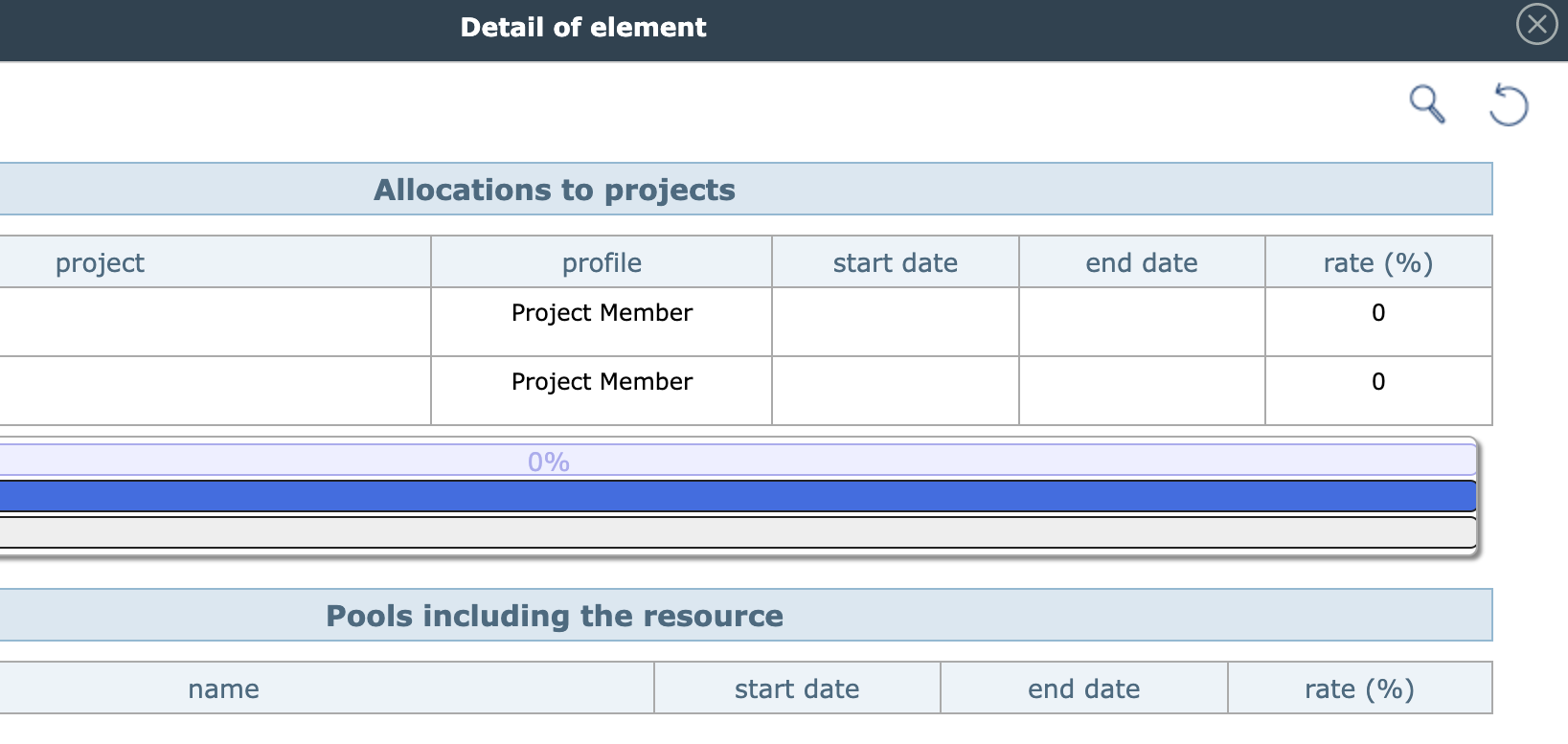
The thing is when I allocate this user as a resource to the project, the profile doesn't list the [users for working in projects] profile I created (please see Screenshot 5). So what I've been doing is choosing the profile "Project Member" when allocating the user as a resource though when I check the main profile in the users tab the one associated with is [users for working in projects].
I must be doing something wrong because I suppose I should be able to see the option [users for working in projects] when I want to select a profile to the user as a resource (Screenshot 5).
Thank you for your patience with this.
Hi everyone,
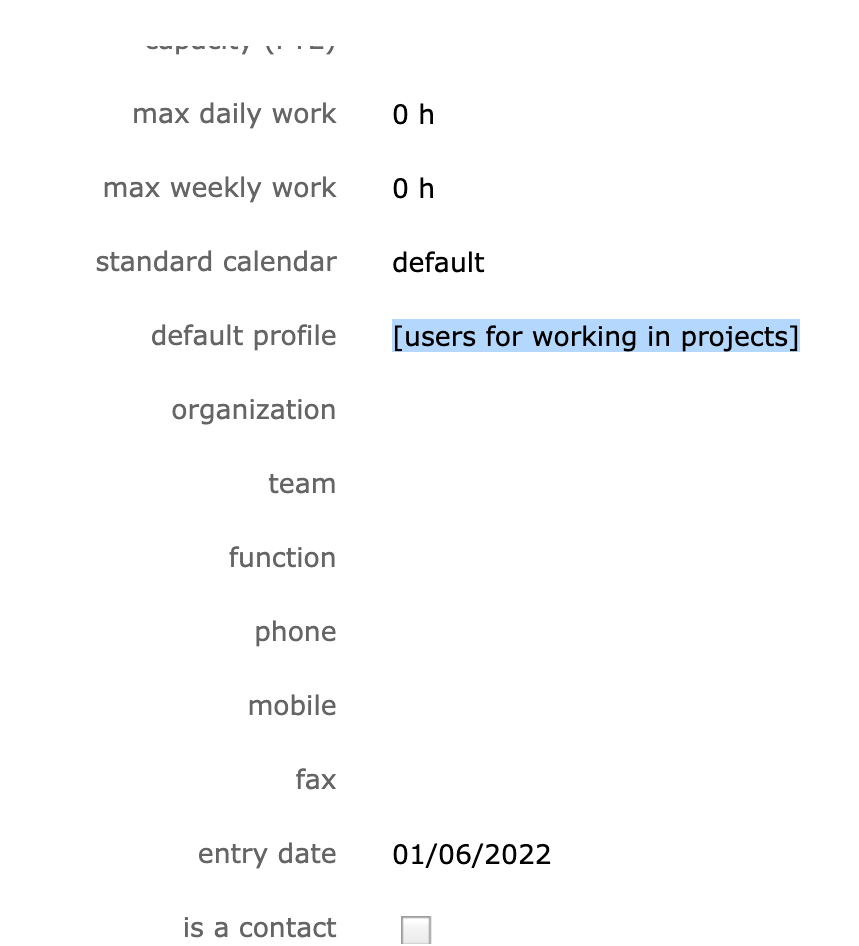
Not sure if this information also helps. The information I get for these users is that they have a default profile named [users for working in projects] but the profile they have in allocations to projects is "project member". I haven't found a way to select [users for working in projects] in the allocation to projects. Please see screenshots attached.
Let me know if I can provide any other information.
Thank you for your patience!
You have issue in order of Profiles.
This si important as you can allocate resource only with user that have order Higher than yours (lower importance)
Thank you so much for your help and patience! I've changed the profile order and it now works 🙂