
Welcome to ProjeQtOr new Forum. We migrated old forum to the new website.
You will find all your posts here, with your usual account.
Just one point : you’ll have to reinitialize your password. Use “Lost password” feature.

Alignment Discrepancy in Timesheet
Hi,
Upon reviewing the timesheet in the demo, I noticed that the rows and columns are aligned correctly. However, when I checked the local version, I couldn't find the same alignment.
Please take a moment to review the attached screenshots for reference. I would appreciate your guidance on resolving this discrepancy.
Thank you.
Best regards,
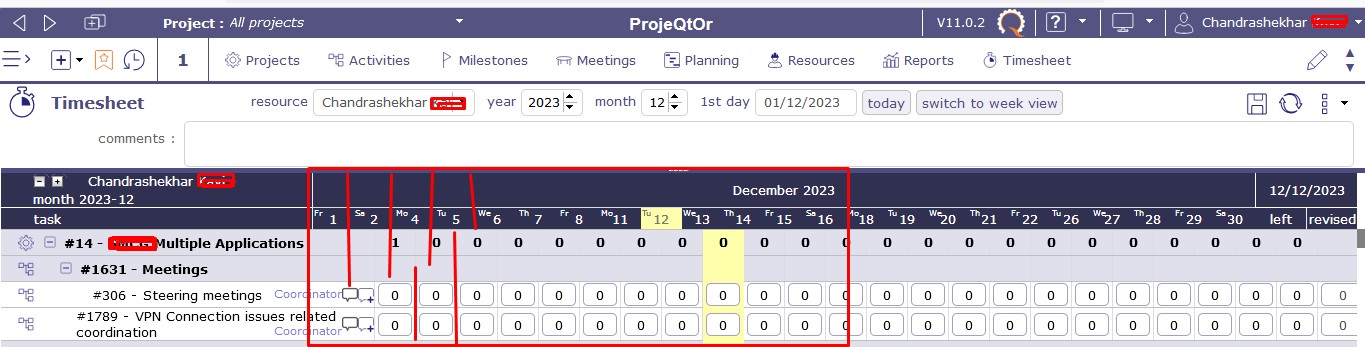
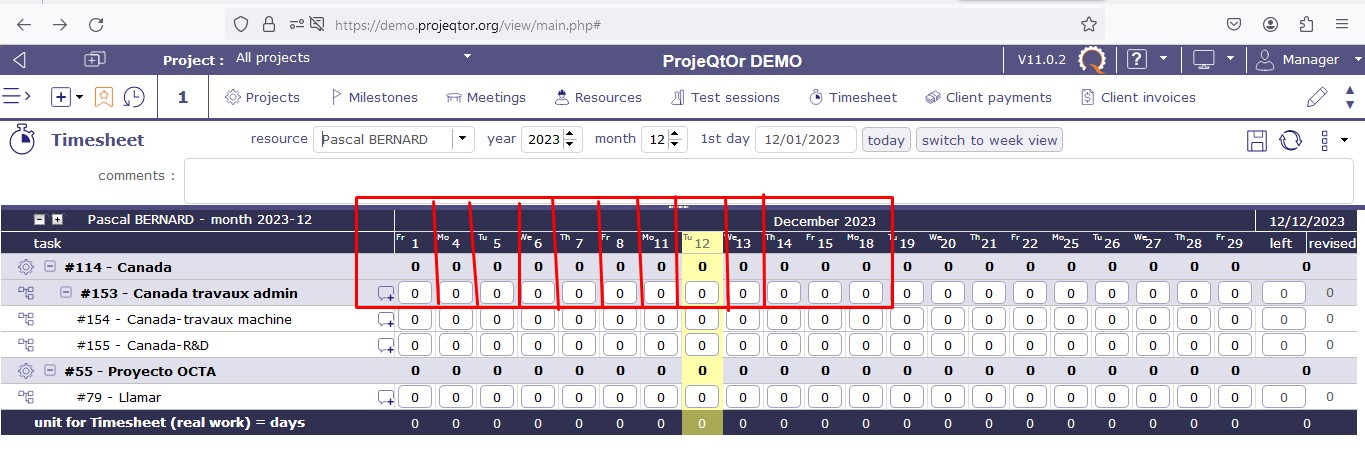

Hello
This can happen when you change screen resolution or when your screen is too small to have month view.
Generally by refreshing the screen the display is correct again.
if it is the size of your screen that is too small then switch to “week view” mode.
Hi,
I'd like to highlight that I used the same browser, Mozilla Firefox, and screen resolution when sharing those screenshots. Despite this, there's still a noticeable difference. If you refer to the previously shared screenshots, you'll notice that the font size remains consistent in both.
Thanks.

The design automatically switches to Week view when resolution is too low.
Possibly the estimate of required space is not correct in your local instance as weeks have 6 days On and only 1 day Off.
Calculation is done with 5 days On and 2 days Off per week.
This explains the difference with the demo.
In fact, with your resolution, the timesheet screen should have switched to week view only.
Hi,
I now agree with your point. However, shouldn't this be automatically aligned in ProjeQtOr?