Welcome to ProjeQtOr new Forum. We migrated old forum to the new website.
You will find all your posts here, with your usual account.
Just one point : you’ll have to reinitialize your password. Use “Lost password” feature.

Dear gentlemen,
As we start using the software more intensively we would like to know if there is a specific "display style option" according the status or evolution of a task.
In fact in order to make an analysis of the time lost at the end of the project we would like the tasks to be displayed in the way that :
- the starting date of the task match the requested day
- the end day is the real done (I think for that one is already OK).
When we run the planning calculation the tasks are displayed according to :
- start planned date
- end planned date
I have noticed in the help manual that there is a lot of pre-dertmined style according the status of the task (assignment to a person, done in time,...).
Thanks in advance!

HI, welcome to Projeqtor.
As you may have noticed, Projeqtor implements a work-driven planning method based on the availability and working capacity of each resource in relation to the project and its activities. The imputation of the work actually carried out makes it possible to follow the progress of the project initially planned from that actually in progress. For this purpose a function can be used in projeqtor: THE BASE LINE. Please read the rtfm about it.
Also, in Gantt planning screen, each activity/ project represented by a drawbar can change of colors and length due to work time done or not, changes durations, meanings delays or not . THE RTFM will certainly help you about that.
Moreover, the dashboard on each acivity shows the progress linked to real work estimated, done, and/or reassessed.
If i have not answered to you as expected, please tell me.
Dear alainforma,
Thanks for answering my questions or at least trying to answer it. Be sure that I'm having all the time the RTFM open to get my answers. I think my question was not clear enough too.
Is there a possibility to have a GANTT BAR starting from the day where it was supposed to start (for exemple the validated start date at initial planning calculation) and not from the moment where :
- either somebody input some real work on the task (however it could be nice for the Baseline to update accordingly)
- either nobody is entering work and the task is shifted away in the planning (although taking a red appearance).
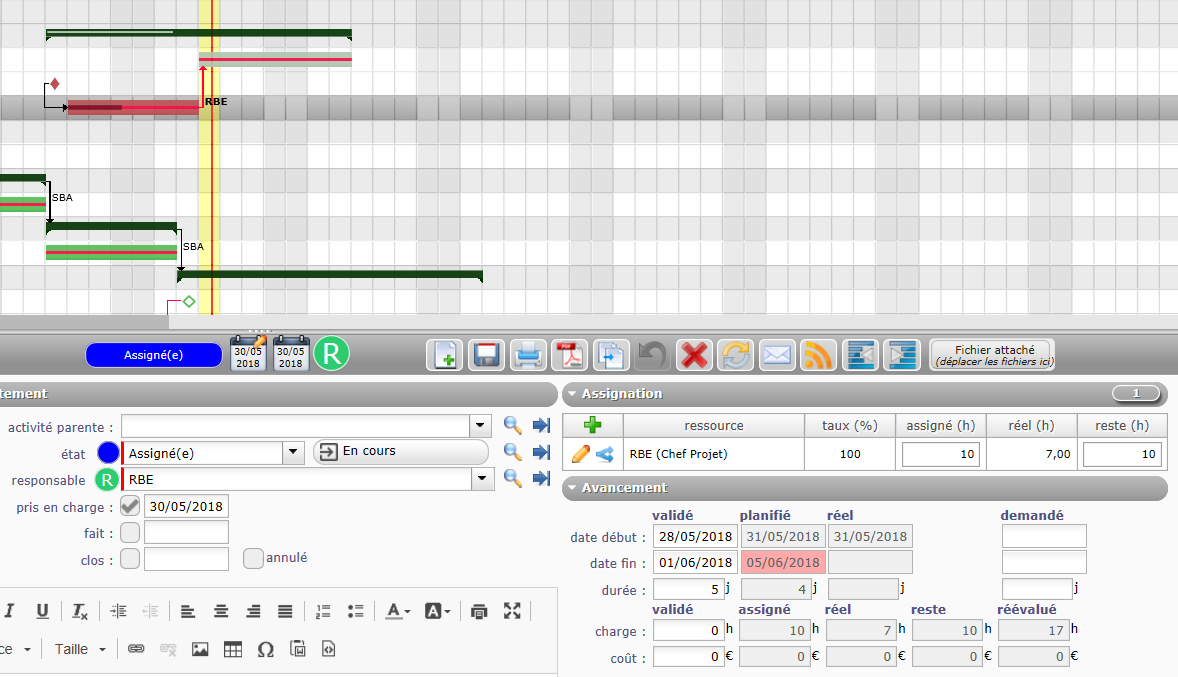
On the example attached it would mean that :
- the task bar start on the 28/05/2018
- the Baseline start when somebody really input some work on the task.
Hope it is clear now.
Best regards!
It is more clear 😉
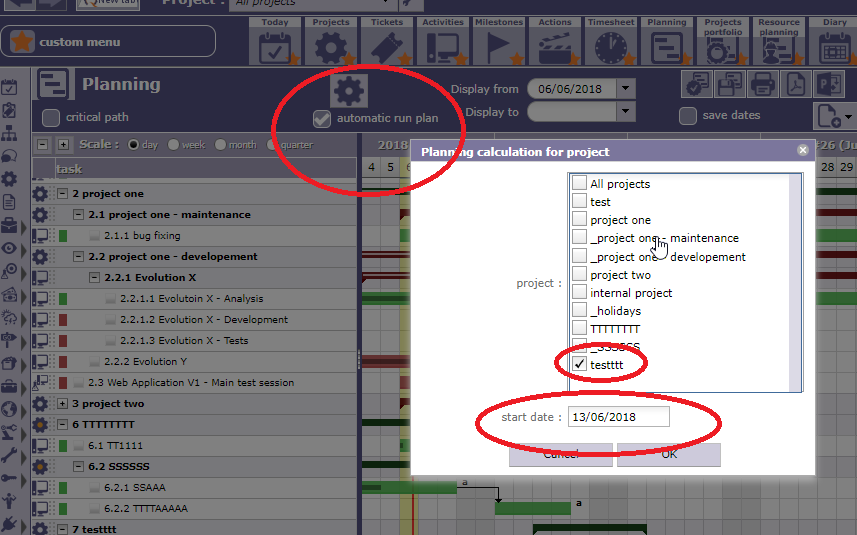
You could be succesful using Projeqtor following the action indicated on the attachement.
Select into the list the concerned project
Thanks for this clarification.
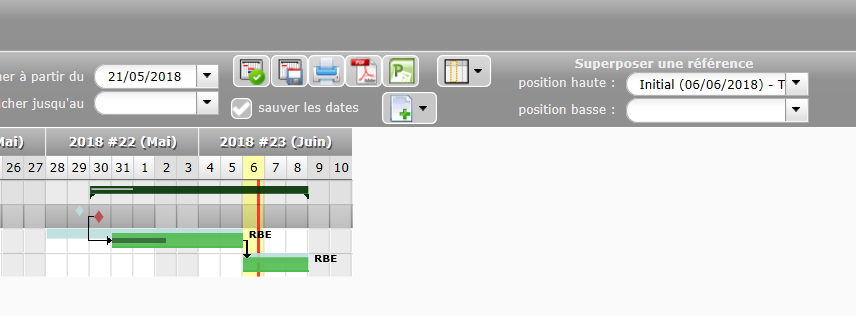
That was not exactly the point I was looking for but it will help for sure. In fact I wanted to see the task or project sliding time and I just understood how to! I need to use the feature "Save a reference" which in the end can be superposed to the newly calculated planning.
Thanks a lot for your support, I think I was not paying attention to the set of feature near the calculation icon.