
Welcome to ProjeQtOr new Forum. We migrated old forum to the new website.
You will find all your posts here, with your usual account.
Just one point : you’ll have to reinitialize your password. Use “Lost password” feature.

Hi,
I planned a recurring task: every Monday and Tuesday.
After recalculating the schedule, the task does not appear in the resource's calendar: empty box.
It's normal ?
Thanks for you reply

HI
i m trying to understand your issue :
By schedule do you mean planning ?
By calendar do you mean diary or timesheet?
Which box ?
Could you link an attachment?
Hi,
By schedule do you mean planning ?
Yes
By calendar do you mean diary or timesheet?
The diary
Which box ? Could you link an attachment?
You will find a screen shot as an attachment
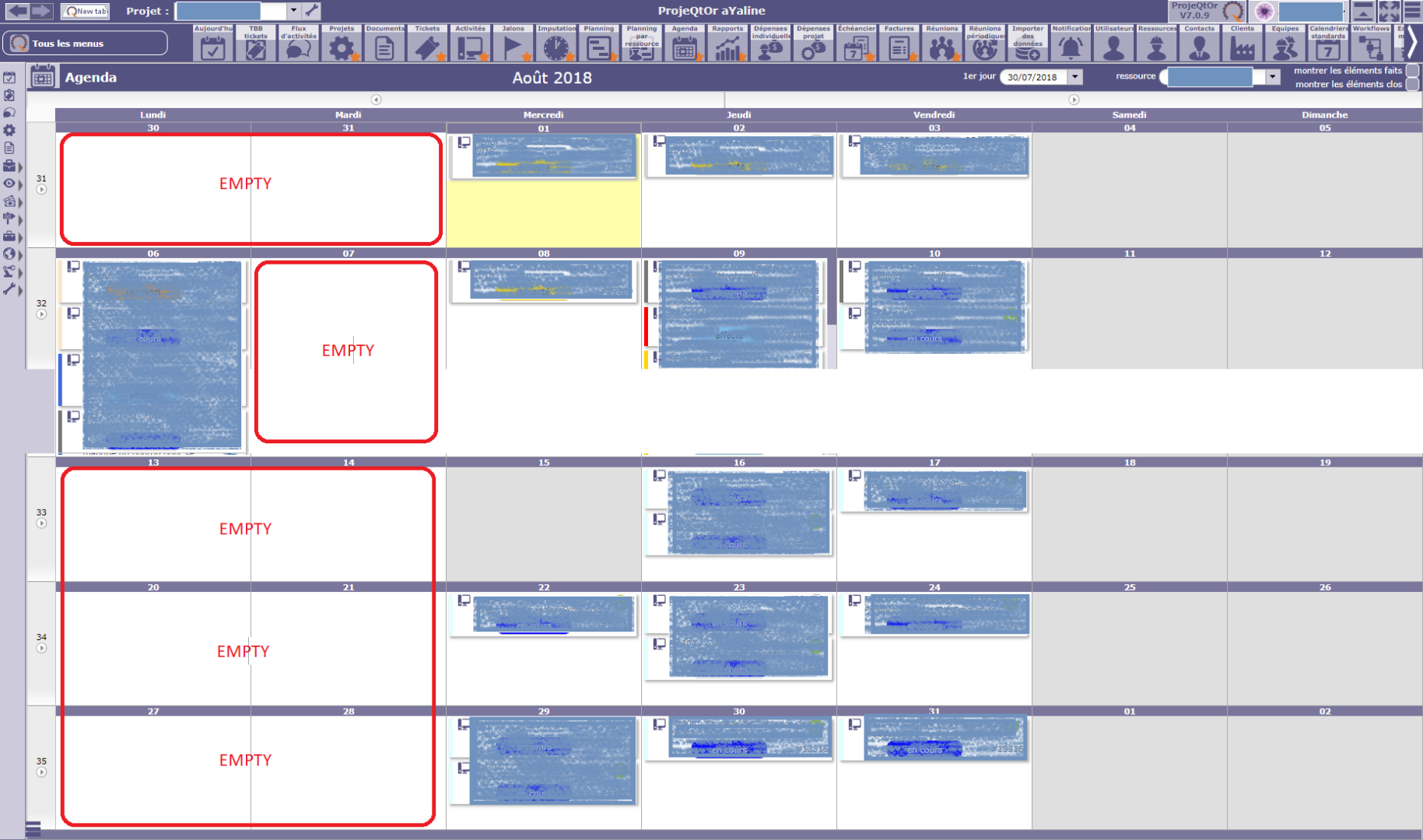
ok,
Are you sure that the resource is not already booked on another task, or indisponible anyway ( holidays, limited date allocation on this project) ?
Could not reproduce your issue.

How did you define your recurring task ?
Activitiy wih planning mode "recurring on weekly basis" ?
Please show assignment.
HI,
You will find screenshots as an attachment.
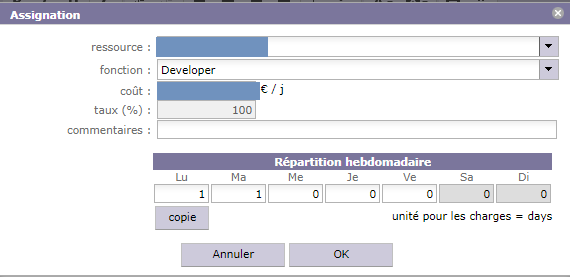
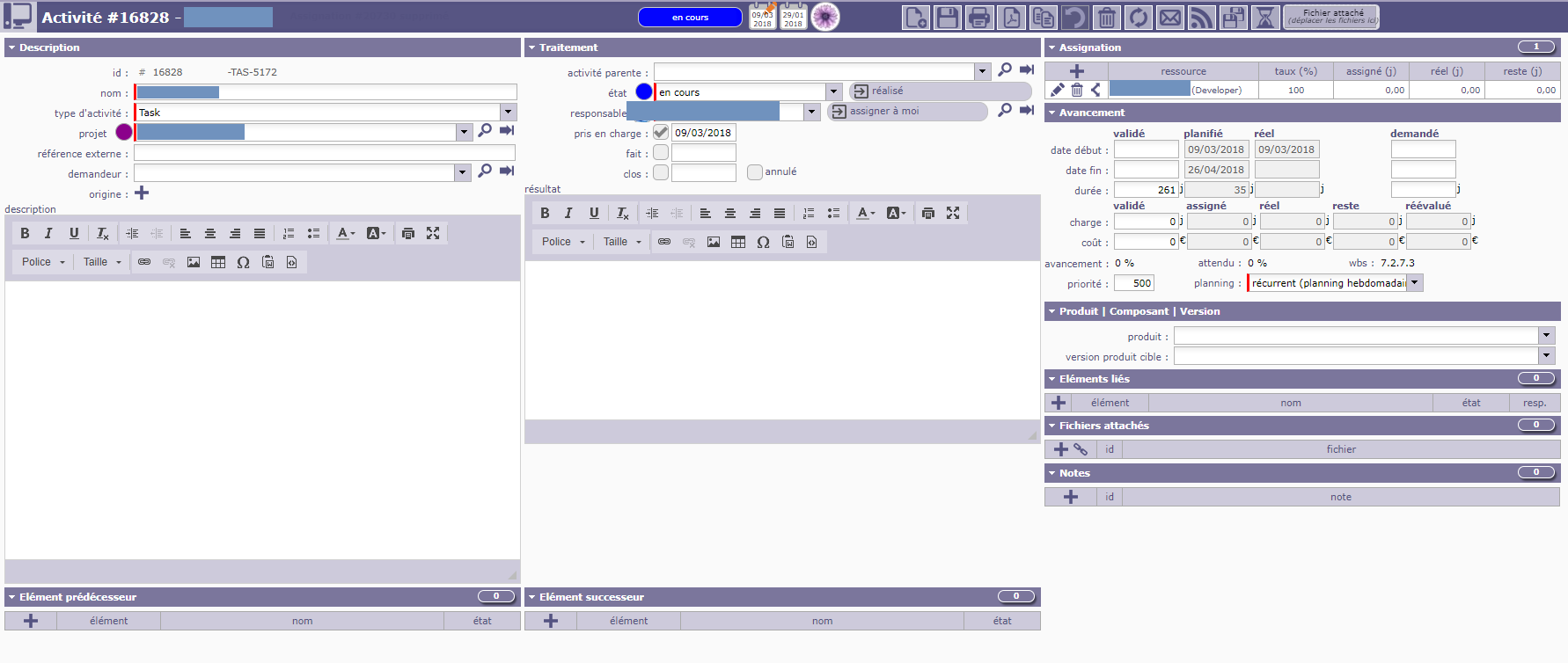
HI,
it is normal.
In recurrent mode, the relevant dates automatically adapt to the lenght of the planned duration of the project. Your is planned until the end of April, so nothing happens in August even if you had validated 261 days.
Hi,
The use of milestones with fixed dates (predecessor/successor or not) does not work.
By adding the validated dates (start and end) to the project, the task is now visible.
Thanks you
HI,
Please explain your issue with attachment if possible.
You will find screenshots as an attachment.
I entered the dates of validity(beginand end ): the task is now visible in the diary.
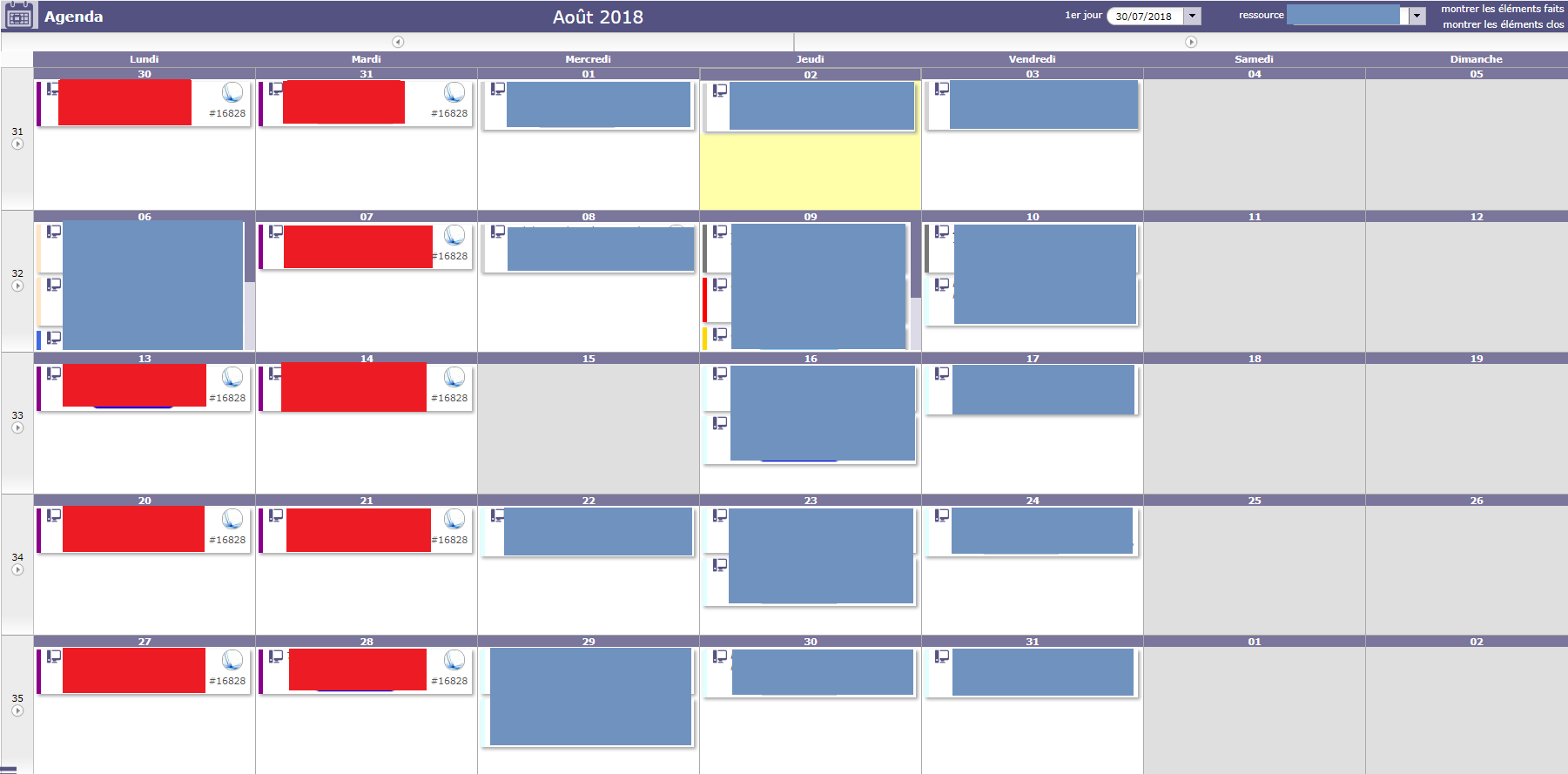
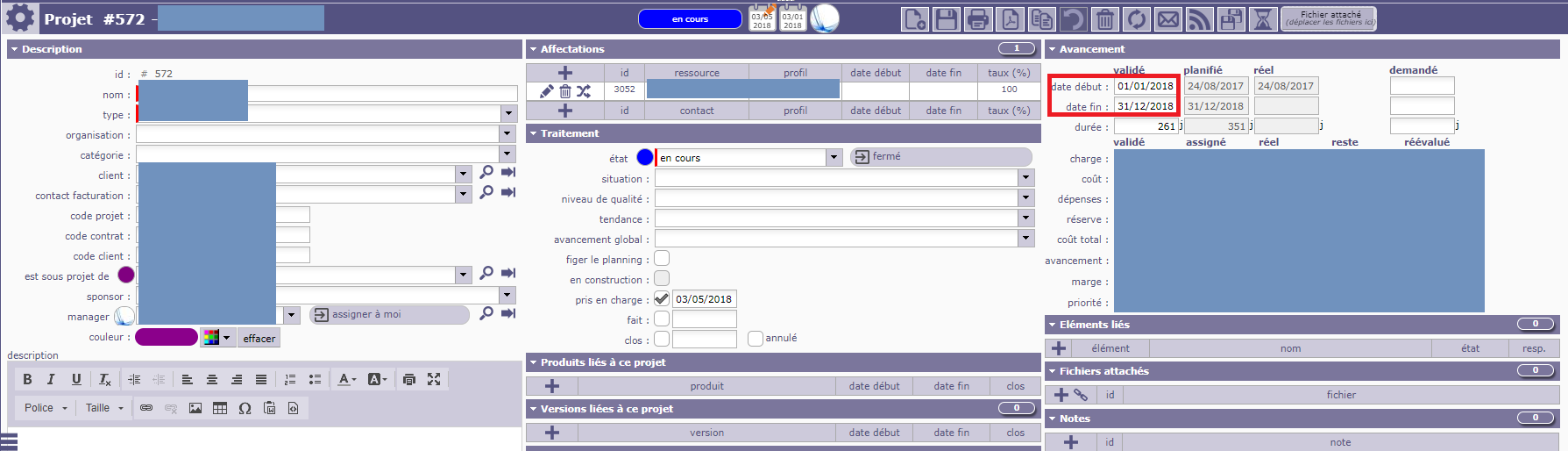
yes it is normal ; planified dates encompass the month august.
What is your issue with milestone ?
I created 2 milestones with fixed dates:
- milestone number 1 (beginning): 01/01/2018
- milestone number 2 (end): 31/12/2018
To the task, I added:
- predecessor milestone number 1
- sucessor milestone number 2
But the task still did not appear in the diary
To determine end of recurring task, you must not add successor with end-start relationship.
This would mean : I calculate the task, then I want to have the milstone after the end date.
To get what you wnat you need to define last milestone as Predecessor with end-to-end relationship.
This means the end date of the milestone determines the end date of the task (it's what you want)
Hi,
It works.
Thanks you