
Welcome to ProjeQtOr new Forum. We migrated old forum to the new website.
You will find all your posts here, with your usual account.
Just one point : you’ll have to reinitialize your password. Use “Lost password” feature.

Hello,
I stopped the application to be sure nobody used it.
My version was at least the 10.0.4
Then I replace my directory on the server with the directory of the new version.
I refresh my connection page, and I have only 2 warns.
I try to connect, but it's still impossible...
So I delete the line in parameter : applicationStatus, and retry, but I still have the problem.
Do I do something wrong ?
The log gives me :
2022-10-12 16:41:02.782 ..... SCRIPT .... 10.10.17.2 =====/view/main.php
2022-10-12 16:41:02.797 ..... SCRIPT .... 10.10.17.2 Page=main.php
2022-10-12 16:41:02.797 ..... SCRIPT .... 10.10.17.2 refreshParameters()
2022-10-12 16:41:02.814 ..... SCRIPT .... 10.10.17.2    ->/view/login.php
2022-10-12 16:41:06.367 ..... SCRIPT .... 10.10.17.2 =====/tool/saveDataToSession.php
2022-10-12 16:41:06.386 ..... SCRIPT .... 10.10.17.2 Page=saveDataToSession.php
2022-10-12 16:41:06.386 ..... SCRIPT .... 10.10.17.2 refreshParameters()
2022-10-12 16:41:06.406 ..... SCRIPT .... 10.10.17.2 getProfile(objectOrIdProject=Parameter #217)
2022-10-12 16:41:06.406 ..... SCRIPT .... 10.10.17.2 getProfile(objectOrIdProject=Parameter #217)
2022-10-12 16:41:06.407 ..... SCRIPT .... 10.10.17.2 securityGetAccessRightYesNo ( menuName=menuParameter, accessType=update, obj=Parameter #217, user=User #)
2022-10-12 16:41:06.407 ..... SCRIPT .... 10.10.17.2 securityGetAccessRight(menuName=menuParameter, accessType=update, obj=Parameter #217, user=User #)
2022-10-12 16:41:06.407 ..... SCRIPT .... 10.10.17.2 getAccessControlRights(obj=Parameter #217)
2022-10-12 16:41:06.407 ..... SCRIPT .... 10.10.17.2 getProfile(objectOrIdProject=Parameter #217)
2022-10-12 16:41:06.459 ..... SCRIPT .... 10.10.17.2 =====/tool/saveDataToSession.php
2022-10-12 16:41:06.477 ..... SCRIPT .... 10.10.17.2 Page=saveDataToSession.php
2022-10-12 16:41:06.477 ..... SCRIPT .... 10.10.17.2 refreshParameters()
2022-10-12 16:41:06.511 ..... SCRIPT .... 10.10.17.2 =====/tool/saveDataToSession.php
2022-10-12 16:41:06.528 ..... SCRIPT .... 10.10.17.2 Page=saveDataToSession.php
2022-10-12 16:41:06.528 ..... SCRIPT .... 10.10.17.2 refreshParameters()
2022-10-12 16:41:06.561 ..... SCRIPT .... 10.10.17.2 =====/tool/saveDataToSession.php
2022-10-12 16:41:06.577 ..... SCRIPT .... 10.10.17.2 Page=saveDataToSession.php
2022-10-12 16:41:06.577 ..... SCRIPT .... 10.10.17.2 refreshParameters()
2022-10-12 16:41:09.279 ..... SCRIPT .... 10.10.17.2 =====/tool/getHash.php
2022-10-12 16:41:09.298 ..... SCRIPT .... 10.10.17.2 Page=getHash.php
2022-10-12 16:41:09.298 ..... SCRIPT .... 10.10.17.2 refreshParameters()
2022-10-12 16:41:09.411 ..... SCRIPT .... 10.10.17.2 =====/tool/loginCheck.php
2022-10-12 16:41:09.427 ..... SCRIPT .... 10.10.17.2 Page=loginCheck.php
2022-10-12 16:41:09.427 ..... SCRIPT .... 10.10.17.2 refreshParameters()
2022-10-12 16:41:09.444 ..... SCRIPT .... 10.10.17.2    ->/tool/loginCheck.php
2022-10-12 16:41:09.445 ----- DEBUG ----- loginCheck : current db version = 'V10.1.2'
2022-10-12 16:41:09.447 ----- DEBUG ----- User->authenticate('admin', '190dd65929e92019fbec4e9628620869')
2022-10-12 16:41:09.449 ----- DEBUG ----- User->authenticate : md5 encryption
2022-10-12 16:41:09.449 ----- DEBUG ----- User->authenticate : Successfull login
But I'm still on the connection screen ...
Can someone help me ?
Thanks
Eric

You just did not follow the migration process.
You must overwrite existing code with new one, not create new directory (you would not retreive all parameters).
Hy,
I still have le problem.
I do thoses steps :
[list=1]
I join the logs too.
Can you help me ? or do I have to install a new version with a new database ?
Thanks
Eric
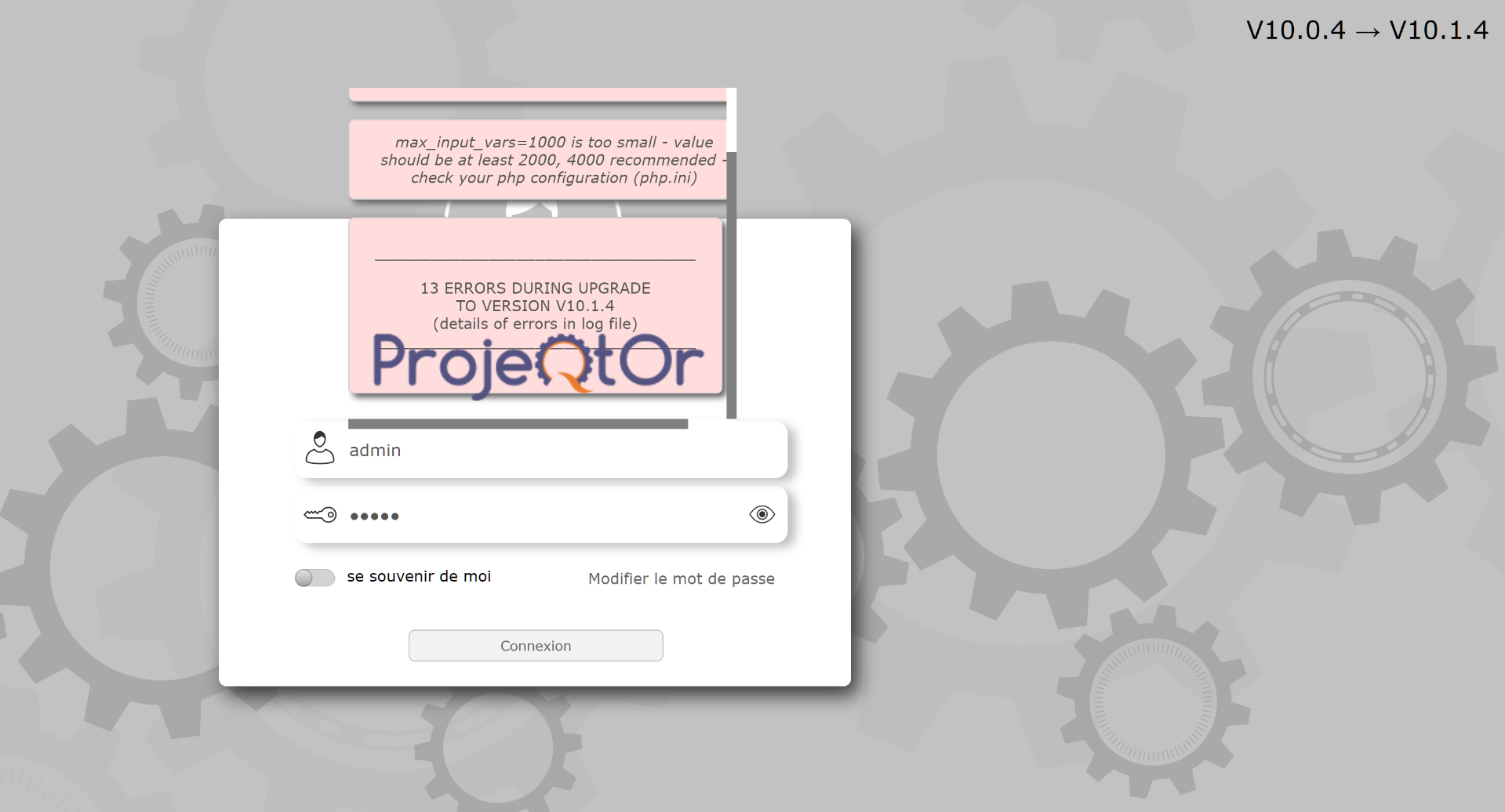
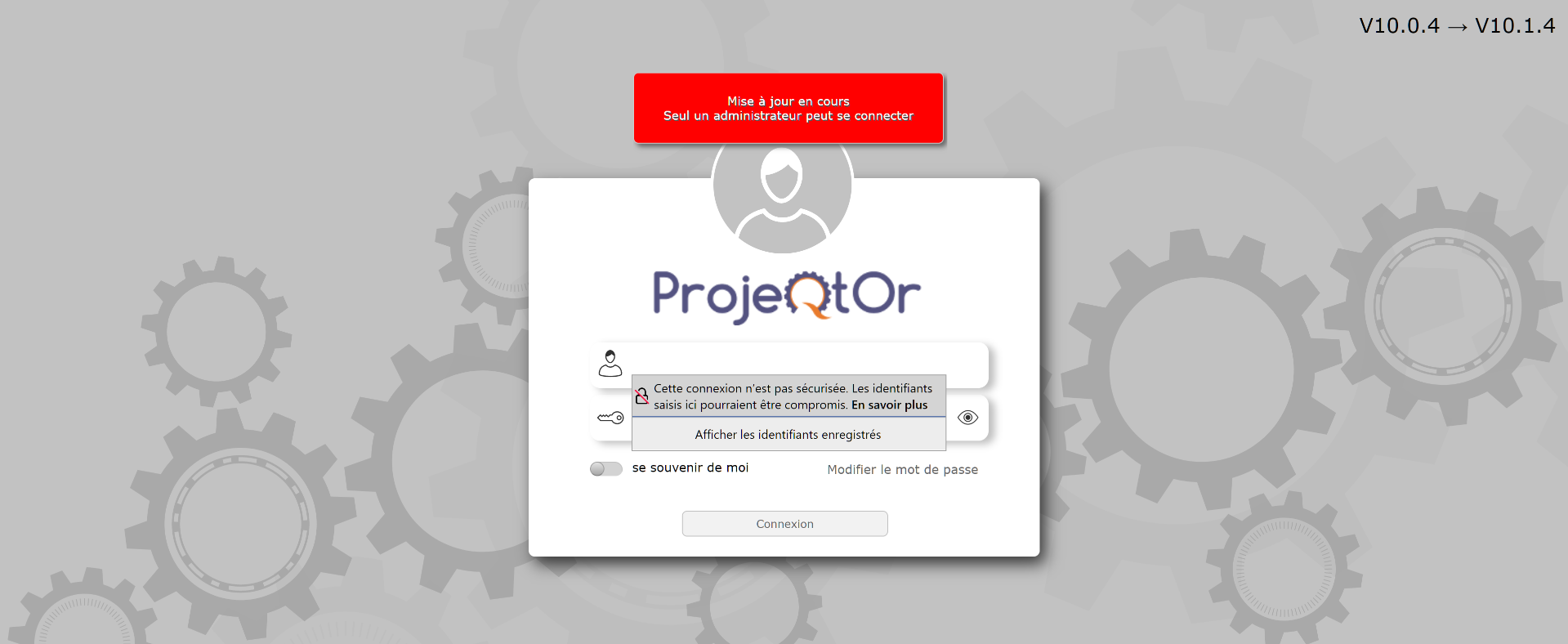
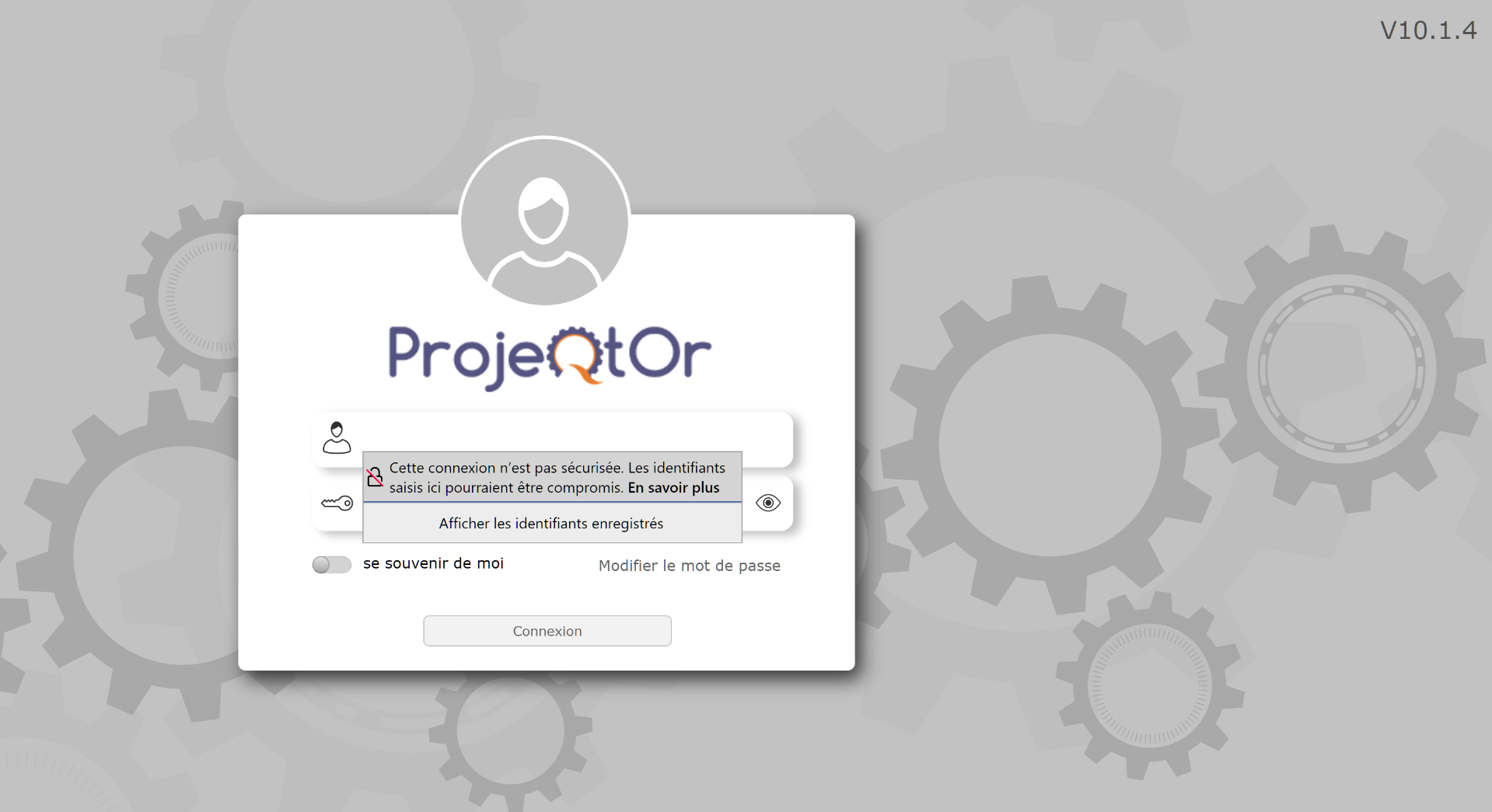
First, your DB is already in V10.1.4.
So I think you already migrated and then reverted without restoring the DB.
Second, the log shows correct connection (at the end of the log).
So possibly you have a javascriot error (check browser console) or the alert message on your browser blocks the connection.
Try with another borwser or move to https.
Hi,
I try e new install with the 10.2.1, a full install with an empty database and with https.
There's no error in the log during the install, but I still can't pass the login.
I join the proejqtor logs in the file.
In the http error_log :
[Tue Jan 10 03:22:02 2023] [warn] RSA server certificate CommonName (CN) `ifce.lan' does NOT match server name!?
[Tue Jan 10 17:32:39 2023] [error] [client xx.xx.xx.xx] File does not exist: /var/www/html/projeqtor/css, referer: https://projeqtorrex.ifce.lan/
in the chrome console :
rc2Contentscript.js:249 Uncaught TypeError: Cannot read properties of null (reading 'scrollHeight') at rc2Contentscript.js:249:91
main.php:1 Unchecked runtime.lastError: The message port closed before a response was received.
dojo.js?version=V10.2.1.0326:2 POST https://projeqtorrex.ifce.lan/tool/loginCheck.php?destinationWidth=512&dest…age=false&xhrPostValidationType=&xhrPostTimestamp=1673368667257&csrfToken= 500 (Internal Server Error)
projeqtor.js?version=V10.2.1.0326:804 Error while calling xhrPost for loadContent()
projeqtor.js?version=V10.2.1.0326:805 => page='../tool/loginCheck.php?destinationWidth=512&destinationHeight=100&isIE=&xhrPostDestination=loginResultDiv&xhrPostIsResultMessage=false&xhrPostValidationType=&xhrPostTimestamp=1673368667257'
projeqtor.js?version=V10.2.1.0326:806 => destination='loginResultDiv'
projeqtor.js?version=V10.2.1.0326:807 => formName'loginForm'
projeqtor.js?version=V10.2.1.0326:808 => isResultMessage='null'
projeqtor.js?version=V10.2.1.0326:809 => validationType='null'
projeqtor.js?version=V10.2.1.0326:810 => directAccess='null'
projeqtor.js?version=V10.2.1.0326:811 => silent='null'
projeqtor.js?version=V10.2.1.0326:812 => callBackFunction='?'
projeqtor.js?version=V10.2.1.0326:813 => noFading='null'
projeqtor.js?version=V10.2.1.0326:1247
[list=1]_4c0 {message: 'Unable to load ../tool/loginCheck.php?destinationW…ostTimestamp=1673368667257&csrfToken= status: 500', response: {…}, status: 500, responseText: '', xhr: XMLHttpRequest, …} dojo.js?version=V10.2.1.0326:2
[list=1]_4c0 {message: 'Unable to load ../tool/loginCheck.php?destinationW…ostTimestamp=1673368667257&csrfToken= status: 500', response: {…}, status: 500, responseText: '', xhr: XMLHttpRequest, …}
So i'm back in 10.0.4.
Can you help me ?
Thanks.
Eric
Logs show you did not respect the migration process.
You must overwrite existing code, not create new one.
Logs show you migrate from version "" to version V10.2.1, loooking like new instance.
Yes I know.
I first tried an update which is KO.
Then I tried to make a full install and the result is the same...
So I send you the last logs of the Install from "".
You have error 500 logged.
Please chech PHP error logs and Apache error logs to find the source.
Finally, it was the PHP version which is older.
We put Projeqtor in a docker, with the good version and now it's ok.
Thanks

Introducing a fundamentally new antidetect browser of a new generation!
A fundamentally new secure browser with anti-detection methods
Our advantages
- Profile data can be stored in a convenient way for you. The choice is a database or your own device.
- Data on different devices are synchronized with each other.
- The possibility of fairly accurate manual settings – you can change proxy settings, time zone, browser identification strings and much more.
- Access to create multiple work environments.
- Protection of the system from hacking and leakage in case of incorrect password entry.
- Cloud storage of encrypted profiles
- Multiplatform versions of Windows or Linux browser
- Automatic fingerprint generation of the digital fingerprint of the device and much more
When contacting support only until the end of this month, a 50% discount is provided for new users
And there is also an affiliate program for all users with a payment of up to 40% of each payment of a new user!
Join our friendly community, feel safe with the Ximera browser
Registration in the partner program antidetect browser of the new generation Ximera antidetect

A fundamentally new anti-detection browser with anti-detection methods
Ximera's work is based on the principles of cryptography, which make it possible to confuse digital fingerprints and prevent
sites from collecting and compiling information about the activity of their visitors.
In addition to the obvious advantage of providing anonymous and secure online activities, Chimera has other advantages:
- Profile data can be stored in a convenient way for you. The choice is a database or your own device.
- Data on different devices are synchronized with each other.
- The possibility of fairly accurate manual settings – you can change the proxy settings, time zone, browser identification string and others.
- Access to create multiple work environments.
- Protection of the system from hacking if the password is entered incorrectly.
- Data encryption on a one-way key
Anonymous browser is suitable for both private and corporate use with the distribution of roles between participants.
Install and enjoy protected viewing with anti-detection options.
And also be sure to use our affiliate program, to participate, it is enough to register in your personal account
and get an individual link
Invite your users and get 40% from each payment of the user you invited
We provide a welcome bonus to each new user when registering with the promo code - 94a69r!