
Welcome to ProjeQtOr new Forum. We migrated old forum to the new website.
You will find all your posts here, with your usual account.
Just one point : you’ll have to reinitialize your password. Use “Lost password” feature.

The Planning table is shown below:
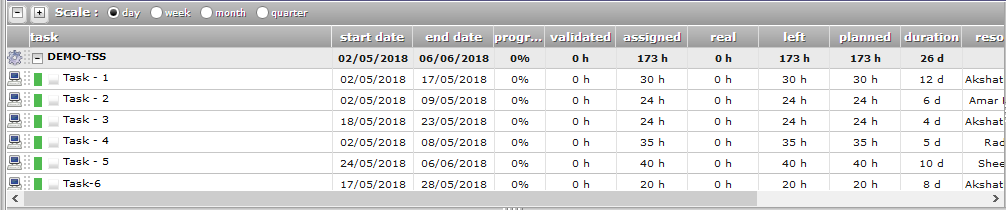
It can be seen that that the task column is too wide. This occupies the screen space, and we cannot see the full table at a glance.
If we can reduce the column width by dragging the right border, we can accommodate the table in the screen width.
Please provide this feature.

Hello,
Indeed you can not reduce the column width by dragging the right border for the moment.
But you can change the column width If you click on this button and add or remove columns.
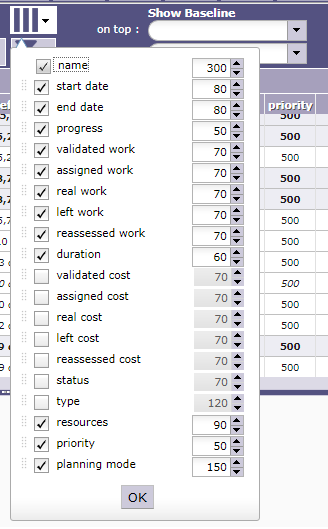
Note to other readers: In ProjeQtor v7.0.x, the column-selector button does not look like

, but like

.

Button does not depend on version, but on selected theme... 😉