
Welcome to ProjeQtOr new Forum. We migrated old forum to the new website.
You will find all your posts here, with your usual account.
Just one point : you’ll have to reinitialize your password. Use “Lost password” feature.

Hello,
I have installed Projeqtor 6.0.5.
I try to find where insert external link via External Shortcuts.
I see the ProjeQtOrUserGuide.pdf (rel 5.4) concerning the "Common Section" and the "Attachement Section"
Same on the online manual
I dont see anywhere section where we have icons similar as (see p118 of ProjeQtOrUserGuide)
– Click on to download attachment file.
– Click on to access to hyperlink
Does this version of Projeqtor manage differently the External Shortcuts ?
Thanks for answer

Add attachment as link on Project.
Yes but I don't find where.
I select a projet, On the bottom windows, we have "Linked Elements"
When I add, I can select a Type of linked elements (see joined image) but not a http link.
Is it the right procedure ?
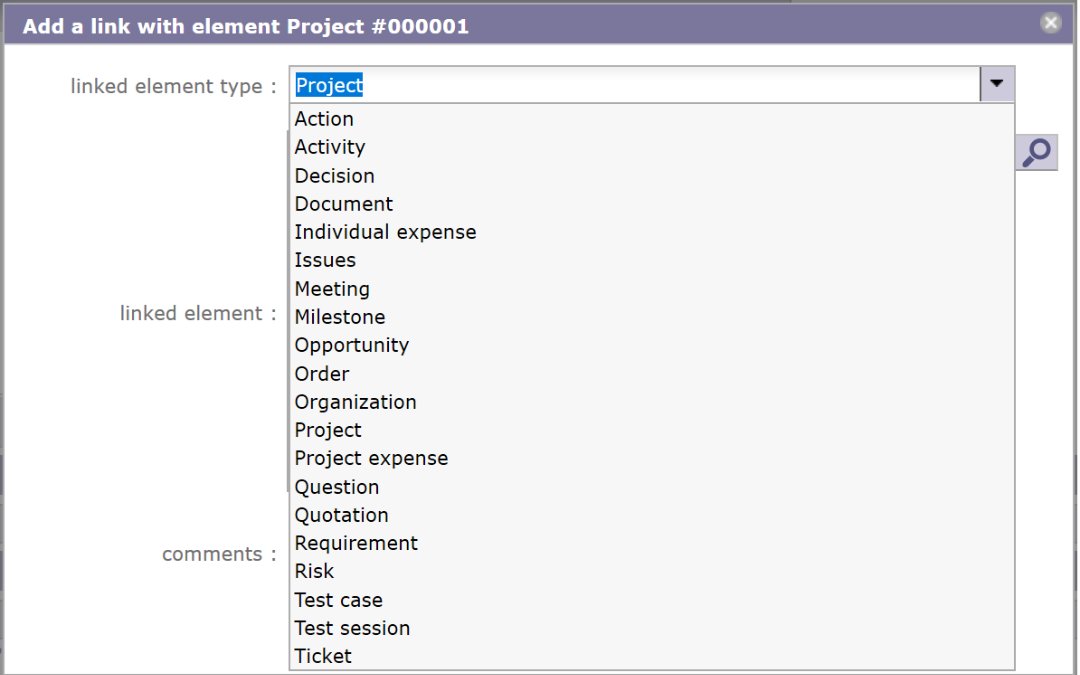
You should not add a new link, but an attachment.
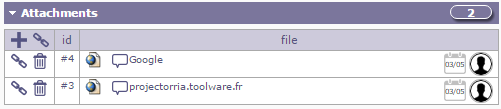
Click on the link icon...
Sorry, but where I find attachement part
In the activities, in the project,...?
In the project screen.
Check that Global parameter for Attachment directory is not empty to see this section.
Solve
My attachement directory was not empty
And I see the attachement tab in project.
I now go ahead in the used.
It look to be good project from a guy that was used dotprojetct.
Thanks and best regards