
Welcome to ProjeQtOr new Forum. We migrated old forum to the new website.
You will find all your posts here, with your usual account.
Just one point : you’ll have to reinitialize your password. Use “Lost password” feature.

I can't log in for the first time.
Please attach a screenshot and logs.
Can you help me solve this problem?
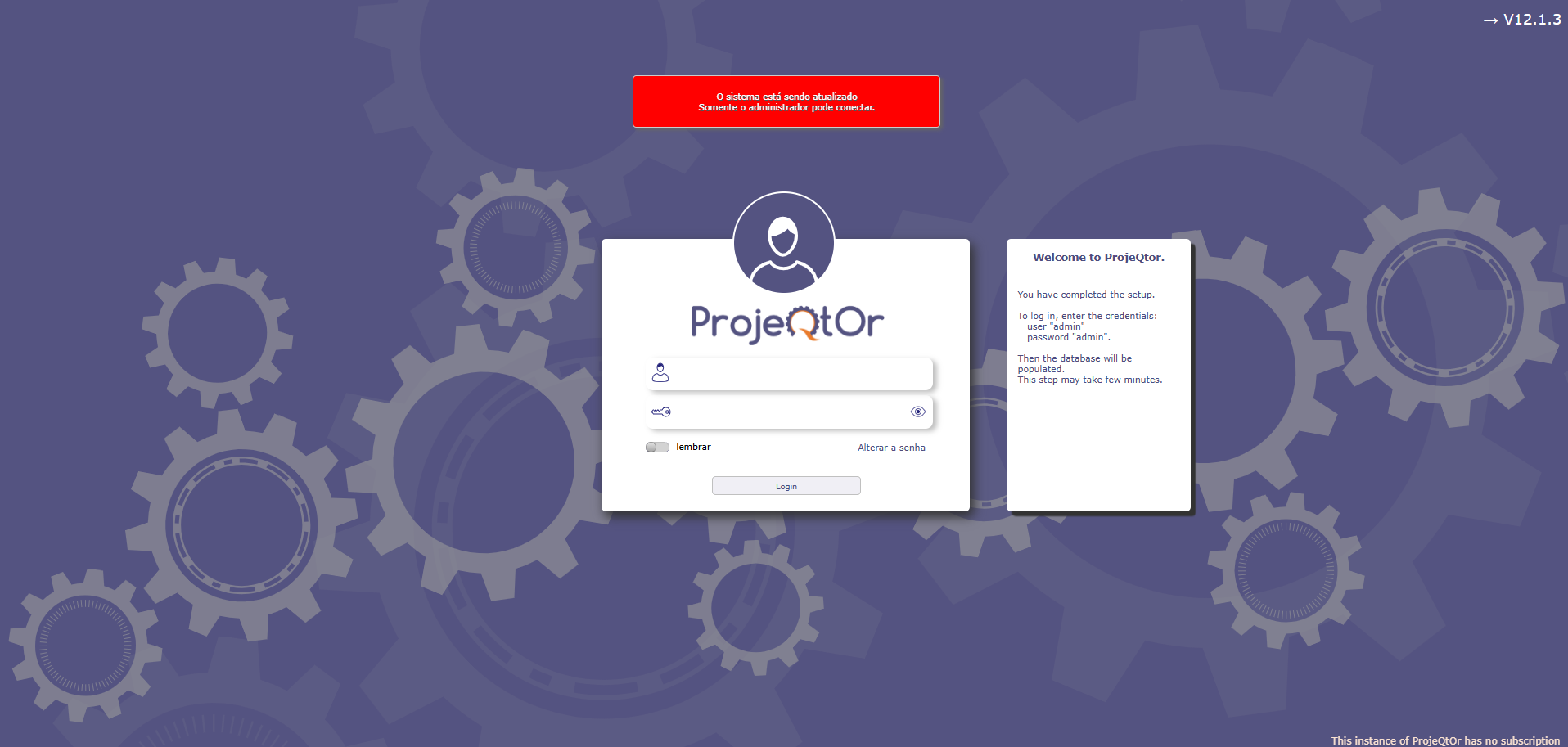

Hello,
Please respect forum rules and post your question in english.
Have a nice day.
Fixed
Thanks 🙂
In order to connect for the first time, just use the login and password given on the right of your screenshot
Hope this helps.
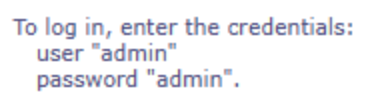
When trying to log in with username and password as admin, I receive the following message: Invalid username or password. Check your access data
I have already checked the database and the admin and guest users are in the database, but I cannot log in.
Is it a first installation from fresh or a migration from an old version of ProjeQtOr ?
It is a first installation

Hi,
It may be an issue for brand new install on V12.2.0 (wich is not tagged stable yet). We are investigating.
Try and deploy V12.1.3, latest stable release.
You'll be able to migrate on V12.2 when it will be more stable.
Hi,
I just tested first deployment for V12.2.0 : no issue.
I also checked your first screenshort : it is installation of V12.1.3, so issue is not linked to V12.2.0 not stable version
Try this query on projeqtor database
update resource set password='admin', crypto=null, isLdap=0, locked=0 where id=1;
Then you'll be able to connect with
login = admin
password = admin
(you'll have to change the password after first connection)
I made the adjustment in the database, but the site returns this message:
"Module IMAP is not available - impossible to configure ProjeQtOr to retreive notes from received emails"
"Upgrade in currently running.
Wait until it ends"
And I still can't log in.
I have already enabled IMAP in the php.ini file.
I am using MYSQL directly on Windows
I made the adjustment to the database, but the site returns this message:
"IMAP module not available - unable to configure ProjeQtOr to retrieve notes from received emails".
"The update is in progress.
Please wait until it finishes".
And I still can't log in.
I have already enabled IMAP in the php.ini file.
I am using MYSQL directly on Windows.
"IMAP module not available - unable to configure ProjeQtOr to retrieve notes from received emails".
This is not major and has not impoact on deplyment.
It will just be necessary for some feature such as receive tickets by emails.
"The update is in progress.
Please wait until it finishes".
If this message persits more than 1 hour, it is likely because previous migration failed.
Just delete file projeqtor/files/cron/MIGRATION
I am doing the first installation, I am not migrating from other versions. However, even after deleting the MIGRATION file, the warning "Invalid username or password. Check your access data" continues to appear.
After completing all the configurations and parameters, I still cannot log in for the first time.
What am I doing wrong?
Is your DB populated ?
Are there any tables ?
There should not.
Try and delete the tables and try again.

Hello I am doing a fresh install via Softaculous through CPanel, no migration, and db has been created, and not populated and I am getting invalid login parameters. It is we have tried sever password combos and re-installs including admin /admin as the username and password. And nothing is working. How do we login?
Hi,
We do not manage the softaculous install.
Softaculous does.
Check on their site, if they have specific instruction for fresh install.
For manual install, first login is admin / admin.
You may check log file for errors.