
Welcome to ProjeQtOr new Forum. We migrated old forum to the new website.
You will find all your posts here, with your usual account.
Just one point : you’ll have to reinitialize your password. Use “Lost password” feature.

Hello,When I copy a template project, I don't automatically find it in my projects. I even get a message telling me that I don't have access rights to this project element.
I can't find the setting that would allow me to avoid this error. Setting the project to manager+ doesn't meet my needs because it shows all the projects.
Could you help me?
I'm using version 11.4.4 in production, but I have the same problem in 12.0.1.
Thank you
Eric

Hello,
What access does the user in question have to the projects?
In my case, the project leader will only see his projects and will be able to copy the model project.

Have a nice day,
Hello,
Thank you for the answer.
But this profile has the good access. 
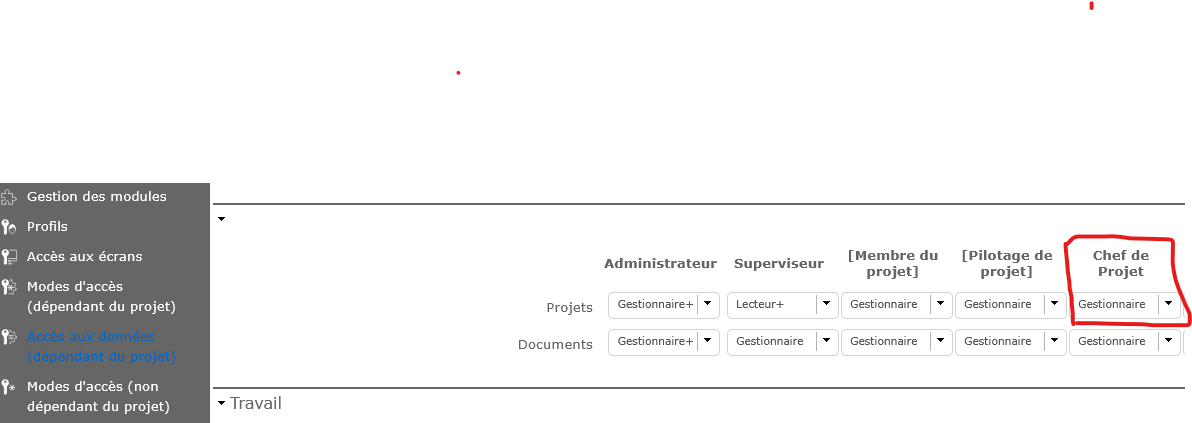
Another question : "the project leader will only see his projects" means the user must be project's idUser or the IdResource ?
Eric

After copy, do you remove some allocation ?
NB : if you remove your own allocation to the project, you loose rights to see it.
So we have to assign all the project managers to the project template, check the assignment box when copying and then clean it up?
Thanks for your answer
No.
When you copy a project (template of else) and you have "Manager" rights, an allocation for you on the project is automatically created.
This gives you access to the project.
It you remove this allocation, you loose access to the project you created.
Indeed, it's true that copying to a new project template directly assigns the person as a resource, but by changing the project type, we lose this automatic assignment.
Is this a misconfiguration of our instance?
Thanks in advance.
Well, cannot analyse with so few information.
Just ot be sure, I created new Template project (with 2 Activities and 2 Milestones).
No user is allocated to this Project.
I connect as a Project Leader : I can see Template project but cannot update it, all I can do is copy it. That's exactly what a Template is designed for.
I copy it with new opeartional type (not template, not administrative) : I am automatically allocated to this new project. It is exactly what is expected.
Note that if then I remove the allocation to this project (there is a red alert message before validation) I loose visibility of this project.
Hello,
Thank you for this feedback.
I tried to take screenshots of the different steps of my process.
I think I'm doing things correctly as you described, but the result isn't what I expected.
I've attached the document with the screenshots.
Thank you in advance for everything.
I see on screenshot (1st screenshot on page 2) that the allocation to the project is not created.
So there was an issue on that side.
=> check log files for errors
=> try and migrate ti V12.1.2, latest stable release