
Welcome to ProjeQtOr new Forum. We migrated old forum to the new website.
You will find all your posts here, with your usual account.
Just one point : you’ll have to reinitialize your password. Use “Lost password” feature.

Hi,
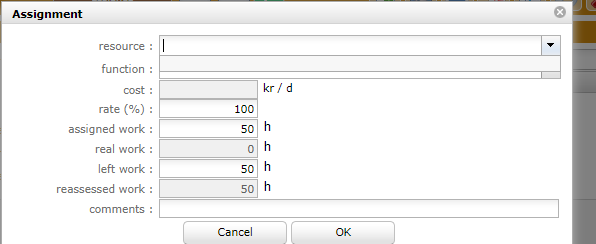
I have allocated resources to the project but when I tried to assignment resource to a defined activity the resource list is blank. What else I'm missing?
Thanks!

Please show allocation list.

All your allocations ended on 31/01/2019.
So there si no-one left in the project team.
But it's an activity in January that I want to change the resource.
I am afraid to have to inform you that we are in April...
...at least here in France, but I guess it is almost the same in most countries ...
...and except for some time travellers that don't care about space-time continuum.
So I'm afraid the resource won't work in january on your activity.
So possibly you'll have to change the allocation dates...
Is that a 1st April joke? :')
We are not time travellers but we need to add projects that started earlier and continue the planning if you understand what I mean.
Is that a 1st April joke? :')
No, it is just a everyday type of joke.
We are not time travellers but we need to add projects that started earlier and continue the planning if you understand what I mean.
Then just don't set a end date to the allocation, you won't have any issue.
If I don't set an end date then he will have 200% allocation if he has another ongoing project, won't the calculate go wrong in this case? I confirm that when I remove the end date, the names showed up in the list. But I don't understand why it doesn't show up when I have the end day while planning the resource within the allocated period.
OK, I think I understand now. When I add a resource, it checks if the resource is available now, if I don't set the end date the person would be available for the project then I can change the date for the assignment.
Am I right?
If I don't set an end date then he will have 200% allocation if he has another ongoing project, won't the calculate go wrong in this case?
No, it will just tell that the resource has the hability to work at 100% on any of the project.
But the capacity of the resource will not be booked at 200%
aha, now I know. Do you suggest that I set 100% on all projects and the assignment rate for different activities?
Yes, it is good option (the one I use when I have no specific constraint).
OK, thanks!
Yes, it is good option (the one I use when I have no specific constraint).
Now I came across another problem. If I set all resources to 100% allocations I can't get an overview about how one resource is planned. Can I see an overview somewhere about how the resource is allocated by activity level?
One more thing, I would like to hide the projects that are closed in the planning and the resource allocations list. Is this function available?
Thanks!

Can I see an overview somewhere about how the resource is allocated by activity level?
There are several reports to do this
One more thing, I would like to hide the projects that are closed in the planning and the resource allocations list. Is this function available?
Just close the project.
It will close allocations.
There are several reports to do this
There are only hours in the reports, I would like to see percentage.
Just close the project.It will close allocations.
I have closed the project however the allocations are still shown but with a grey round cross.
There are only hours in the reports, I would like to see percentage.
Report in this format does not exist.
I have closed the project however the allocations are still shown but with a grey round cross.
Exactly : grey cross means the allocation is closed 😉
But I don't want to see the grey cross, at least there is a checkbox like in the planning to hide the closed allocations. It's such a mess when the list gets longer.
Closing does not mean deleteing.
We must preserve old allocations to be able to retreive previous rights when you enter in Archive mode.
I understand that closing is not deleting. But it is not convenient when I want to see a fresh view of a resource showing the current projects he is working on. The closed allocations are taking too much space and difficult to see if you understand what I mean.
OK, I see.
You deal with allocation list on resource screen (I was considering allocation list on project screen).
We'll have a look. Ticekt #4009 recorded
Thank you very much! Sorry I didn't explain clearly. 🙂