
Welcome to ProjeQtOr new Forum. We migrated old forum to the new website.
You will find all your posts here, with your usual account.
Just one point : you’ll have to reinitialize your password. Use “Lost password” feature.

Hello,
I have a problem when I try to change default theme in parameters/globalParameters. I try to set up, lets say, noir et blanc theme, and that is what happens:
- the name of the new theme well appear in the field
- I save the change
- When I log out then log in again, it is ProjeQtOrFlatBlue theme that is set up again.
Does anyone understand why?
Many thanks for your answer.

Hello,
Global parameters theme is for new user never connected.
If you want change your theme you have to go in USER PARAMETER.
Or if you are using projeqtor > v7.0.0
you can click on your name on the upper right corner
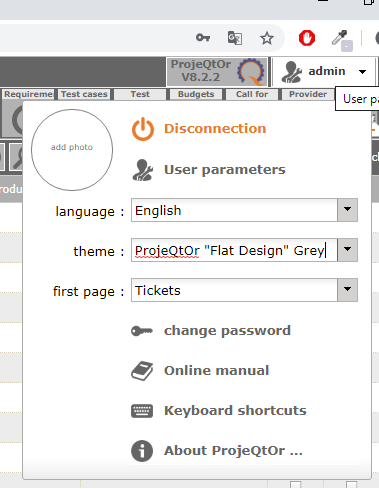
Thank you for your answer. What I try to change is the default values for USER PARAMETER in GLOBAL PARAMATERS (the second field). Is this not possible? Thanks.
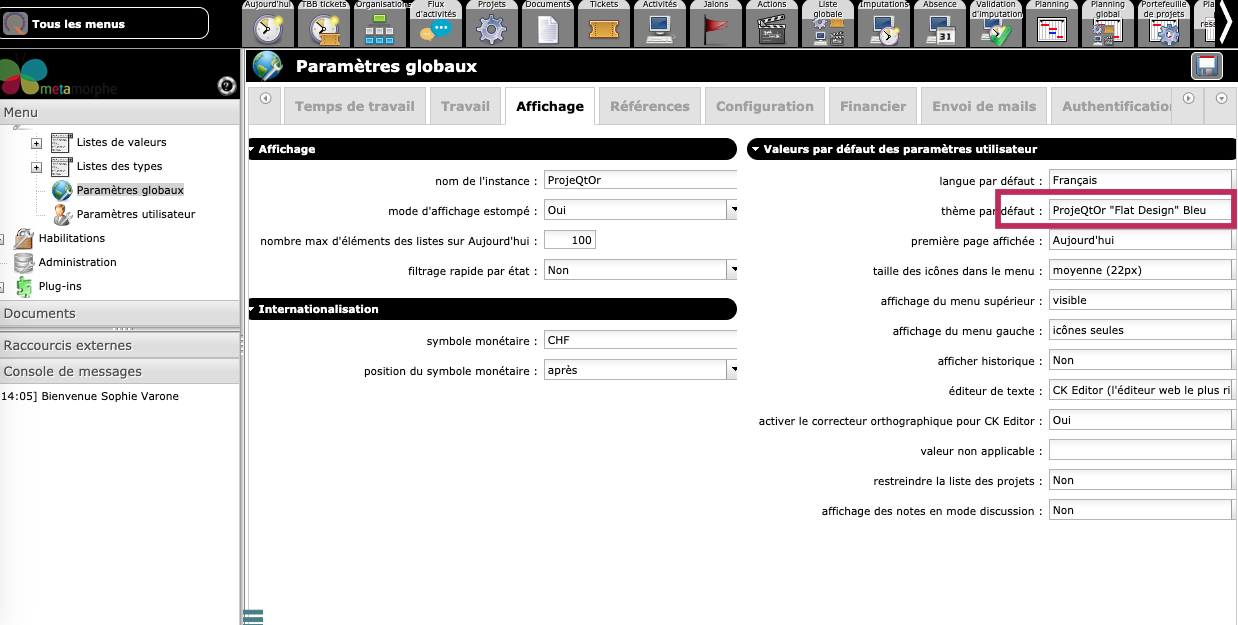

You can change the value in Global Parameter, but as explained Gautier, it will not have any effect for users already connected.
It will be taken into account only for new users.
Many thanks for your answer Babynus. Yes it was what I thought too, but as I said in my message: I change the value, I save, but when I logout then login again, my changes are not taken in account and the default theme still appear in the field, like i did not save anything, but I did.
Do you have an idea about the origin of my problem? Thank you for your time.
1) Check that you don't have corresponding value in parameters.php file
$defauktTheme=...
Value in parameters.php file always override the value in DB
2) check that you don't have duplucates in db
SELECT * FROM parameters WHERE parameterCode='defaultTheme' and idUser is null;
should return 1 and 1 only line (delete extra lines if any)
Many thanks solution 1 helped me.

It is not working for New Users.
New users will get same theme as the one that appears on login screen.