
Welcome to ProjeQtOr new Forum. We migrated old forum to the new website.
You will find all your posts here, with your usual account.
Just one point : you’ll have to reinitialize your password. Use “Lost password” feature.

I could not install it properly in my MAC Xampp due to the error message
🙁
Log file name :
any valid file name, may contain '${date}' to get 1 file a day
Security hint : move it ouside web access
Please provide the help for it.
Many thanks!

Hi,
What you posted is not an error message.
Did you have message ?
Can you try with defaut parameters ?
Please also check access rights to directories : during first sert-up, PHP user (user running PHP) must have write rights to folders /tool and /files (and sub folders)

Hi,
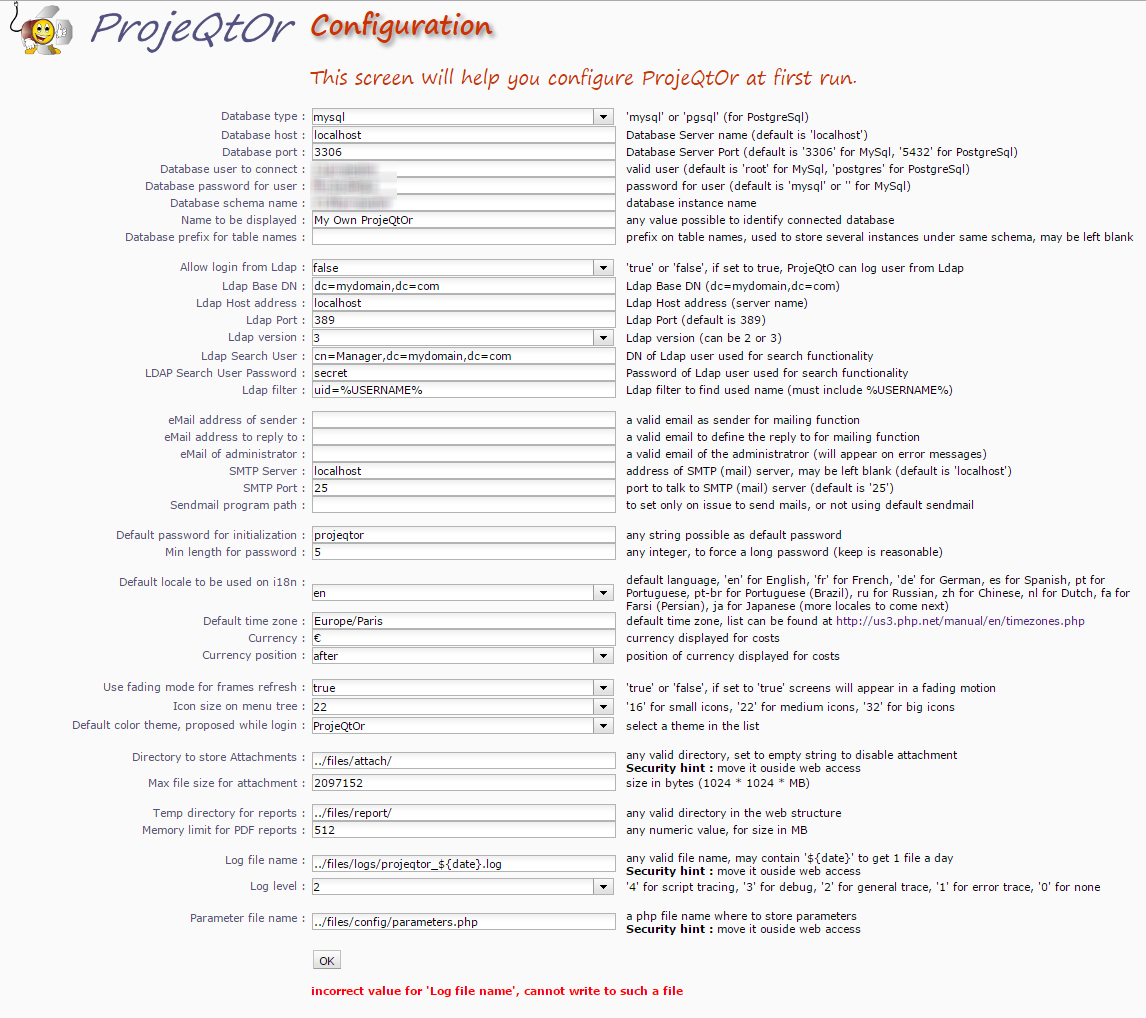
I have read and tried all the replies in this topic, but unfortunately on the ProjeQtOr Configuration screen the message "incorrect value for 'Log file name', cannot write to such a file" still exists.
The ProjeQtOr Configuration screen looks as in the attachment "ProjeQtOr_Configuration_screen.png".
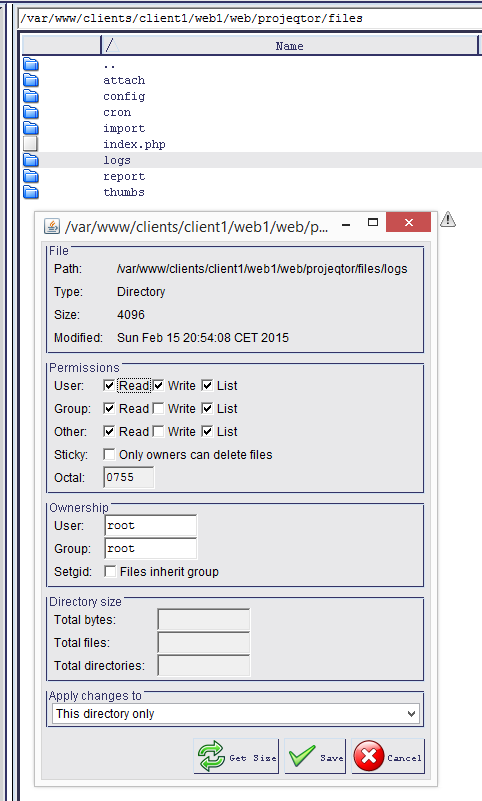
The files permissions look as in the attachment "Files_Permissions.png".
Any ideas what I'm doing wrong?
Thank you for your answer.
Gary
Hi,
It as an access right issue on Directory.
Only owner can write to your log directory, and owner is Root.
You should give access rights to PHP user ("apache" or "www-data" depending on distrib).
Best way is to chown to set PHP user as owner of all projecqtor directory and sub-directories.
Hi,
Best way is to chown to set PHP user as owner of all projecqtor directory and sub-directories.
ln my particular case I changed the "projeqtor" directory and all subdirectories and files to user "web1" and group "client1".
This way, the ProjeQtOr Configuration screen can be saved wit the PorjeQtOr default directory and file entries.
So this issue is solved for me.
Thank you.