
Welcome to ProjeQtOr new Forum. We migrated old forum to the new website.
You will find all your posts here, with your usual account.
Just one point : you’ll have to reinitialize your password. Use “Lost password” feature.

Hi all,
I have a doubt when I create a task, I don't understand the difference between "charge" and "durée"? In which case I need to use each one?
PD: I know the difference between "charge" and "délai" but not between "charge" and "durée"
Thanks for sharing your knowledge.
Martin

"Charge" (work) is quantitiy of Work.
"Durée" (duration) is delay, in open days.
If 2 resources share 20 days of work (charge) to do on a task, with equal repartition (10 days each), duration (durée) will be 10 days, and delay will be 2 weeks (14 days or 12 days if task starts on monday).
Thanks for reply.
If I work with ASAP planification method, I just fill "durée" field and it is enough.
So, in which case can I use "charge"?
Martin
If I work with ASAP planification method, I just fill "durée" field and it is enough.
NO.
Duration is informative unless you choose "fixed duration" planning mode for the task.
So, in which case can I use "charge"?
ALWAYS
You should always define work as ProjeQtOr is work driven : planning is calculated from work data, and not from duration. It is the only way to have realistic planning.
Imagine you have a resource working 3 days on Task A and 2 days on tasks B, and tasks don't have a dependency (resource can work indenpendently on any task). If you work with duration, global duration of the project is 3 days (the longest duration). But if you work on work, total duration of project is 5 days.
This is a simple example, but imagine working with 50 resources, working on 100 tasks, some with dependencies, some not, and some resources sharing some tasks, .... Working with duration will not help. Working with work will compute realistic planning.
Moreover if you have 2 tasks, each with duration of 5 days, task A is complete, task B half completed (50%). What is global progress of project ?
You should say 75% (50% for task A, 25% for task B).
But now if I say that task A is a 0,1 day per day task (some management for instance) and task B is full time for 2 resources, real progress is 52% = (0.5+5)/10.5.
And if resource estimate that they need 4 extra work days to end task B (reestimate left work), then progress is just 38% = (0.5+5)/14.5
It is work driven (also called effort driven) planning.
It takes sense but when I update the new value on "charge" field (ex: 7 days) without fill "durée" (with ASAP planification), the Grantt project doesn't update the Gantt planing as I expect (a task with 9 days with the week end).
Do you have any documentation with a case study? Just to do it step by step and understand better how your software works?
Thanks.
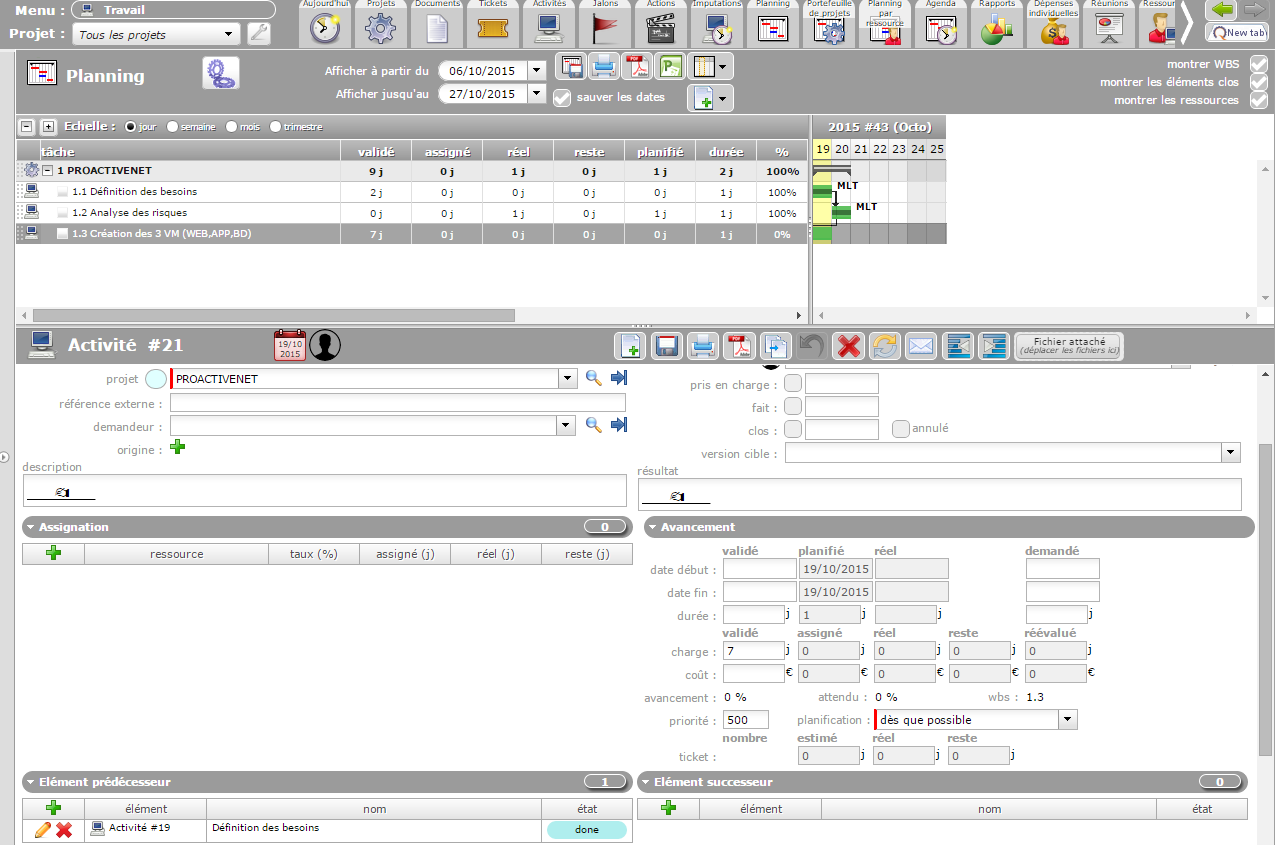
Just because you did not run planning calculation : planning is not automatically calculated as it is considered as a management act.
Use button on top left of planning view (with the 2 gears)
I clicked on this button before send you the screenshot to generate the plan.
I click again and the result is the same. Any explication?
Because you just defined the Validated work, which is just a reference (informative data to define margin, no effect on planning)
You have to add work through "assignment" (list with "add" button)
Notice that projector plan "left work" : you have no left work ,so nothing is planned.
It doesn't work, I attach the Gantt and the detail of activity.
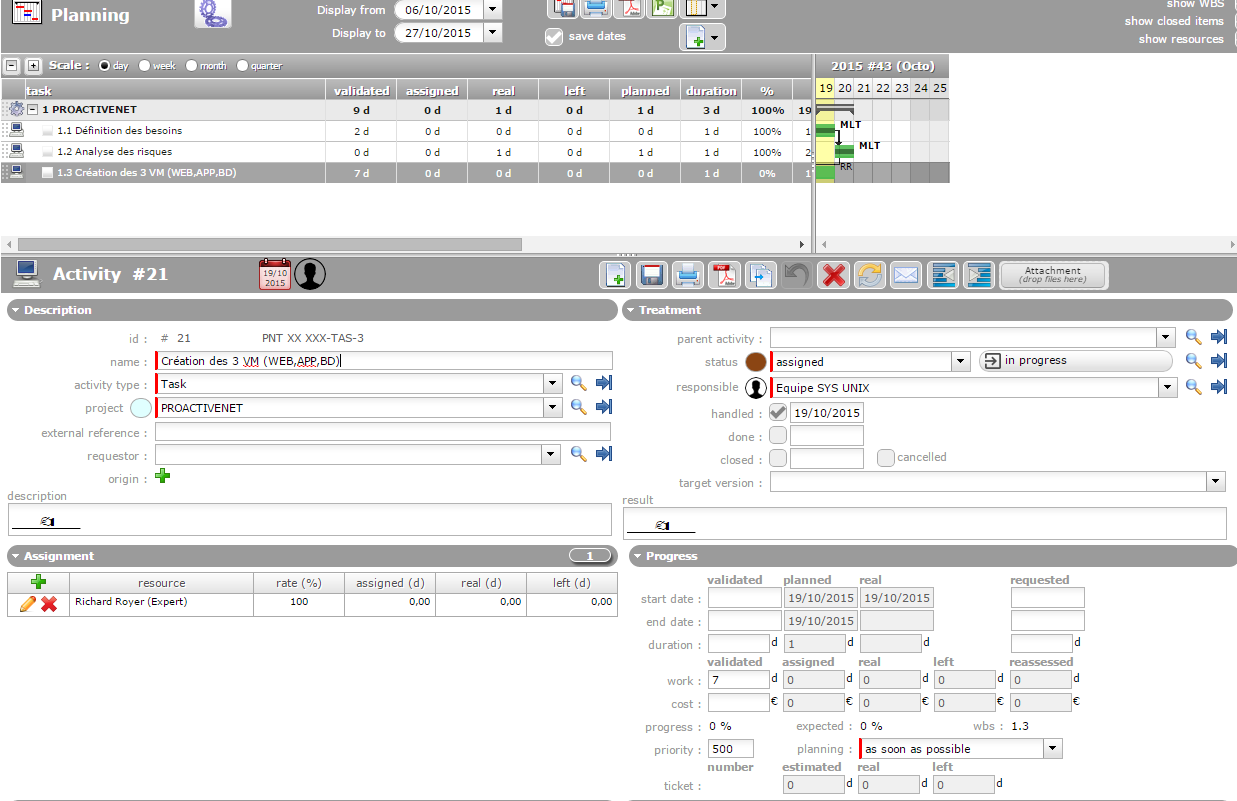
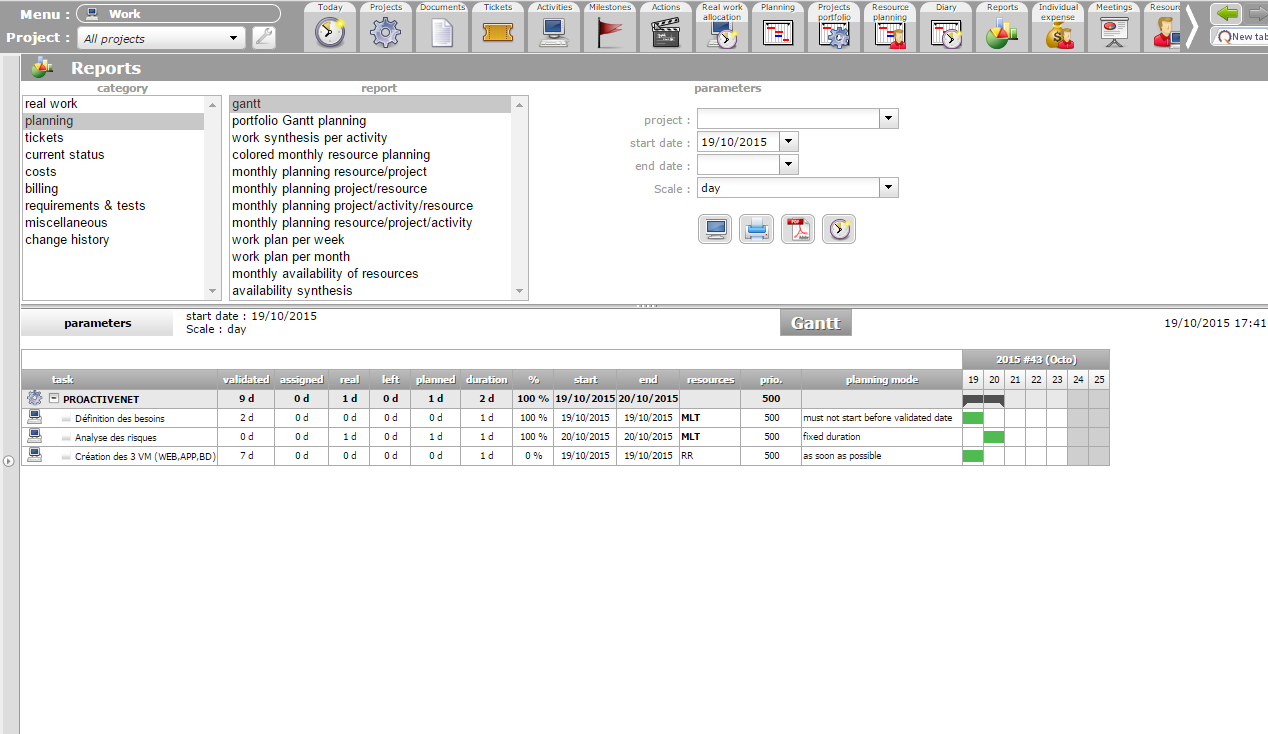
Define some left work in your assignment. It is zero, so not planned.
You are a "Master", thanks a lot.
Just to be sure, I assigned the work with the "change button" (pen) directly on the activity details on the Assignement tab, is it the best practise or it exists a better practise?
it is the best practice for the Project Leader.
(well, in fact you should define assigned and left work while Creating the assignment).
What is important, it is that each project member will re-evaluate left work reguliarly (at least once a week) and update it in the Real Work Allocation (imputations) screen.