Welcome to ProjeQtOr new Forum. We migrated old forum to the new website.
You will find all your posts here, with your usual account.
Just one point : you’ll have to reinitialize your password. Use “Lost password” feature.

hi All
information:
proteqtor version: v6.0.1
os: centos 7.2
Env: virtualbox (learning projeqtor)
browser : firefox v50 (on win 10), chrome v54.0.2840.99 m (64-bit) (win 10)
language : english (win10)
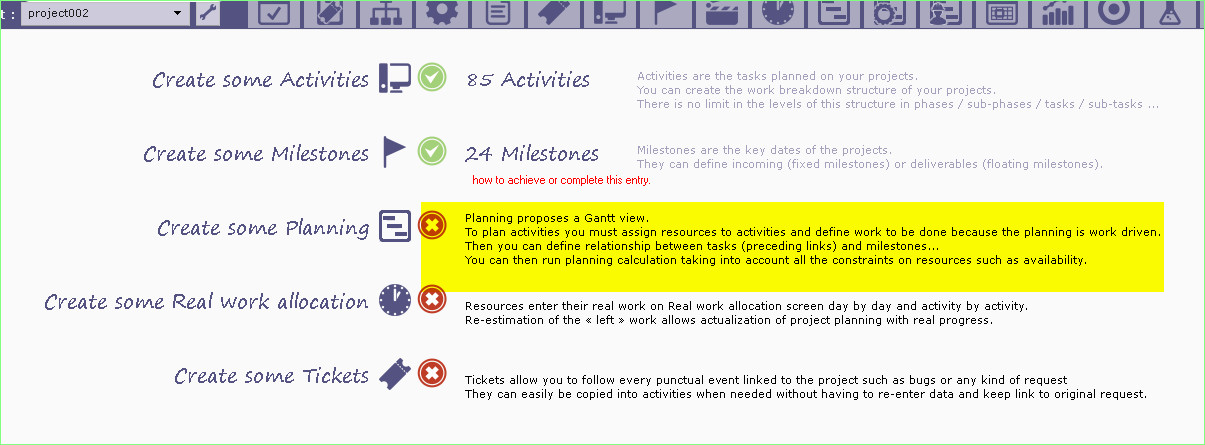
i appreciate that some one may assist or show me how to complete the "create some planning" on start up page under admin login
action taken i perform on proteqtor
1. login as admin, go to planning tab
2. create project milestone and activity
add affectations under project 002 (user01 - 50%)
activity planning mode set to : fix duration
activity workflow : simple
add responsible: user01
3. set predecessor (dependant)
4. click "calculate activities planning" (gear icon) under planning tab , select project and set the start date : 12/01/2016 (MM/DD/YYYY)
the results still x (read color mark) on "create some planning" on start up page (refer to snap1.jpg)
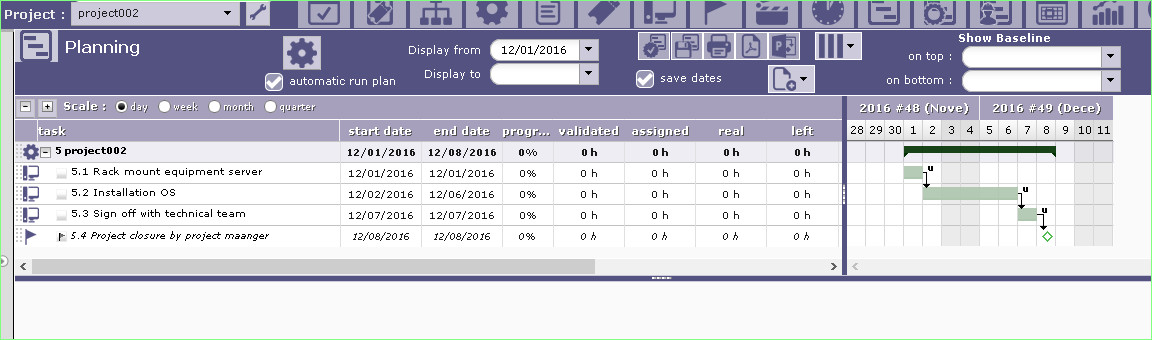
the planning tab on snap2.jpg
my question as below:
1. any additional step i require to perform in order to get the green mark (tick) on "create some planning" on start up page under admin login.
2. on planning tab, the task start and end date is refer plan , validate or real date?