
Welcome to ProjeQtOr new Forum. We migrated old forum to the new website.
You will find all your posts here, with your usual account.
Just one point : you’ll have to reinitialize your password. Use “Lost password” feature.

Hello,
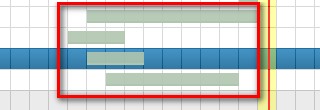
Why the Gantt bars hasn't been red color when today is over the validated start date?
best regard

Be cause you did not "re-calculate" the planning.
Tasks are red when planned end date is over validated end date.
We have a planned evolution to highlight tasks that are effectively late "today" (ticket #3925)
thanks babynus,
could you please tell me how to "re-calculate" the planning ?

HI,
Just press the button which open a menu with list of projects and date to start the calculation from the left and up of the planning view screen

Hello,
You should press F1 to open your user manual guide
( open it on planning view )
thanks,
do you mean this button?

I have tried it, but nothing happened...
Anything wrong?
regard
It is weird. Try again changing a data or clean your browser cache
I have tried it again with changing a date and cleaning browser cache,
but it still not working.....
the planned date as same as validated date
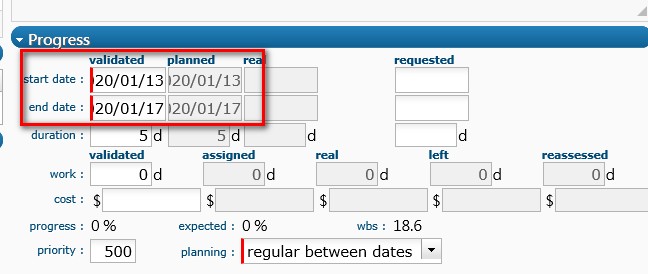
You do not give any workload on this activity, you have just given a duration of 5 days; it is normal that the planning does not change. Please read the friendly manual to undestand how works Projeqtor and especially on various planification modes.
thanks,
so I still have to enter the real work in timesheet before ?
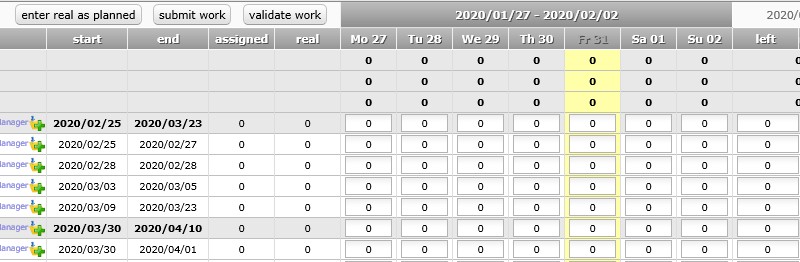
Have you assigned resources on activities with woarkload before ?
On time sheet :
Entering real work ( as planned) you are going to modify the % of progress.
Entering real work ( not as planned ) you are going to modify the % of progress and influence the next planification.
Entering a new left work you are going to modify the % progress and influence the next planification
Projeqtor always calculates plannings considering what has be done and what should be done at any present time to get the better view of the futur.
Or possibly you can define your activities with planning mode "fix duration", so that calculation knows whatr you want to do.
If you left default planning mode "as soon as possible", prpojeqtor expects some assiogned work to correctly plan the tasks.