Welcome to ProjeQtOr new Forum. We migrated old forum to the new website.
You will find all your posts here, with your usual account.
Just one point : you’ll have to reinitialize your password. Use “Lost password” feature.

Hi all
please we need your help , we provided the right credentials for the imap server and we receive the following error :
on file '/home/m135557933/public_html/projet/projeqtor/model/ImapMailbox.php' at line (86)
2018-12-02 19:16:38.953 ** ERROR ** [V7.3.0] cause = imap_open(): Couldn't open stream {mail.gsolutionsconsulting.org:993/imap/ssl}INBOX;
2018-12-02 19:16:38.953 ===== TRACE ===== Cron::run() - Error on checkEmails()
we checked with the email hoster and the address is right , we provided the following as imap server address {mail.gsolutionsconsulting.org:993/imap/ssl}INBOX
for our imap server access configuration in the global parameyers.
please advise
thanks and regards

Please check that :
user / password is correct.
port is open : try a telnet from projeqtor server to imap server
server uses ssl and not tls
Hello
we checked the user/password are correct
the 996 port is open on telenet
the server uses ssl
in fact to reproduce the problem we installed a test paltform with projeqtor is hosted on our cloud provider intersever and we got the same problem
the test paltform adress is :
https://gsolutionsconsulting.org/projetstest/view/main.php
login : admin
password : password
the email address is: projet.gsolutionsconsulting.org
password : cisco2017gss
the adress of the imap server is either :
webhosting2021.is.cc
or
mail.gsolutionsconsulting.com
you can do the tests and reproduce the porblem.
we tried the same configuration on another imap server for another hoster Godaddy and we got the same results.
This feature is very ususfuland apractical for the project traceablity,
Thanks for your help and assistance
Please find the exact email settings provided by interserver :
Secure SSL/TLS Settings (Recommended)
Username: projet@gsolutionsconsulting.org
Password: Use the email account’s password.
Incoming Server: mail.gsolutionsconsulting.org
IMAP Port: 993 POP3 Port: 995
Outgoing Server: mail.gsolutionsconsulting.org
SMTP Port: 465
IMAP, POP3, and SMTP require authentication.
Non-SSL Settings (NOT Recommended)
Username: projet@gsolutionsconsulting.org
Password: Use the email account’s password.
Incoming Server: mail.gsolutionsconsulting.org
IMAP Port: 143 POP3 Port: 110
Outgoing Server: mail.gsolutionsconsulting.org
SMTP Port: 587
IMAP, POP3, and SMTP require authentication.
please find the answer of interserver support team after doing all the tests :
Vinitha Joy (IC)
Staff
Posted on: December 3, 2018 at 04:56 PM
Hello,
Please check the mail scrip with the help of your developer. If he needs any changes to be made in the server in order to get this resolved, I'll get that done for you.
Kind Regards,
Vinitha
Interserver Inc.
Try with TLS
We did the test with TLS unfortunatly it does not work, we got the same error
Maybe just the connection string is not correct.
Try removeing the "/ssl" at the end
we also did this and usully the same error
thanks for your help and assistance as this feature is very ususfull for us
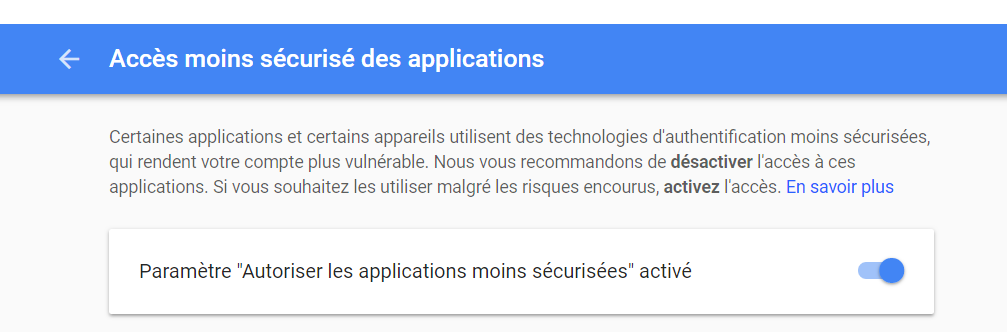
we dikd the test with gmail and we got the same problem , any sugestions please
gmail considers PHP as "less secured application".
You must allow access in gmail account