
Welcome to ProjeQtOr new Forum. We migrated old forum to the new website.
You will find all your posts here, with your usual account.
Just one point : you’ll have to reinitialize your password. Use “Lost password” feature.

Hi,
I'm trying to create a invoice of the type "on produced work" over a month where the timesheets are all validated, for the project in question.
The problem is that when I try the option "add formatted line (depending on billeng mode)", the number of days is always zéro.
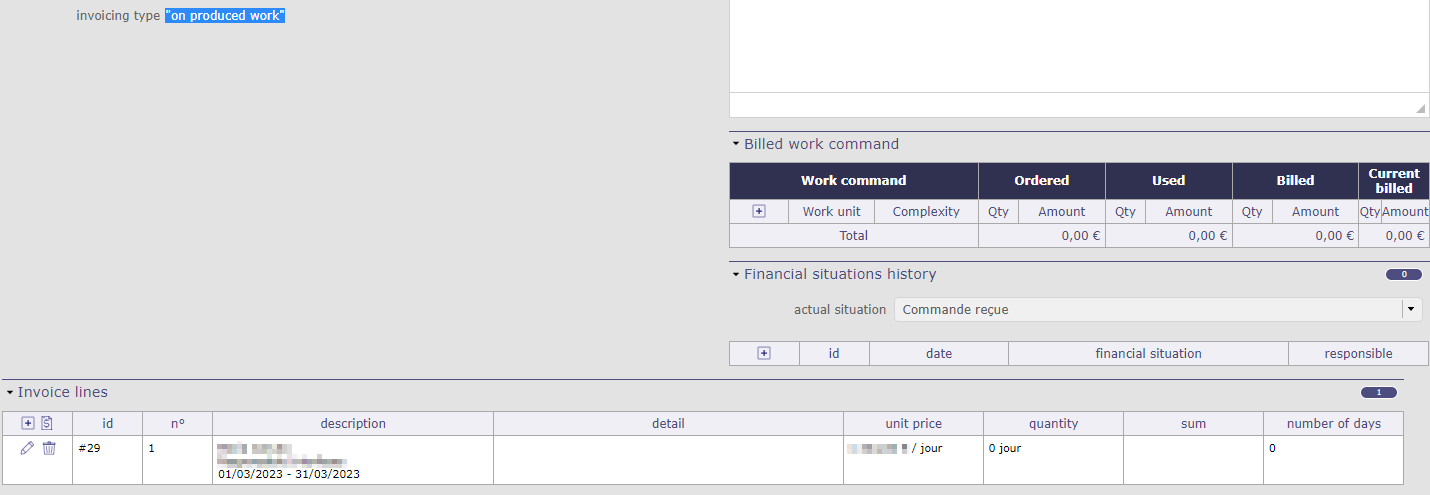
What can I do to solve this?
Thank you
MCanuto

Hi,
I do not reproduce. I recover the days charged to my invoice with the correct rates.
So we will try to review what could help us identify the problem!
Is there a problem in the logs? ProjeQtOr and Browser?
Which version of ProjeQtOr are you using?
Are you sure that the selected resource has properly allocated its timesheet to the selected period?
Hello,
no, there's no error, on ProjeQtOr or the browser.
I'm using the version 10.2.3
Yes, the resource filled all his timesheets for the weeks concerning the month of march and all of them where submitted and validated.
Any other thing I should check?
So let's try to reproduce the steps well to see where it could get stuck
0 - Make sure that the project is in the regie / Time and materials project type
1 - Set an activity price on a type of activity
2 - Plan the activity with the right type
3 - Charge to the timesheet with the resource to this activity
4 - Create the invoice
5 - Add a formatted line
6 - Select the resource that charged
7 - Select the price of the activity that you set beforehand (step 2)
8 - Select the period you want
So, seeing all this, did you select the right type of project? of activity? the right resource?
The only reason there is a 0 is that the period you have selected does not correspond to the allocations of this resource
Hi,
I found out where the problem comes from.I have two Project Levels:
- Master Project
- SubProject1
- SubProject2
If I define the activity price for SubProject1 and SubProject2 and I make my invoices at the subproject level, everything is ok, but as I want to make my invoices at the "Master Project" level, I created the activity price for the Master Project and it doesn't work, because the activities are under the SubProjects.
This means that I can't have sublevels or else I have to define the activity prices by subproject and create the invoices by subproject. I wasn't expecting this.
Can you verify that my assumption is correct, please? And tell me if this is supposed to work this way?
Thanks,
MCanuto