
Welcome to ProjeQtOr new Forum. We migrated old forum to the new website.
You will find all your posts here, with your usual account.
Just one point : you’ll have to reinitialize your password. Use “Lost password” feature.

Hello team.
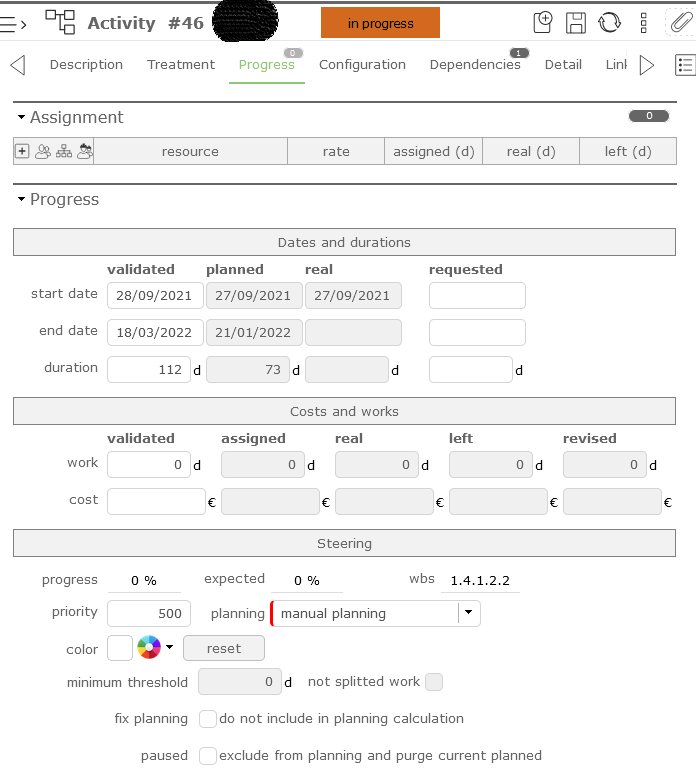
I'm trying to adjust end date of a manual planed task.
There is no assignement, the predecessor is closed, and i do not modify the start date, only the end date to adjust duration.
I ran planning calculation. Others task correctly adjusted but not this one.
AFAIK there are not other constraints on this task.
Is there any way to view some sort of calculation trace to see what could be the cause?
Thank you for your great support

Hello,
Manual planning, as its name suggests, is planned exclusively by hand and takes priority over all other planning modes even without any constraint.
To modify the planned dates in this mode, edit the assignment on the activity or go to the "planned interventions view" screen to view and modify the assignments.
The schedule calculation will never modify your schedule in this mode.
Thank you for your reply and help.
Does this mean an assignment is mandatory to a manually planned task?
I just would like to manually set start date and end date to this task which represent a given period of time, but with no assignment on it.
yes, there is no point in working without assignment and assigned workload for the manual planning mode.
the "fixed duration" planning mode should work for you.
Thank you for you reply.
Unfortunately the only way to modify duration -- and end date -- in my case was to drag the bar on the gantt chart. And this, whatever scheduling options i choosed. Then, the dates within the activity, and the gantt reflected correctly the given date/duration.
btw, thank you again for your support.
I'm not sure why this would be the only solution, but you can drag the bar of an activity in "fixed duration" planning mode directly onto the Gantt.