
Welcome to ProjeQtOr new Forum. We migrated old forum to the new website.
You will find all your posts here, with your usual account.
Just one point : you’ll have to reinitialize your password. Use “Lost password” feature.

Hi,
Here is my problem using V7.0.9
I create a Component A and create a version for it
I create another component B and create also a version for it
Looking at my components, I've got the version properly set.
Then I said that B component is a Component "used by" A component.
Then I click on my A component.. B component is properly show as "component used...".
Now I click on my A component version specification to "attached" the proper version of B component to this specific Version of A and then click on "list of component version used by this version" and I select the version of my B component and press "select element".
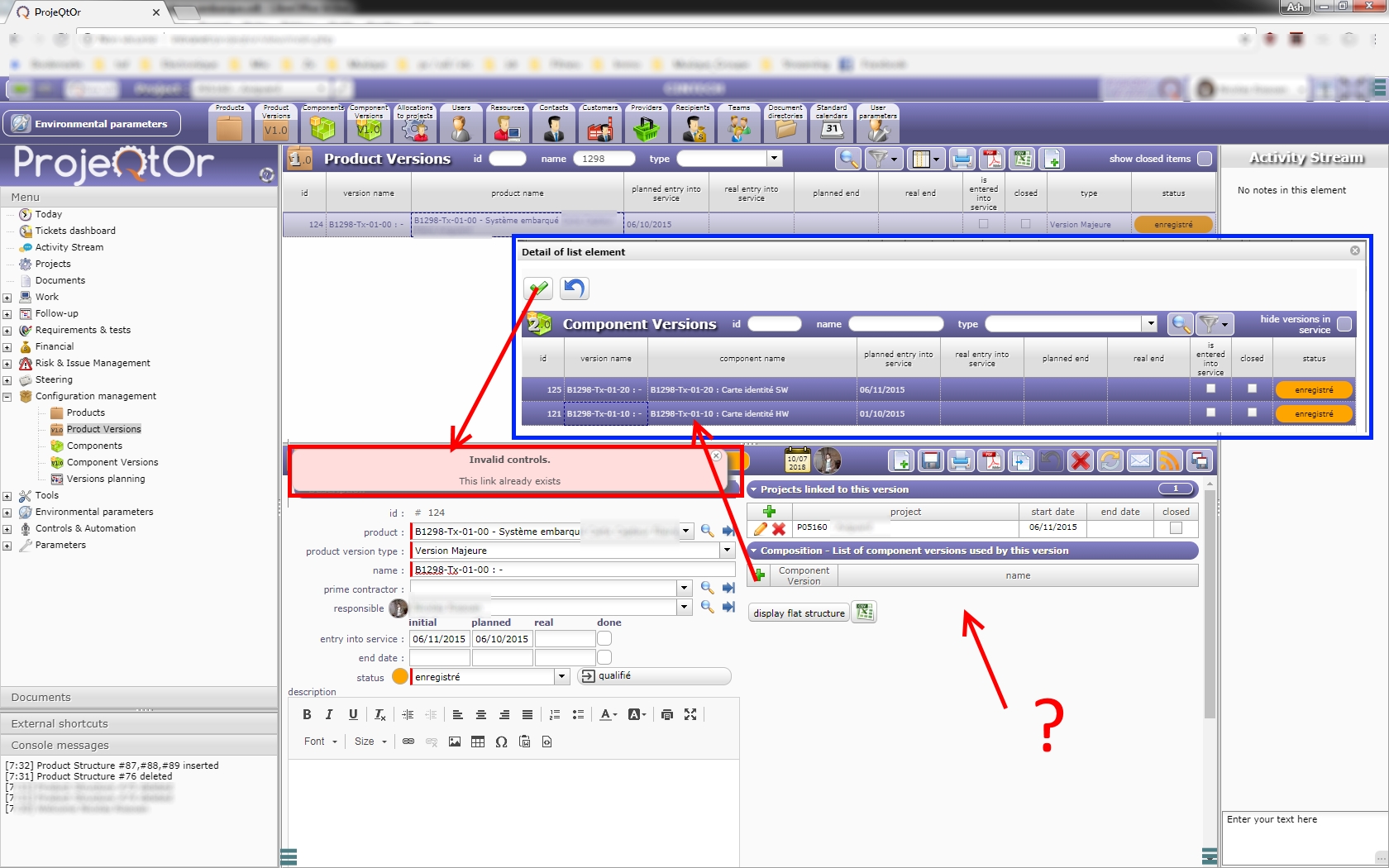
Here I always as the same problem, saying "invalid control / This like already exist .
Knowing that I never attached component B version to Component A version, I don't know HOW this link could already exist.. By the way, if it exists, it is not shown on the component A version sheet...
Where does it go wrong... ?? right now I can't manage to attached "version to version" which is a big pb
Thanks for your help
Regards

Please check content of table productversionstructure.
Do you see existing link ?
Please Find attached Some ScreenShots. When you will see the structure of my component..
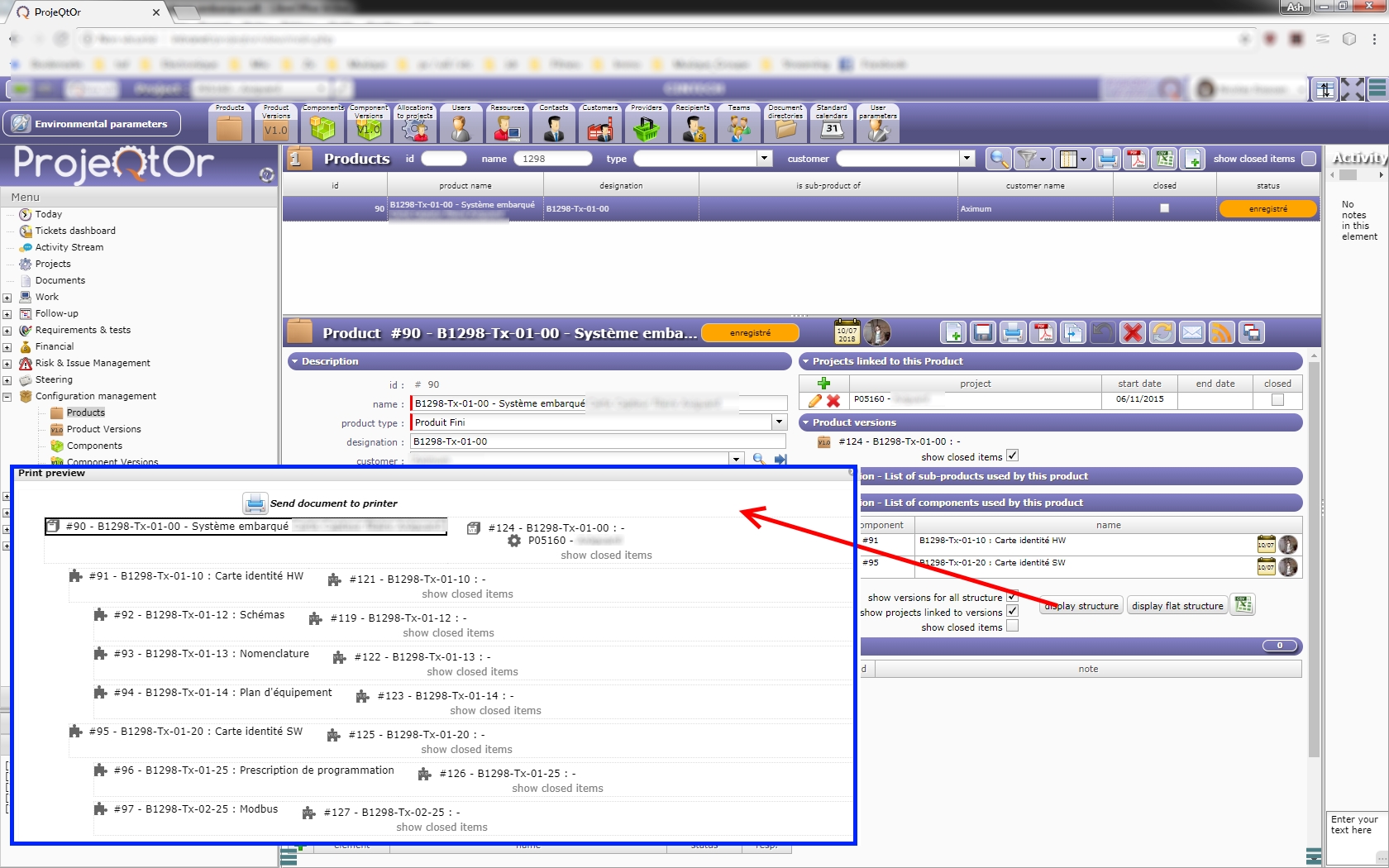
The Flat Structure of my component is well displayed with all the version (even if I didn't make any links !!!) (image PB1)
When I click on the Production version link, no versions of SUB components on this component version are displayed (PB2 -> my " ? " tag ^^)
When I click on " add a product version structure" and choice the 2 versions of my Sub components that I want to use for this component Version and then press "valid" . I've got a 'link already exist" message...
Thanks for your help again to understand what is goin' on
I've update to V7.1.2 And I can fully attached Versions as before...
Solved with the new version

Perfect !
Thank you for your reply.
MY BAD !!
It seems that It occured again... sometime I can properly attached "sub-components versions" to "component version" ... sometime I can't ...
🙁 🙁 🙁 very strange problem
*small BUMP*
Just to be sure that you notice that it's not really solved ^^
Some issue looking like this one is fixed on V7.1.3
Thank you ! Downloading 🙂 I will give you my feedback 😉
Looks goods atm ! Thanks