
Welcome to ProjeQtOr new Forum. We migrated old forum to the new website.
You will find all your posts here, with your usual account.
Just one point : you’ll have to reinitialize your password. Use “Lost password” feature.

Hi,
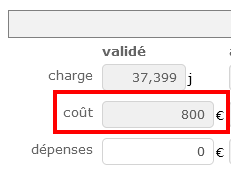
I made a mistake when creating a project, especially in the "cost" field. For sure, the margin calculated is wrong. Now my project is in progress.
Is there a way to change the value afterward ?
Thanks.

Hello !
Did you try to fix the costs on your resources function and cost ?
Hello,
Yes, all my ressources have a cost.
To explain my problem (I am probably using the functionnality the wrong way)
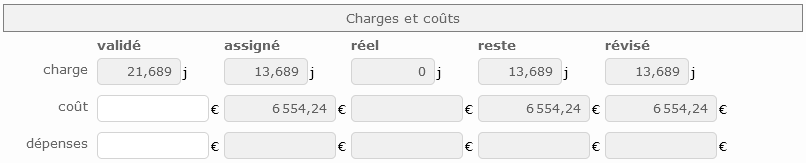
I have created a fresh new project with tasks : screenshot "before.png". All is saved correctly
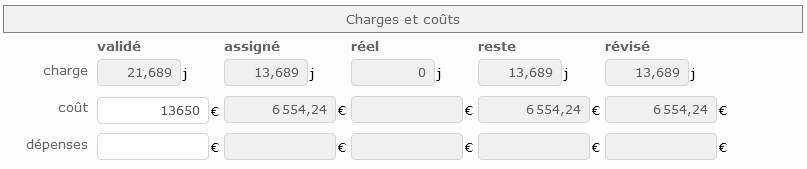
In order to monitor the global margin, I enter the price given to the client : screenshot "during.png" in the cost field
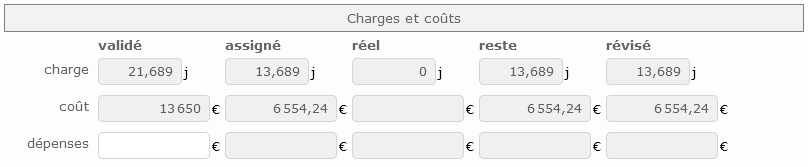
I save what I do and I have the screenshot "after.png".
The cost field is now grayed and I cannot modify it anymore...
This example project is in a "qualified" state with the "under construction" flag on !

Check that you may not have activated the parameter that automatically calculates your validated cost
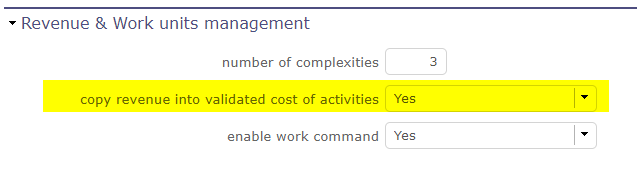
I checked the parameters, and all is set to No.
Hi !
In this case it is surely the consolidation of the validated work that you have put on always or on if set.
The fields become read-only and will automatically update from the lowest element of the WBS to go all the way up to the parent project.
Global parameters > planning > automation > consolidate validated work & cost
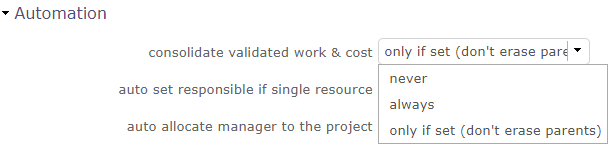
If you do not want to consolidate this data, set this parameter to "never", in this case the validated data is not uploaded automatically
Yes, correct !
You're my hero for today. Many thanks 🙂
Question solved !