
Welcome to ProjeQtOr new Forum. We migrated old forum to the new website.
You will find all your posts here, with your usual account.
Just one point : you’ll have to reinitialize your password. Use “Lost password” feature.

Projeqtor version: V7.2.7
Xampp version: 7.2.12 / PHP 7.2.12
Windows 8.1 and 10
Hello,
I have recently dowloaded an placed my Projeqtor's installation in Xampp folder. When i launched the URL adress "http://localhost/projeqtor", I obtained the different elements of configuration from the database informations.
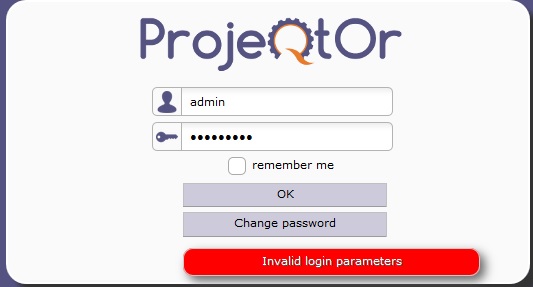
I had to correct the password database (i put it in blank) and 2 others parameters which were indicated in the resume i saw appear in the configuration screen. After validation, I was unable to connect to the Projeqtor application despite i changed the database password user in MySql dashboard (In Xamp Dashboar): incorrect id or password indication.
I do not understand exactly what is the problem because i restart numerous times apache, mysql and the computer without any success.
Thank you a lot for your help that i'm sure you will provide me.
Cordially,
Didier

If you change password to DB, you must change value in parameters.php
When i change the password in the file parameters.php, projeqtor is not accessible. Impossible to put any credentials. Error messages.
When i let the parameters.php in the first version, i have the connection fields but the same problem to access.
Is there a difference between the Data base credentials and the users in the resource's table ?
Data base credentials
root /
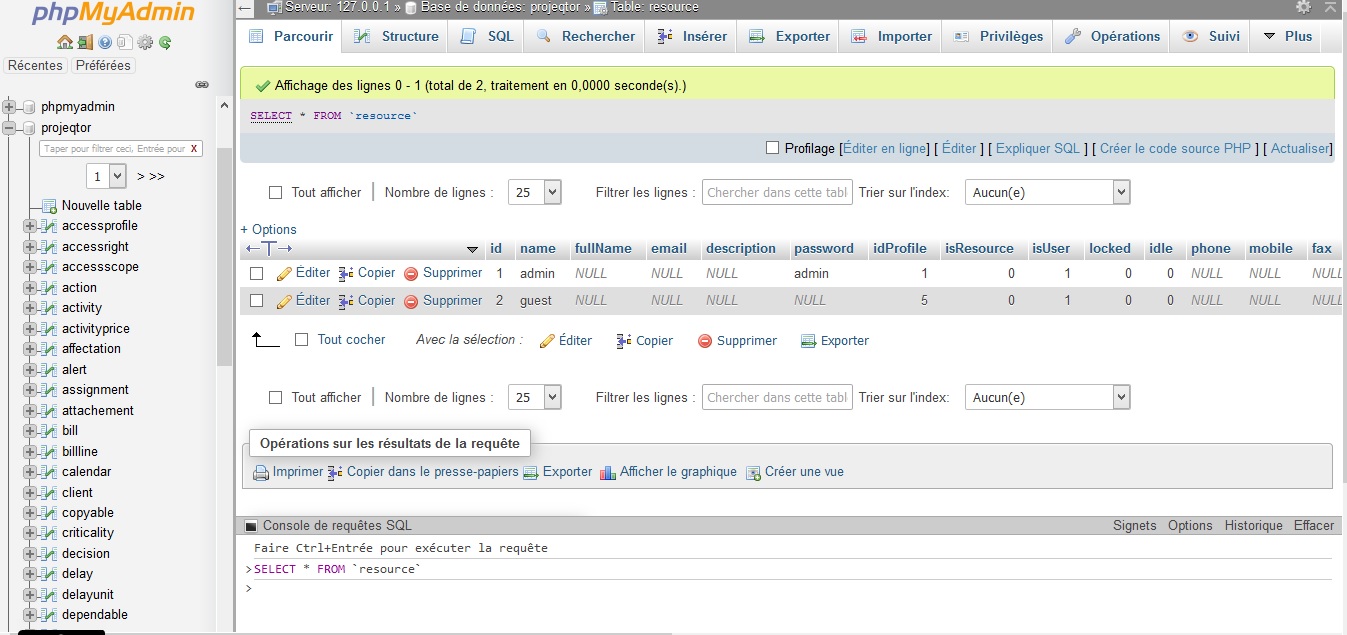
Users declared in table "resource":
admin / ****
guest / *****
Yes, credential to DB is different from credentials of each user.
Credential to db is correct (otherwise you would not have access to login page)
Login for admin uses default password "admin".
If this does not work, try and update table "resource", line with id=1 and name='admin', set password='admin', crypto=null.
Then connect with admin/admin.
Thank you for your answer but i updated the password using the sql console or editing directly the field password.
Despite i put "admin", this password doesn't work with user "admin". I'm desesperated...
I used this command in SQL command from PhpMysql console :
UPDATE resource SET `password` = 'admin' WHERE `id`='1' AND `name`='admin';
You must also set crypto to null
UPDATE resource SET `password` = 'admin', crypto=null WHERE `id`='1' AND `name`='admin';
The field crypto seems not existing. Look this error message i obtain executing SQL command you gave me:
Erreur
Requête SQL :
UPDATE resource SET `password` = 'admin', crypto=null WHERE `id`='1' AND `name`='admin'
MySQL a répondu : Documentation
#1054 - Champ 'crypto' inconnu dans field list

Excuse for my intervention, I have the exact same issue. I have changed the password to admin or to another value with no result. Login page continues to respond "Invalid login parameters"
What else should i check ?
Sure field crypto exists.
Try with
UPDATE resource SET `password` = 'admin', `crypto`=null WHERE `id`='1' AND `name`='admin'

I tried this command without any success an other time. I have the same answer: the field dosn't exit 🙁
please show desc of table resource.
This structure is valide for version ... V2.0.0
So your setup was not complete.
I reinstalled the software using the latest stable version 3.0. Everything is ok. I'm really happy that it works now. Thank you a lot for your precious help !!!