
Welcome to ProjeQtOr new Forum. We migrated old forum to the new website.
You will find all your posts here, with your usual account.
Just one point : you’ll have to reinitialize your password. Use “Lost password” feature.

Hello,
I have a question about data import feature. Is it able to import linked elements into Document?
From my example, i have a document element and i would like to link it to another document through data import feature.
Thanks for your support.

Hello
I don't know if I understood correctly what you want to do, but in each element of ProjeQtOr you can link (linked elements) elements to each other. documents related to activities, tickets or financial documents or even another document. no need to go through import. the links are clickable on each screen of the elements which are linked together. You can therefore find your little ones very easily.
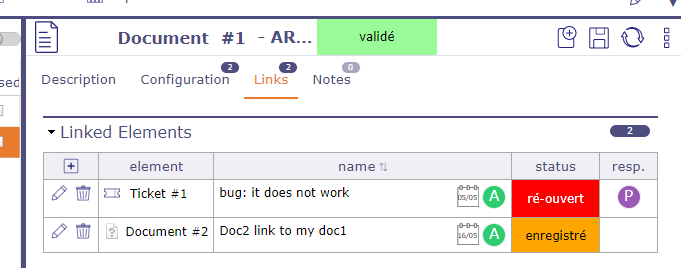
Hello,
Thanks for your feedback.
My asking was unclear. For my document management, I use data import to firstly create documents into excel then import them into iPMP. This step is ok, I successfully create my documents with this methode. In a second step, I would like to link documents between them with data import method. As you explain, I know how link documents between them directly from iPMP HMI however I would like to perform that only with an import. For example, is it exist a column entitled to put in my csv file for import ?
I hope it is clearer.
you have the list of fields available for each element when you go to the Import screen. Select the item to import and click the question mark. The import scheme to follow is indicated. Otherwise when you are on your element, click on the list box tools, export and you will see the list of fields that are retrieved.
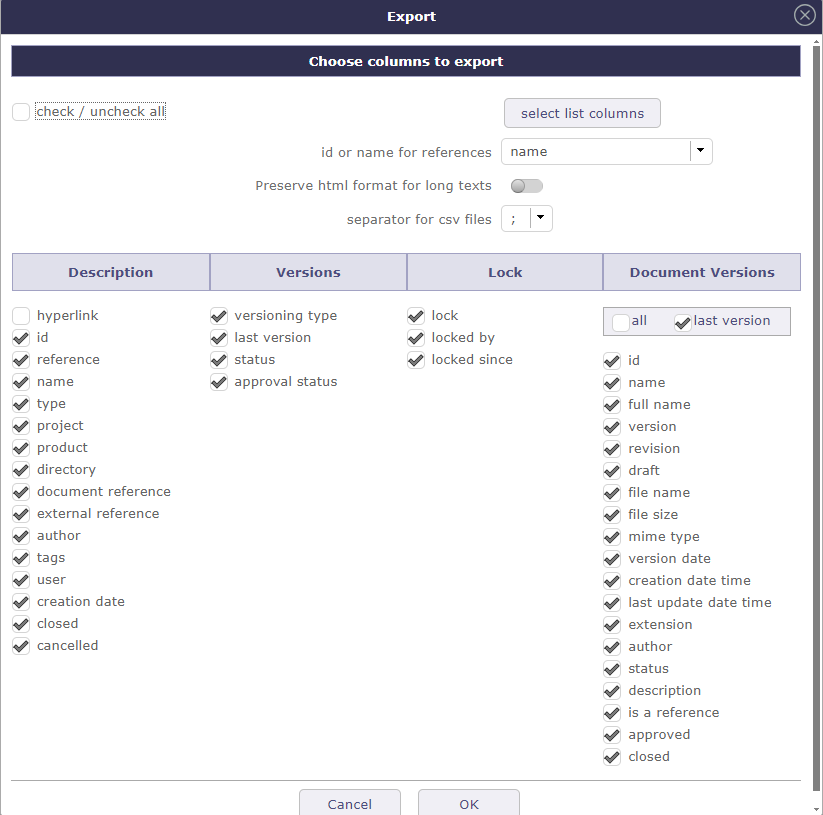

This is because it seems that you did not find this information.
Otherwise no, there is no field for linked elements
Ok thank you for the information. It was what I search.
Maybe i have one more question about the field idClientDecision, when I export the value is 'Accepted' however when I import there is an error because it is not a numeric. Do you know what format I have to set in my import to set 'Accepted' value?
This field does not exist natively in ProjeQtOr.
It is therefore a customized field that you must have created with our screen personalization plugin.
You must therefore see the format information with the creator (probably an admin) of this field.
Ok great thank you for your help !